

When a Package Shows Up With No Unit, No Name Match, or Only a Phone Number
Unlabeled or ambiguous deliveries are a daily reality at the front desk: a box with a first name only, a label with a phone number but no unit, a unit number that doesn’t match any resident, or a smeared label where you can only read a tracking ID. These “unlabeled lobby drops” create the same two problems every time: they slow down the desk, and they increase privacy and liability risk when staff feel pressured to improvise.
This playbook is a strict, speed-first unlabeled package procedure built around a triage ladder. It gives you a defensible decision tree: what staff may check (and in what order) using manager-approved lease roster fields, what they must not do (no opening, no guessing, no broad resident fishing), and when to quarantine versus start a return to sender process. The goal is simple: get the package to the right person quickly, without creating a time sink or a privacy incident.
You’ll also get practical examples and ready-to-use phrasing so every shift handles an unknown recipient package the same way—consistent steps, consistent documentation, and clear time triggers for escalation.

Define the Triage Ladder: Speed First, Then Defensibility
An unlabeled-lobby-drop problem is rarely solved by “trying harder.” It’s solved by running the same tight unlabeled package procedure every time: quick, limited checks; no improvising; clear outcomes. This keeps package handling fast on busy shifts and defensible if a resident later disputes a release or claims their information was mishandled.
Think of this as a strict triage ladder. Each rung has a time limit, an allowed lookup scope, and a required note. If you cannot confirm a match quickly, you stop and move the item into a controlled path (quarantine or return) instead of turning the front desk into a detective agency.
The ladder mindset also protects consistency across staff. If two different concierges handle the same unknown recipient package on different days, they should take the same steps, spend about the same amount of time, and reach the same outcome based on the same resident lookup rules.
- Non-negotiables for every ambiguous delivery:
- 1) Limit search scope: only manager-approved resident roster/directory fields; no outside searches.
- 2) Timebox the attempt: aim for 60–120 seconds before you escalate or quarantine.
- 3) Document what you did: record “checked X, no match” rather than relying on memory.
- 4) Keep the package controlled: never leave it as an open-lobby “claim me” item.
- 5) Choose one of three outcomes: match, quarantine, or return-to-sender process.
What counts as an unlabeled or ambiguous delivery
Treat a package as “ambiguous” any time the label does not let you route it to one specific resident unit with high confidence. It doesn’t have to be completely blank to qualify—partial labels create the same risk (misdelivery, privacy complaints, time sinks).
Common triggers that should immediately move the item into your package identification workflow:
– No unit or apartment number listed (even if the building address is correct).
– Name on the label does not match any current resident on the roster.
– Label shows only a phone number (with or without a first name).
– Partial name only (first name only, last name only, misspelling that creates multiple possible matches).
– Conflicting information (unit number appears to belong to a different name; multiple names but no unit).
– Illegible/smudged label where the recipient details can’t be read clearly.
Operational cue: if you find yourself thinking “it’s probably for…” that’s already a sign it belongs in triage, not general intake.
The 60–120 second rule: how long to spend before escalating
Ambiguous packages can quietly consume an entire shift if you let each one turn into a long hunt. The triage ladder works because it is intentionally short.
Use a simple timer guideline:
– 60 seconds for straightforward checks (for example, exact name match attempt, exact unit attempt).
– Up to 120 seconds total if there’s one additional clean check you’re allowed to do (for example, one alternate spelling or a roster phone exact-match attempt).
If you can’t confirm a single, specific resident by then, stop. Move the package to quarantine pending verification, or begin the return to sender process based on your building’s rules. The point is not to solve every package at the counter; the point is to prevent risky guessing and prevent backlog.
What “escalate” means in practice: hand it to the designated next step (quarantine shelf/bin with notes, manager review queue, or carrier return staging). It does not mean “ask three coworkers to brainstorm.”
Two goals that never change
Every step in the unlabeled package procedure should serve both of these goals at the same time:
1) Get it to the right resident. Accuracy is the service goal.
2) Avoid privacy mistakes. Minimizing data exposure and preventing misrelease is the risk-control goal.
When these goals conflict, privacy wins. A fast, clean “we couldn’t verify; it’s quarantined” outcome is safer than a slow, invasive hunt that still might be wrong. This is why the triage ladder is strict about what you may check, what you must not do, and when you stop searching.
The three outcomes: match, quarantine, or start return to sender process
Your decision tree should end in one of three outcomes—no “fourth option” like leaving it on the counter with a sticky note.
Outcome A: Confidently match
– You can tie the package to one resident/unit using approved checks.
– You can log it and place it in the correct pickup location without special handling.
Outcome B: Quarantine pending verification
– The package has incomplete or conflicting info, or you have multiple plausible matches.
– You place it in a designated, controlled area with a date/time and handler note so another staff member can continue without repeating work.
Outcome C: Start return to sender process
– There is no match after the allowed checks, the addressee appears unrelated to the property, the package is addressed to a former resident per your roster rules, or it has remained unverified past your hold window.
– You stage it for carrier pickup/return with the correct documentation of attempted steps.
Speed and defensibility come from committing to one of these outcomes quickly. The longer a package sits in “maybe” status, the higher the odds of misrelease, loss, or a privacy complaint.
Resident Lookup Rules: What Staff May Check (and in What Order)
This is the fastest, most defensible part of an unlabeled package procedure: a strict, manager-approved sequence that limits what you look at, limits how long you look, and produces consistent outcomes across shifts. Your goal is not to be creative; your goal is to be repeatable and privacy-safe.
Use the same resident lookup rules every time, even during rush periods. Consistency is what makes your package identification workflow easy to defend if a resident complains or a carrier disputes a return.
- Timebox the lookup: one quick pass through the ladder, then stop.
- Use only approved, internal sources (lease roster + building directory basics).
- Match on exact fields; do not infer, guess, or broaden the search to external sources.
- Document what you checked and why you stopped (matched vs. no match).
Allowed data sources: lease roster fields and building directory basics (manager-approved)
Keep your search inside the system your property already controls. The safest rule is: if it is not a standard lease roster field or an approved building directory field, you do not use it to identify an unknown recipient package.
Manager-approved sources typically include:
Lease roster fields (view-only): unit number, legal first/last name, preferred name if your roster includes it, occupancy status (current/former), move-in/move-out dates, and a single resident phone number or email if your lease roster stores it as part of normal operations. Use only what you need to match; do not browse unrelated notes fields if your system has them. Building directory basics (if your property maintains one): unit-to-name mapping and common name variants already published to residents/guests. If the directory is not routinely visible to the public, treat it like internal data: use it only for a direct match, and do not share it with other residents or carriers.
Lookup order for an unknown recipient package: unit first, then full name, then last name + first initial, then phone (if roster includes it)
Run the same ladder in the same order. This keeps the process fast and avoids accidental oversharing because each step narrows the match set.
Step 1: Unit number (if present). If the label shows a unit, start there. Check whether the unit is occupied and whether any current resident name resembles the label name. If unit exists but no occupant matches the name at all, treat it as ambiguous and continue the ladder; do not force a match just because the unit is present.
Step 2: Full name (exact or near-exact). Search the lease roster for the full name as written. Accept minor formatting differences (e.g., middle initial missing) but not a different last name. If you find exactly one current resident match, you can proceed with standard intake labeling/notification. If you find multiple matches (common names), do not choose yet; move to the verification/quarantine path later in the playbook, but log that multiple matches exist at this step so the next staff member does not redo work blindly (see logging guidance below).
Lookup order, continued: last name + first initial, then phone
Step 3: Last name + first initial (tighten, do not widen). Use this only when the label is incomplete (e.g., 'J. Rivera' or 'Rivera, J'). You are allowed to check whether the roster contains a single current resident whose last name matches and whose first initial matches. If there are two or more current residents who fit, stop the lookup and route to quarantine pending verification. Do not contact multiple residents to crowdsource ownership.
Step 4: Phone number (only if your roster includes it). Phone is the highest-risk field because it can easily lead to misdelivery if staff treat partial matches as proof. Only use phone matching when the label includes a full phone number and your roster contains phone numbers as part of standard lease data. Accept exact match only (same full number). If it is missing digits, has a typo, or only matches a family member listed in notes, it is not a match. Stop and quarantine.
Phone-only packages: how to match safely (exact match only, no guessing)
Phone-only packages are common with food, same-day couriers, and marketplace resellers. They are also where shortcuts create the most privacy risk. Treat the phone number as a key that either matches exactly or does not match at all.
Safe handling rules:
If you get an exact phone-to-roster match to one current resident, you may log the package to that unit/resident and notify using your normal channel (do not announce or display the phone number publicly). If the phone number matches no one, do not try similar numbers, area-code variants, or 'closest' matches. Quarantine pending verification. If the phone number matches more than one profile (shared household numbers can be duplicated), treat it as ambiguous and quarantine. Do not decide based on who 'usually' gets deliveries.
Common edge cases (and the approved way to handle each)
These are the scenarios that burn time at the desk. The key is to keep the lookup narrow and outcome-driven.
Nicknames and preferred names: If your lease roster includes a preferred name field and it matches exactly, you can use it. If it does not, do not invent mappings (e.g., assuming 'Peggy' equals 'Margaret') unless your roster already documents it. Otherwise, quarantine for verification.
Maiden names or hyphenations: Accept an exact match on either last name only if the roster explicitly lists an alternate last name field or has a documented alias in the standard roster view. If it is not explicitly in the roster, treat as no match and quarantine rather than guessing based on resemblance to a spouse/roommate name in the unit.
More edge cases: shared surnames, subletters, roommates, and unauthorized occupants
Multiple residents with the same surname: Match requires another unique identifier (unit, full first name, or exact phone). If the label only says 'Patel' and you have multiple Patel households, stop and quarantine. Do not pick the one you recognize.
Subletters/roommates not on lease: Your lookup is limited to the current lease roster. If the name is not on the roster, it is not a confirmed match, even if a resident tells you 'that is my cousin staying with me.' Route to quarantine and require verification tied to a current leaseholder (e.g., leaseholder confirms sender and contents at a high level without you revealing details).
Former residents: If the roster shows the person moved out, do not deliver to the new occupant by default. Treat as ambiguous and follow quarantine/return timing rules in the next section of the playbook.
When to stop: mismatch thresholds and how to document 'no match'
Stopping is a feature, not a failure. The most expensive mistakes come from over-searching and over-sharing. Stop your lookup when any of the following is true:
You reach the end of the ladder without a single unique, exact match (unit or name or phone). You get multiple possible matches at any step (e.g., two residents match last name + first initial). The label information conflicts with the roster (e.g., unit points to one household but the name clearly belongs to another) and you cannot resolve it with an exact match.
How to document 'no match' quickly (minimal but defensible): log date/time received, carrier (if known), visible label elements (e.g., 'first name + phone ending 4412' or 'last name only'), which lookup steps were attempted (unit, full name, last name+initial, phone), result ('no match' or 'multiple matches'), and your initials. Avoid copying full phone numbers into logs if your policy does not require it; if you must note it, mask it (e.g., last 4 digits only) to reduce exposure while still supporting the package identification workflow.

Hard Stops: What Staff Must Not Do With an Unknown Recipient Package
Ambiguous deliveries create pressure to “just figure it out.” These hard stops keep the unlabeled package procedure fast, consistent across shifts, and defensible if a resident, carrier, or manager later asks what happened. The rule is simple: if the label does not clearly match your approved resident lookup rules, you do not improvise—because improvisation usually means privacy exposure or mishandling.
Use this section as a script for what to avoid and what to do instead. Each “must not” includes an approved alternative so staff are never forced to choose between being helpful and being compliant.
- Do not open, peel back, or manipulate packaging to search for clues
- Do not search personal devices, social media, or external people-finder tools
- Do not mass-text/call multiple residents to ‘see who ordered it’
- Do not leave it in the open lobby as a ‘please claim’ item
- Do not guess based on package type, brand markings, or past deliveries
- Approved alternatives: quarantine + single verification channel, manager review, carrier contact
Do not open, peel back, or manipulate packaging to search for clues
What not to do: Do not open the box, cut tape, unfold seams, slide the contents to “see an invoice,” peel back shipping labels, or remove a secondary label to reveal “more info.” Even small actions can look like tampering, create contamination risk (meds, food, personal items), or lead to accidental disclosure of private details.
What to do instead: Treat the label as the only allowable identification source. If the exterior label is insufficient, move the item into the unknown recipient package path: log it as ambiguous and place it in quarantine. If the carrier is still present, request that they confirm the address on their device or retrieve the shipment for relabeling (without you altering the package).
Do not search personal devices, social media, or external people-finder tools
What not to do: Do not use your personal phone to search a phone number, look up a name on social platforms, check email contacts, or use external directories to “connect the dots.” Do not ask coworkers to do the same. These steps expand data access beyond approved building records and can create complaints like “Why is staff looking me up online?”
What to do instead: Keep the package identification workflow limited to manager-approved internal sources only (your lease roster/directory fields). If the package has only a phone number and it does not exactly match an approved roster field, stop there and quarantine. If policy allows, escalate to a manager to determine whether the carrier can be contacted for address correction.
Do not mass-text/call multiple residents to ‘see who ordered it’
What not to do: Do not broadcast messages like “We have a package for someone named Alex, who is it?” in a resident chat, group text, community app, or by calling multiple residents until someone claims it. This can expose personal purchasing behavior, confirm who lives in the building, and invites false claims (especially with high-value deliveries).
What to do instead: Use a single verification channel aimed at one potential match only, and only when you have a permitted, specific reason to contact that resident (for example, an exact phone match in the roster, or an exact full-name match with missing unit where only one resident has that name). If you cannot narrow to one resident without guessing, quarantine and escalate.
Do not leave it in the open lobby as a ‘please claim’ item
What not to do: Do not place ambiguous items on a public counter, in an open mail area, or with a note like “Unlabeled package—claim me.” This increases theft, mix-ups, and disputes (“It was there and now it’s gone”), and it pressures staff into on-the-spot handoffs without verification.
What to do instead: Store it in a designated quarantine location (bin/shelf/cage) with restricted access. Attach an internal tag (not publicly visible) that records the date/time received and the reason it is quarantined (for example: “No unit,” “Name not on roster,” “Phone-only, no exact match”).
Do not guess based on package type, brand markings, or past deliveries
What not to do: Do not route a package because “that looks like the meal kit resident in 4B always gets,” “that’s probably for the dog food person,” or “we usually get those for Unit 1207.” Brand logos, box size, retailer tape, and delivery patterns are not reliable identifiers and can lead to misdelivery and privacy complaints.
What to do instead: Require a match to approved label fields only. If there is no confident match, follow the triage ladder outcome: quarantine pending verification, then manager review, then return to sender process if unresolved. Consistency matters more than cleverness.
Approved alternatives: quarantine + single verification channel, manager review, carrier contact
When you hit a hard stop, you are not “stuck.” You are switching to controlled options that protect residents and protect staff time.
Approved alternatives, in order: 1) Quarantine the item immediately with a clear internal note and chain-of-custody entry. 2) If and only if you can narrow to one resident using resident lookup rules, use a single verification channel (one resident, one message/call) with neutral language that does not reveal sender or contents; require the resident to provide confirming details rather than you supplying hints. 3) Escalate to a manager for a second look using the same permitted sources (no expanded searching). 4) Contact the carrier (or request carrier pickup) when the label is incomplete, conflicting, or not deliverable to your building standards.
If a resident pressures you to hand it over without verification, stay procedural: explain that unlabeled items must remain in quarantine until the resident can confirm key details and the building can document the handoff. If they cannot verify, the package follows the return to sender process timeline.
Decision Tree: Quarantine vs. Return to Sender Process (With Time Triggers)
This is the operational core of an unlabeled package procedure: a fast, consistent decision tree that tells staff exactly when to quarantine, when to escalate, and when to start the return to sender process. The goal is to minimize time spent on each unknown recipient package while staying defensible (clear logs, consistent resident lookup rules, no guessing).
Use the ladder below in the same order every time. If you can’t reach a confident match using approved roster checks, you either quarantine pending verification or move to return based on time triggers and risk factors.
- Decision tree (one pass): 1) Attempt approved match once. 2) If no confident match, decide Quarantine vs. Immediate Return based on criteria. 3) Quarantine with chain-of-custody notes. 4) Verify through one-to-one prompts only. 5) Escalate to manager at the set trigger. 6) Initiate return at the set trigger.
- Rule of thumb: If it’s ambiguous, it’s quarantined; if it’s clearly not deliverable to a current resident (or becomes stale), it’s returned.
- Never let an unlabeled item drift into a fourth category like “leave it out and hope.” That’s how privacy issues and lost packages happen.
Quarantine criteria: when a package is eligible to hold (and when it isn’t)
Quarantine is for items that might be deliverable to a current resident, but you cannot prove it quickly and safely. It buys time for verification without expanding your search scope or exposing resident data.
Quarantine the package if any of the following is true:
– Partial but plausible match: the name resembles a current resident (nickname, common spelling variant) but isn’t exact, or the unit is missing/unclear.
– Phone-only label: the label lists only a phone number and you have no exact match in the roster (or your roster does not include phone fields).
– Illegible label: smudged print, torn label, or incomplete address where key fields can’t be read.
– Conflicting info: unit points to one resident but the name resembles another; or the carrier sticker covers part of the address.
– “Care of” or business/vendor name that could relate to a resident but isn’t certain.
Do not quarantine (move toward return or carrier resolution) when it’s clearly not deliverable:
– Addressed to a former resident with no current roster link and no unit.
– Addressed to an entity unrelated to residential delivery (a nearby business) with no unit.
– Hazard, perishable, or policy-restricted items your site is not permitted to store (follow building policy and carrier instructions).
– Damaged/leaking packages that pose a safety risk (segregate for safety and contact the carrier/manager immediately).
Quarantine setup: designated location + chain-of-custody notes
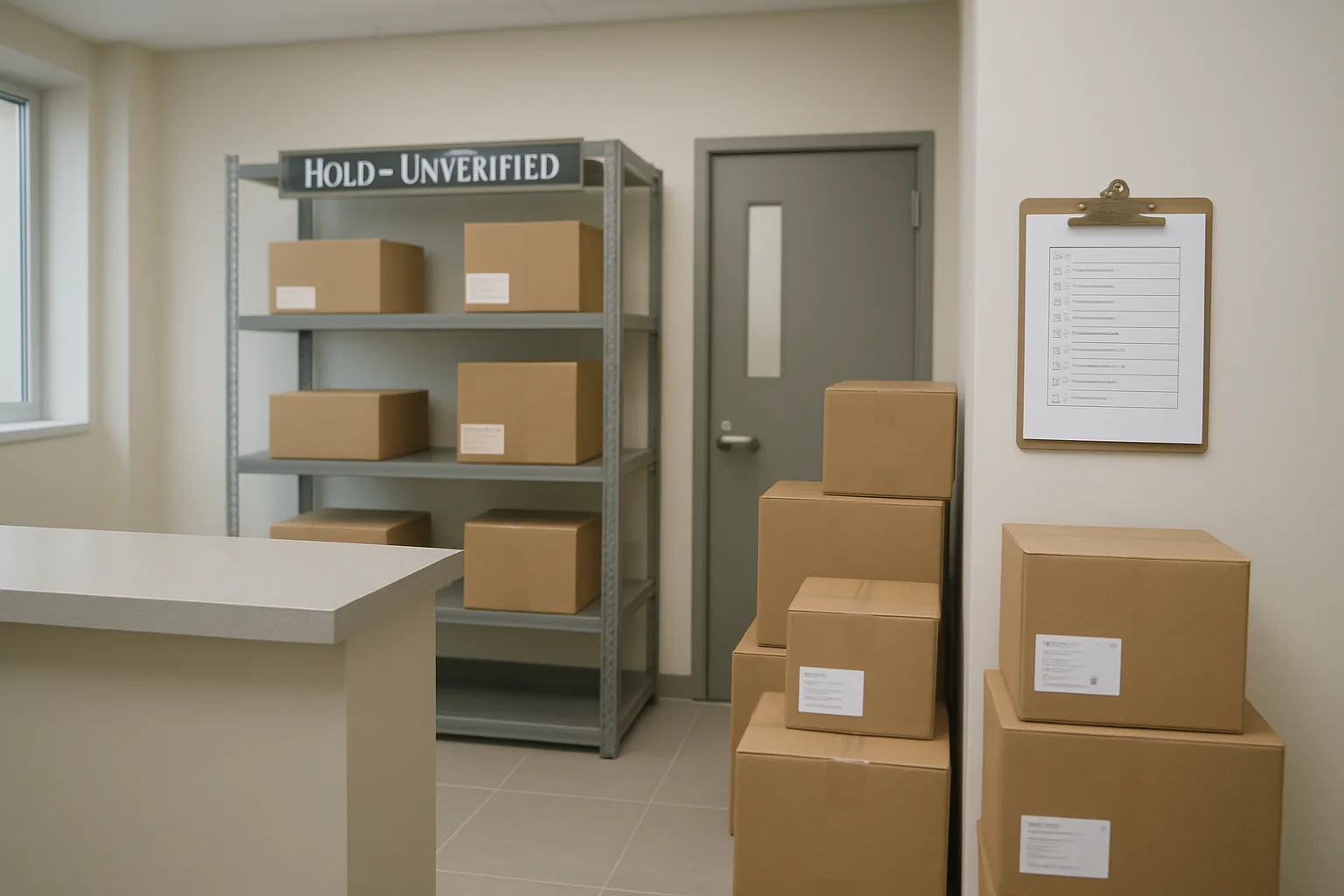
Quarantine only works if it is physically controlled and consistently documented. Set up one designated quarantine shelf/bin in the package room (or behind-desk secure area) that is not accessible to residents.
Minimum quarantine setup requirements:
– Designated bin/shelf labeled “Quarantine: Unverified Recipient” (not in the open lobby).
– Date/time stamp: mark when the item entered quarantine.
– Handler ID: who received it and who placed it into quarantine.
– Unique internal reference: a short code or log number you can use in shift handoffs.
– Chain-of-custody notes: every move in/out of quarantine gets a time and staff initials (especially if managers review or carriers retrieve).
Practical example of a quarantine note (keep it factual):
– “Q-014, received 2:12 pm by AJ. Label: ‘Sam’ + phone ending 1842, no unit. No roster phone match. Placed in Quarantine shelf A at 2:16 pm. Carrier: FedEx. Tracking visible.”
Key discipline: quarantine items do not get “sorted” into unit cubbies or staged for pickup until verified. That prevents accidental disclosure (“Someone in 4B has a medical delivery”) and reduces mis-delivery claims.
Verification methods: one-to-one confirmation prompts that don’t overshare
Verification should be a single, controlled channel that confirms ownership without giving the resident clues to “guess” the package. The goal is to ensure the right person gets it while minimizing the privacy footprint of the interaction.
Use one-to-one verification prompts. You ask the resident to describe; you do not reveal sender, retailer, contents, or tracking numbers unless your policy explicitly allows it and it’s necessary.
Approved verification prompts (choose 2–3 and be consistent):
– “Can you confirm the name and unit that should be on the label?”
– “What is the carrier and expected delivery window?”
– “Please describe the sender name as it appears on the label.”
– “What is the last 4 digits of the phone number used on the shipment?” (only if the package label shows a phone and your roster includes phone for exact match use)
– “Do you have the tracking number? If so, please read the last 6 characters.”
Safe staff phrasing when someone asks “Is there a package for me?”
– “I can check if we have a package under your name and unit. If you’re expecting something that may be missing details, please share the carrier and tracking number so we can verify without guessing.”
What not to say during verification:
– Don’t say: “Is it from [Retailer]?” or “Is it the box that looks like [Brand]?”
– Don’t say: “We have something for someone named Sam; is that you?” unless “Sam” is their legal roster name and you’re already in a verified interaction.
If your building uses QR-label or package-room workflows, verification can be: “Show me the pickup code/QR in your app or email,” but do not create new resident lookup rules just to accommodate unlabeled packages. Verification should confirm, not broaden search.
Time triggers: how long to hold, when to escalate, when to return
Time triggers keep unlabeled packages from consuming hours of staff time and storage space. Set the triggers in writing and apply them consistently across shifts.
A simple, defensible timing model:
– Day 0 (intake): Attempt approved match once. If no match, quarantine immediately.
– 24 hours: If unverified, escalate to manager review (quick second-pass check using the same allowed fields; confirm whether resident roster is current).
– 72 hours (or next business day after a weekend/holiday): If still unverified, begin the return to sender process or coordinate carrier pickup, depending on carrier rules and your site policy.
Adjustments you may need:
– High-volume buildings may use shorter triggers (e.g., 24-hour manager review and 48-hour return) to prevent quarantine buildup.
– Buildings with limited carrier pickup may extend return initiation to the next scheduled pickup day, but still document the decision and keep the package quarantined.
Important: Time triggers are not “waiting periods for guessing.” During quarantine, staff should not repeatedly re-run roster searches or poll residents. The point is to hold securely while offering a clear verification path.
Return to sender process: clean handoff, clean documentation, and when to refuse future unlabeled drops
Returns should be routine and low-drama. A clean return to sender process protects staff time and reduces back-and-forth with carriers and residents.
Return steps (carrier-agnostic):
– Confirm it is still unverified and past the return trigger.
– Update the log: “No match found using approved lookup. Quarantine held until [date/time]. Manager review completed [date/time], still unverified.”
– Mark the package externally only as your policy allows (some sites use a small sticker: “Recipient unknown at this address” and the date). Do not add resident names or speculative units.
– Hand off to the carrier using your normal outgoing/exception process (scheduled pickup, driver handoff, or designated return bin), and record who accepted it and when.
Carrier-specific basics (keep it simple):
– If the driver is on-site daily: hand it back at the desk with the tracking number visible; record driver name/route if available.
– If pickups are scheduled: place in the building’s outgoing returns area only at pickup time; otherwise keep it quarantined.
– If the carrier requires an official scan or label to return: the manager should handle the coordination to avoid front-desk improvisation.
When to refuse future unlabeled drops (manager-level decision):
– If a particular carrier repeatedly delivers packages with missing unit/name and won’t correct behavior.
– If the same sender repeatedly omits required address fields.
– If unlabeled drops create recurring privacy risks (packages left in public areas, multiple complaints).
In those cases, the building can tighten acceptance rules (for example: “No unit, no acceptance” for certain delivery types) as long as it’s applied uniformly and communicated through approved channels. Front desk should not invent new refusal rules on the fly; document the incident and escalate.
If a resident insists it’s theirs but cannot verify
This is the highest-risk moment in the package identification workflow. A confident claimant who cannot verify is not proof. Your job is to stay calm, consistent, and policy-based.
Follow this sequence:
– Restate the rule: “For resident privacy and to prevent mis-delivery, we can only release quarantined items after verification.”
– Offer acceptable verification options: tracking number, shipping confirmation showing name/unit, pickup code/QR, or other manager-approved proof.
– If they still cannot verify: keep the package in quarantine and escalate to the manager at the next trigger (or immediately if the resident becomes escalated).
– Document the interaction factually: time, staff, what proof was offered/declined. Avoid notes like “seemed honest.”
If a resident demands you open the package to prove ownership, the answer stays no. Opening or manipulating packaging to search for clues breaks the hard stops and creates new liability.
If the resident later returns with verification, release the item using your normal pickup protocol (ID check if required, signature/log, and clear chain-of-custody closeout). If verification never arrives by the return trigger, proceed with return to sender as documented.
Operational Examples: Five Real-World Scenarios and the Correct Path
Below are five common ambiguous-delivery situations and the exact path to take under a strict unlabeled package procedure. Each example assumes you follow the same triage ladder every time: quick allowed checks only, no guessing, document what you did, then either (1) confidently match, (2) quarantine pending verification, or (3) begin the return to sender process.
Use the sample phrasing as-is or adapt it to your building voice. The key is consistency: one-to-one verification, minimal disclosure, and clean logging so the decision is defensible later.
- Rule reminder in every scenario: do not open packaging, do not ‘crowdsource’ by blasting residents, and do not leave it in an unsecured ‘claim me’ area.
- Timebox: if you cannot make a confident match quickly using approved roster fields, move to quarantine and log it.
- Verification principle: ask the claimant to describe details; do not feed details you can see on the label.
Scenario 1: Label has only a phone number and first name
What arrives: A small parcel labeled “Alex” plus a 10-digit phone number. No last name, no unit.
Correct path (fast and strict):
1) Intake and log immediately as an unknown recipient package. Record carrier (if known), date/time, and what’s visible: “First name Alex; phone ends 1234; no unit.” Add a quick photo if your building process allows it (photo of label only). Do not add notes about the contents or make assumptions based on branding on the box/bag. 2) Allowed lookup: search the lease roster for an exact phone-number match only (if phone is a manager-approved roster field). If you have an exact match to one resident record, you may tentatively associate it but still treat it as “pending verification” until pickup. If there is no exact match, or multiple residents share a family phone line, stop lookup. 3) Quarantine: place the parcel in the designated quarantine bin/shelf with a visible date/time stamp and your initials. Mark status “Quarantine: phone-only, no roster match” (or “multiple matches”). 4) Verification at pickup: if someone claims it, use one-to-one confirmation prompts that do not reveal the phone number or other details: “To release it, please confirm the phone number on the label and the sender name, and tell me roughly what type of item it is (no need to be specific).” If they can’t confirm the phone number on the label, do not release. Escalate to a manager if needed. 5) Time trigger: if unclaimed past your building’s hold period, begin return to sender process using the carrier’s process for undeliverable/insufficient address packages and log that return was initiated.
Scenario 2: Full name present but no unit; multiple roster matches
What arrives: A box addressed to “Jordan Lee” with a complete street address, but no apartment/unit. Your roster has two Jordan Lees (or one Jordan Lee and one Jordan S. Lee).
Correct path (avoid wrong-person release):
1) Intake and log: “Jordan Lee, no unit on label.” Note carrier and tracking (if visible). 2) Allowed lookup: check the roster for exact full-name matches. If more than one match exists, you have a non-confident match. Do not choose based on who you ‘see more’ or who has received similar packages before. Stop lookup. 3) Quarantine: store in the quarantine location. Log “Multiple roster matches; requires verification.” 4) Verification method (do not overshare): when either Jordan asks, say: “We have a package addressed to your name but missing a unit number. To release it, please confirm the sender name and provide the tracking number (or the last 4 characters if that’s all you have).” If they don’t have tracking, ask them to describe a detail they would know that you shouldn’t provide: expected delivery date window, shipping method, or the exact spelling/format of the name as entered by the sender. 5) If both residents claim it: do not adjudicate at the desk. Escalate to a manager, keep it quarantined, and document both claims with timestamps. If a carrier can validate the consignee via tracking inquiry, use that channel; otherwise proceed to return after the hold period.
Scenario 3: Unit present but name doesn’t match any roster entry
What arrives: A package labeled “Unit 1207, Sam Rivera.” Your current roster for 1207 lists “Patel, N.” and “Patel, R.” No Sam Rivera in the building.
Correct path (protect resident privacy and reduce misdelivery risk):
1) Intake and log: “Unit 1207 present; addressee name not found on roster.” Do not assume it’s a guest, subletter, or prior resident. 2) Allowed lookup: confirm the unit is valid and occupied (roster). Optionally check if your manager-approved roster notes include authorized occupants or preferred names for that unit. If no authorized match appears, stop. 3) Quarantine (not direct delivery): do not route it into 1207’s normal package area or send an automated notification to 1207 that could expose the name on the label. Place it in quarantine and mark “Unit mismatch with roster name.” 4) Verification if the unit resident inquires: use a neutral script that doesn’t disclose the label name: “We have a package with your unit number but the recipient name does not match the lease roster. If it’s yours, please share the tracking number and sender name so we can verify.” If they provide tracking and it confirms unit 1207 as the delivery destination, you may release per policy. If they cannot verify, keep quarantined. 5) If someone claiming to be “Sam Rivera” shows up: treat as a non-resident pickup. Follow your building’s guest pickup rules (usually not allowed without prior authorization). Escalate to a manager rather than improvising.
Scenario 4: Smudged label; only carrier tracking ID is readable
What arrives: Label is smeared; you can read the carrier and tracking number, but not the name or unit. The address line is partially visible but incomplete.
Correct path (use tracking as the anchor, not guesswork):
1) Intake and log: record carrier, full tracking number, and “Label illegible; name/unit unreadable.” 2) Allowed lookup: do not try to ‘decipher’ the label by peeling tape, rubbing ink, or manipulating the package. If your building has a manager-approved carrier contact method (e.g., driver pickup window, local station number), request delivery detail verification using the tracking number: you’re seeking delivery address confirmation, not personal data. 3) Quarantine: hold in the designated area labeled “Tracking-only.” Chain-of-custody matters here because you cannot tie it to any resident yet; ensure it is not mixed into regular shelving. 4) Verification if a resident asks about a missing delivery: only confirm you have “a package that may match a tracking number.” Ask them to provide their tracking number first. If their tracking matches exactly, you can associate and release per policy. If they do not know the tracking, keep it quarantined. 5) If the carrier confirms it is not for your building: begin return to sender process immediately and log “Carrier confirmed misdelivery.” If the carrier cannot confirm and it remains unclaimed past the hold period, return as undeliverable/insufficient address according to carrier process.
Scenario 5: Package addressed to a former resident or vendor name
What arrives: A package addressed to “Taylor Nguyen” (moved out months ago) or to “SparkleClean Services” (a vendor) with your building address and a unit that is now occupied by someone else—or no unit at all.
Correct path (don’t route to current resident and don’t play detective):
1) Intake and log: “Addressee appears not on current roster” and note whether a unit is listed. If it’s a vendor name, log it as “Business/vendor addressee.” 2) Allowed lookup: check roster history only if your manager-approved process includes move-out forwarding notes. Do not ask current residents whether they know the former resident or vendor. Stop if no forwarding instruction exists. 3) Quarantine briefly if there is a plausible internal match: for example, vendor packages sometimes correspond to an active work order. You may check manager-approved maintenance/work order systems for an exact vendor name match (not a broad guess based on packaging). If there is a confirmed work order and a staff member is designated to receive it, follow your internal receiving process; otherwise quarantine. 4) Time trigger to return: former resident packages should typically move to return to sender process quickly (often same or next business day) unless you have explicit forwarding authorization on file. Vendor-addressed items with no confirmed recipient should follow your standard hold period, then return. 5) If a current resident insists it’s theirs: use the same verification standard as other scenarios—tracking number and sender confirmation. “It’s probably mine” or “I recognize the box” is not verification. If they cannot verify, do not release.
Make It Repeatable: Shift Handoffs, Logs, and Continuous Improvement
A strong unlabeled package procedure only works if every shift handles the same situation the same way. The goal is consistency: minimal logging that proves you followed resident lookup rules, clean handoffs that prevent rework, and routine manager review that reduces repeat unknown recipient package issues over time—without expanding what staff can access or collect.
Think of this as the “maintenance layer” for your package identification workflow: you are documenting actions (not accumulating personal data), and you are tightening upstream behaviors (carriers and residents labeling correctly) so fewer ambiguous packages hit the desk.
- Standardize the record: log what you did, not what you think
- Standardize the handoff: the next shift should never restart the search from scratch
- Standardize the feedback loop: small monthly fixes prevent daily time sinks
Minimum logging fields for defensibility (without collecting extra personal data)
Log just enough to show you followed the triage ladder and to preserve chain-of-custody. Avoid adding new fields “because it might help later.” If it’s not already part of the lease roster, it usually doesn’t belong in the package log.
A practical baseline for ambiguous deliveries:
1) Date/time received and who accepted it (initials or staff ID) 2) Carrier and any tracking ID visible 3) Exactly what is on the label (transcribe; do not interpret) 4) Triage result (matched, quarantined, started return to sender process) 5) Lookup steps taken (unit check, name check, exact phone match check) and outcome (no match, multiple matches, conflicting info) 6) Storage location (example: Quarantine Bin A, Shelf 2) 7) Any resident contact attempt (single outbound only), with method and timestamp, without including message content beyond “verification requested.”
Two examples of “good” vs. “too much”:
– Good: “Label: ‘Sam, 555-0134’ no unit; exact phone match: none; quarantined Bin A.”
– Too much: “Looks like Sam from 4B who orders a lot; package seems like electronics; I think it’s his.”
If your building uses a QR-label or intake system, treat the QR record the same way: it should capture operational facts and custody, not additional personal identifiers.
Shift-change handoff checklist: what to brief, what to leave out
Unlabeled packages become time sinks when each shift re-runs the same searches or improvises new ones. Use a short, repeatable handoff that tells the next team member exactly where the package is in the process.
Shift-change handoff checklist (60 seconds):
– Count and location: “3 items in Quarantine Bin A; 1 item pending return pickup.”
– For each item: the triage status and next trigger: “Hold until tomorrow 3 p.m. then escalate to manager,” or “Return scheduled with carrier tomorrow morning.”
– Any single verification in progress: “One message sent to resident at 2:10 p.m. requesting verification; no response yet.”
– Any access restrictions: “Do not release without manager approval” (use this sparingly and only when your policy calls for it).
What to leave out:
– Theories about who it “must be” for
– Long backstories or resident gossip
– Broad instructions like “try calling around” (that invites privacy drift)
– Screenshots or copied personal data from the roster
A good handoff means the next person can execute the unlabeled package procedure at the same rung of the ladder—without expanding the search scope.
Resident education that doesn’t shame: what label info you need and why
You can reduce unknown recipient package volume by setting expectations in calm, operational language. The key is to explain the “why” (speed and privacy) and the minimum label requirements (name plus unit), without blaming residents for carrier errors or making them feel policed.
Practical resident-facing guidance (use in move-in materials, a lobby sign near package drop-off, and a periodic building message):
– “Please include full name and unit number on all deliveries. This helps us route packages quickly and prevents mistaken releases.”
– “Packages with missing unit or unclear recipient may be held in a quarantine area while we verify ownership.”
– “For privacy, the team cannot open packages or guess the recipient based on contents.”
If residents often ship to nicknames or alternate last names, provide a simple fix: “If you use a different name for deliveries, add your unit number. That is the fastest match.”
When residents ask, “Can’t you just look it up?” use a consistent, non-argumentative script: “We can only check our approved lease roster fields, and we don’t guess. If the label is missing a unit or doesn’t match, we hold it briefly while we verify.”
Manager monthly review: patterns (carriers, frequent senders, common label errors) and process tweaks
A monthly review turns repeated friction into targeted fixes. Keep it small: 20–30 minutes, using the log to find patterns that are within your control.
What to review:
– Volume: How many items hit quarantine this month? How many resolved vs. returned?
– Root cause tags (simple categories): no unit, no name match, phone-only, illegible label, former resident, vendor/office delivery.
– Carrier patterns: Which carrier or driver route is associated with most ambiguous drops?
– Repeat senders: Are the same residents (or the same retailers) repeatedly omitting unit numbers?
What to change (without stretching privacy boundaries):
– Update lobby signage placement or wording if “no unit” dominates
– Re-brief carriers: “We can accept deliveries, but labels must include unit. Otherwise they will be quarantined and may be returned.”
– Adjust time triggers if quarantine is filling up (shorten hold time for zero-match items; keep longer holds only where policy supports it)
– Clarify authority: when staff can start a return to sender process vs. when manager approval is required
Most importantly, codify any change: publish a one-page update so all shifts follow the same resident lookup rules and stop conditions.
How QR labels or package-room workflows can reduce unlabeled drops without expanding data access
You can reduce ambiguity by tightening intake and pickup mechanics—without giving staff broader access to resident data. The principle is “better identifiers at the edge,” not “deeper searching in the roster.”
Operational approaches that help:
– Resident-facing QR labels: Encourage residents to use a building-approved QR label system that encodes routing info (like unit) so staff can scan and assign quickly, even if the carrier label is incomplete.
– Standard intake checkpoints: A simple rule at the package-room door: if there is no unit and no roster match, it goes straight to quarantine with a timestamp—no extra detective work.
– Controlled pickup flow: Require residents picking up from quarantine to verify with non-leading prompts (example: “What name and unit is it under?” and “What is the sender?”). This keeps the process consistent and reduces pressure on staff to guess.
– Accountability on handoff: Use a single place to record custody changes (received, moved to quarantine, released, returned). This shrinks “I thought you handled it” gaps during shift changes.
The outcome is a faster package identification workflow: fewer ambiguous items, fewer privacy-risky conversations, and a clear audit trail when you do need to initiate a return to sender process.
Frequently Asked Questions
What should we do if a courier refuses to take a package back after we decide it needs a return to sender process?
Treat it as “return pending” and keep it in the quarantine area with a clear status note. Log: date/time, carrier, driver name or route ID if offered, and the exact reason it was not accepted (“driver stated returns not accepted at desk”). Then follow your manager-approved next step: (1) schedule a carrier pickup/return scan through the carrier’s normal channel, or (2) hand it back at the next routine stop when that carrier’s procedures allow. Do not move it back into general package storage or release it to a resident without verification just to clear the backlog.
How should we handle an unlabeled package when the only identifier is a tracking number?
Use the tracking number strictly as an internal reference, not as a shortcut to identify the resident. Log the tracking ID, carrier, and the label condition (“recipient details illegible”). If your building’s approved tools include a carrier portal that shows the recipient name/unit to authorized building staff, follow that policy; otherwise, do not attempt to “reverse lookup” online using personal accounts. Default outcome is quarantine with a timed escalation, then return if no verified claimant emerges.
What is the safest way to verify a resident claim without revealing private delivery details?
Use one-to-one verification prompts that require the claimant to supply details first. Examples: “What name and unit was it shipped to?” “Who is the sender?” “About what size and delivery day?” Avoid leading prompts like “Is it from [retailer]?” or reading label fragments out loud. If the resident cannot provide consistent details and you cannot match via resident lookup rules, keep it quarantined and escalate to a manager rather than releasing it based on insistence.
If we find a likely match, can we notify the resident before we are 100% sure?
Yes, but only with minimal information and only to a single, specific resident contact that already exists in the lease roster. Message content should not include sensitive label details (sender, retailer, contents). Use neutral language such as: “A delivery arrived with incomplete labeling. If you are expecting a package, please confirm the name/unit it was shipped under and the carrier.” If the resident’s response doesn’t exactly match what is visible on the package, stop and keep it in quarantine.
How do we handle unknown recipient packages that might be for contractors, vendors, or building staff?
Do not treat vendors as residents or expand lookup beyond your approved directory. If the label suggests a company name (e.g., “ABC Flooring”) or a staff role, route it through the building’s established receiving channel: confirm whether there is an active work order, scheduled delivery, or an authorized staff recipient. If you cannot confirm an authorized recipient quickly, quarantine it under the same time triggers as resident packages and initiate return to sender if unclaimed. Avoid calling multiple vendors fishing for ownership.
What should we do when a resident is out of date in the roster (new move-in not added yet) and an unlabeled package might be theirs?
Don’t “fill in the gaps” by guessing. Quarantine the package and escalate to the manager to reconcile roster updates first. The manager should confirm tenancy and add the resident through the normal onboarding workflow, then perform an exact-match check against the package label. Once the roster is accurate, you can complete the package identification workflow and notify the resident. This keeps the unlabeled package procedure consistent and avoids releasing items based on unofficial move-in claims.

CTA
Requested CTA not provided. Share the desired call-to-action text (and any button label/link if needed), and I’ll add a CTA that fits this article and your front desk workflow.
A Fast, Defensible Package Identification Workflow Beats Guessing Every Time
Ambiguous deliveries don’t require heroic detective work—they require consistent resident lookup rules, a timeboxed package identification workflow, and hard stops that protect resident privacy. When everyone follows the same triage ladder, you reduce back-and-forth, prevent “I think it’s theirs” handoffs, and make your decisions easy to explain later if a carrier, resident, or manager asks what happened.
The most effective teams treat every unknown recipient package the same way: verify only through approved roster fields, document what was checked, quarantine when there’s any uncertainty, and use clear time triggers to escalate and, when needed, initiate a return to sender process. Over time, your log becomes your improvement tool—helping you spot repeat carrier issues, frequent labeling mistakes, and process gaps without expanding data access or stretching privacy boundaries.
If you want one takeaway to brief the next shift, make it this: “Match confidently or quarantine—never guess.”