
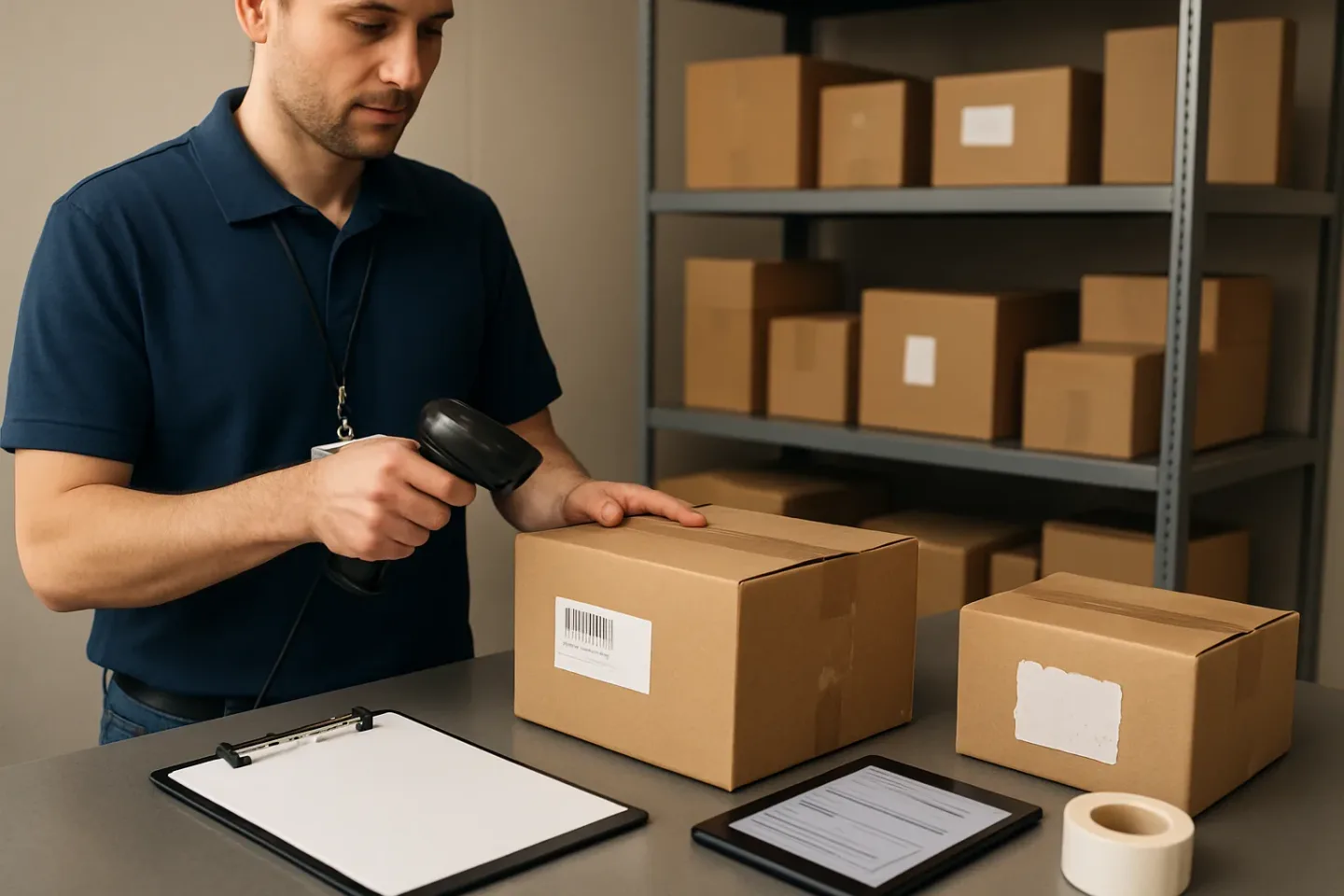
The “No-Scan” Problem: Treat It as Its Own Intake Class
If you run a front desk or package room, you have probably seen the same pattern: a driver drops a bag or box with no barcode you can scan, a label that is torn in half, or a handwritten note that does not match any unit in the building. The source might be Amazon/Flex, a food courier, or a white-label driver working for a local retailer. The result is the same: you are asked to take custody of something you cannot reliably tie to a resident using your normal process.
introParagraphs
Standard intake processes are built around a trackable ID. When that ID is missing or invalid, teams often improvise: “left by door,” “random box,” “says for 3rd floor,” “maybe for Jordan.” Those notes feel helpful in the moment, but they are inconsistent, hard to audit, and weak in disputes. They also create uneven resident experiences, because the next staff member cannot interpret what the original note really meant.
This guide frames no tracking number package intake as a distinct delivery class with its own minimal data schema and a simple decision tree: accept, quarantine, or refuse. The goal is not to slow your desk down—it is to prevent staff from inventing different notes each time, preserve chain-of-custody, and make your building’s response predictable. You will leave with a short list of fields that every staff member uses the same way, clear escalation thresholds, and resident communication templates that set expectations without overpromising.
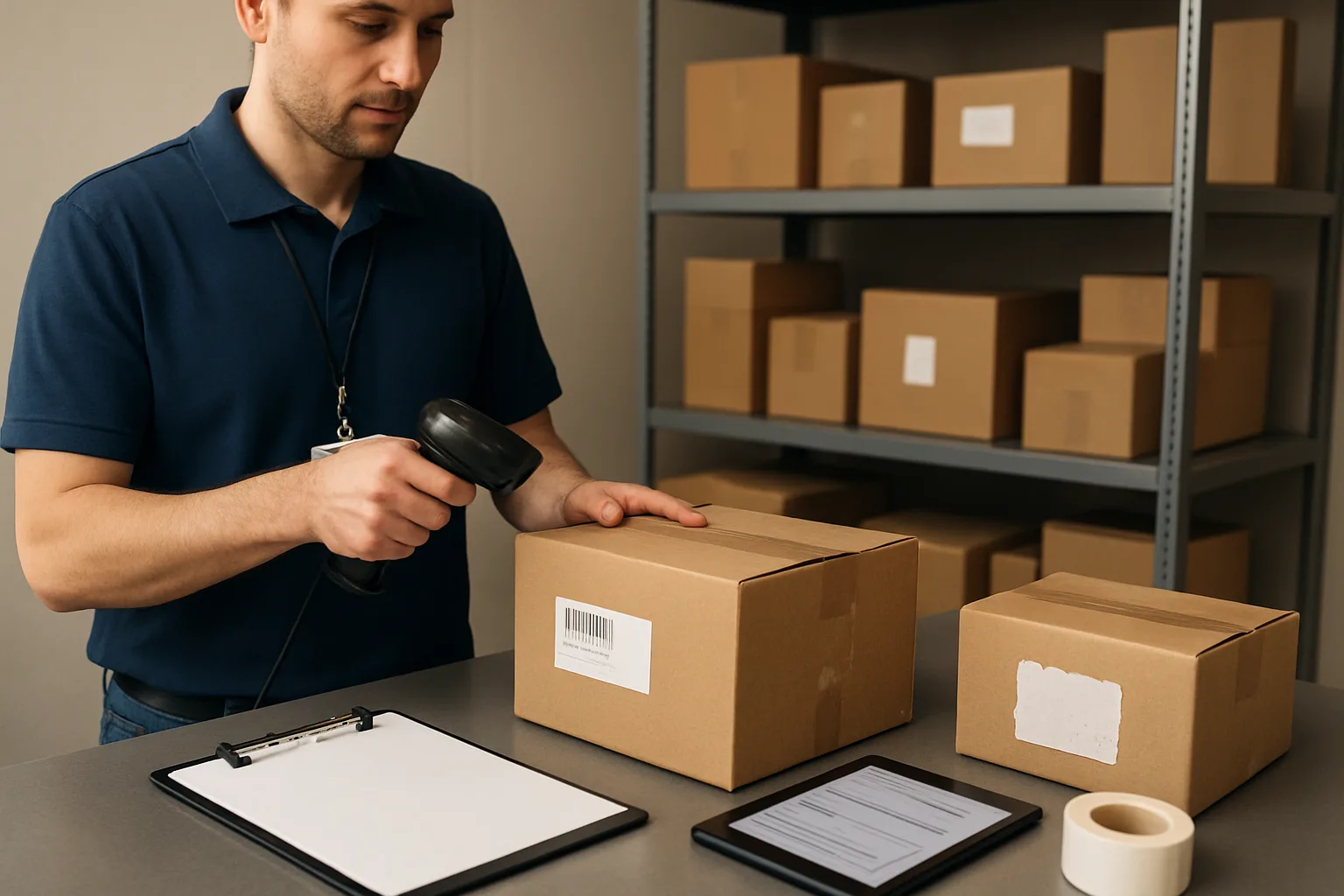
Define the “No-Scan” Class: What Counts and Why It Breaks Standard Package Room Intake
For package rooms, “no-scan” deliveries should be treated as a distinct intake class—not a one-off exception. If an item arrives without a reliable, scannable tracking ID, your normal workflow (scan, auto-log, notify, handoff) breaks immediately. Staff then fill the gap with improvised notes like “left by door” or “Amazon bag,” which rarely hold up when a resident disputes receipt or when multiple similar items arrive at once.
paragraphs
A practical definition: no tracking number package intake applies when the desk cannot capture a verifiable carrier tracking ID at the moment of handoff—even if the item likely has an order behind it. This includes missing labels, unreadable/damaged barcodes, third-party drop-offs that never present a scannable ID, or situations where the “tracking number” exists but is not accessible to building staff (e.g., driver app-only confirmation, a resident’s order number, or a photo in a courier’s phone).
Treating no-scan as its own class does two things immediately: (1) it sets consistent expectations for what the building can confirm and document, and (2) it forces a consistent intake decision—accept, quarantine, or refuse—based on what is visible and verifiable at the desk.
The goal is not to be rigid; it’s to be consistent. A consistent, minimal approach prevents the two most common failure modes: staff inventing different descriptions for the same type of item, and staff giving residents confident-sounding assurances that can’t be supported later.
- No-scan means: you cannot reliably scan or record a trackable ID at intake (not “it looks unofficial”).
- No-scan items should be processed with a separate, standardized workflow and terminology—every time.
- Your responsibility is custody and documentation of what you can verify at intake, not proving a resident’s order history.
Common no-scan scenarios by delivery type (Amazon/Flex, food, white-label)
No-scan items tend to cluster into a few repeatable patterns. Naming these patterns helps teams recognize them quickly and respond the same way on every shift.
Amazon/Flex deliveries package room scenarios often create “looks legit, but nothing to scan” moments. Flex drivers may arrive with multiple parcels, some labeled, some with smudged or partially torn labels, or items bundled in a way that hides the barcode. You may also see printed labels that have a barcode but the barcode is creased, wet, sun-faded, or wrapped around a corner so scanners and phone cameras fail. Another frequent scenario: bulk drop-offs where the driver is rushing and leaves items in a cluster, and the desk receives them after the driver has already left—meaning intake starts with “found items” rather than a controlled handoff.
Food delivery is a different no-scan class: it often arrives as unsealed bags with a receipt stapled to the top, a first name only, or no resident identifier at all. It may be time-sensitive (hot/cold) and is frequently delivered by third-party gig couriers who do not use a standard tracking barcode. You also see multiple near-identical bags arriving within the same hour (especially evenings), which makes “I think it’s for Unit 7” a high-risk guess rather than a workable intake record. Finally, food is commonly dropped at a lobby table or outside the package room door—creating an immediate chain-of-custody gap unless your building policy is explicit about where those items belong and whether staff should accept them at all in certain hours (e.g., after desk coverage ends). In those cases, documentation and resident messaging matter more than perfect organization, because the item may be gone before anyone can claim it properly if it sits in a public area too long (or if it needs refrigeration). Without a scan, the only defensible record is what was visible at the moment staff took control—if staff took control at all.
What “trackable” means in practice vs. what staff actually see
In theory, “trackable” means a unique ID that ties the physical item to an upstream carrier system. In practice at a front desk, “trackable” means something narrower: a scannable identifier that staff can capture quickly and consistently at intake, and later match to a pickup or a dispute. If staff can’t capture it reliably, it functions as no-scan—even if a courier claims it’s “in the app.”
Common mismatches between theory and reality:
1) The label exists but isn’t usable. Barcodes can be torn, taped over, wrinkled, printed too lightly, or placed across a seam. This is especially common on soft mailers and on packages that have been re-bagged. If scanning fails and the printed number is partially missing, it’s no-scan for intake purposes unless your policy allows manual entry (and staff can read it with confidence). Even then, only enter what is fully visible; do not guess missing digits or letters. A “close enough” number is worse than none because it can point to the wrong resident later and create a false record that looks authoritative. In addition, a visible number that staff type incorrectly becomes a different kind of accountability problem—so buildings should treat typed tracking numbers as a controlled exception, not the default. 2) The “ID” presented isn’t a carrier tracking ID. Residents will sometimes provide an order number, a screenshot from an online store, or a delivery confirmation photo that shows a doorstep—none of which gives the package room a unique scannable ID at intake. Likewise, some white-label couriers use internal job IDs that are not printed on the package. From the building’s standpoint, if it cannot be captured in your intake record at the moment the item enters your custody, it does not function as a trackable intake ID. 3) The item is handed off without a label. This happens with food, some local same-day couriers, and occasional “concierge” drop-offs. A bag with a first name on a receipt, or no name at all, is not trackable and often not even attributable without a consistent intake procedure and policy. 4) The label is present but mismatched to the physical item. Sometimes a label is stuck on the wrong box, or a driver hands over a parcel that has a name but no unit, or a unit but no name. If the label doesn’t uniquely identify a resident with enough confidence, treat it as no-scan/ambiguous and move it into the decision tree rather than forcing it into the normal scan-based workflow. The operational test is simple: can a different staff member on a different shift use what you recorded to hand this item to the right resident without relying on memory? If not, it’s effectively no-scan at intake.
Risks of ad-hoc notes: disputes, lost items, inconsistent resident messaging
When teams treat no-scan as “just write something,” they create inconsistency—exactly what residents and property managers need least when there is a complaint.
The most common failures:
First, disputes become unwinnable. “Amazon bag left by door” does not establish what you received, when you received it, who accepted it, where it was stored, or how it was released. If two similar bags arrive, the note is indistinguishable from the next one. In a disagreement, vague notes make it look like the building was careless even if staff acted responsibly. Second, items get misreleased. Ad-hoc descriptions encourage staff to rely on memory (“I think this is the one from earlier”) or to accept a resident’s claim without verification. If the log doesn’t contain stable identifiers, staff cannot confirm ownership without guessing. Third, it creates inconsistent resident messaging. One staff member tells a resident “we have it and it’s safe,” another says “we never accept food,” and a third says “it was left in the lobby.” Residents experience this as chaos, and it increases the volume of repetitive follow-up calls. Fourth, it increases internal friction. If one shift “accepts everything” and another “refuses everything,” or if the evening staff logs food deliveries while the morning staff discards them, you end up with policy-by-person rather than policy-by-building. Fifth, it can create compliance and safety exposure. Certain items (e.g., alcohol, temperature-sensitive goods, medication) should not be accepted without clear policy and handling rules. When staff improvise, they may inadvertently accept something the building should quarantine or refuse—or store it in a way that creates a new problem (leaking food, odor, pests, or access concerns). The underlying issue isn’t staff effort; it’s the absence of a shared definition and consistent intake class for no-scan items.
What you can and cannot promise residents for no-scan items
Clear boundaries reduce frustration and prevent your team from accidentally overpromising. No-scan doesn’t mean “we won’t help.” It means “we can only verify what we can document at intake.” Set expectations the same way every time so residents hear one consistent message regardless of who is at the desk.
What you can promise (if you follow a consistent workflow): you can record the item’s visible identifiers (unit/name fragment, descriptor), the time it entered staff custody (if accepted), and the storage location; you can notify residents based on available information; you can apply a consistent claim/verification process at pickup; you can quarantine ambiguous items and follow a defined escalation path.
What you cannot promise: you cannot confirm a carrier delivered a specific order without a reliable tracking ID; you cannot guarantee identification if the item has no usable recipient information; you cannot guarantee condition for perishable items if they are left unattended or arrive without proper packaging; you cannot guarantee that an item left outside your custody (e.g., dropped in the lobby or outside office hours) will be retrievable; you cannot “prove” ownership when multiple items match the same vague description unless additional verification is provided by the resident (and even then, it should be handled via a consistent process). A practical resident-facing rule: if there is no tracking number and the label is incomplete, you can document what you see and maintain custody if accepted—but you may need the resident to confirm details (full name, unit, item description, delivery window) before release. This sets a service standard without turning the front desk into an investigator.
Minimal Data Schema for No Tracking Number Package Intake (The Only Fields Staff Should Use)
When you do no tracking number package intake, the goal is not to create a perfect description. The goal is to create a consistent, dispute-ready record that any staff member can use later to match the item to the right resident and document what happened.
To avoid staff inventing different note styles (and to keep Amazon Flex deliveries package room drop-offs, food, and white-label handoffs consistent), treat every no-scan item as its own class with a minimal, fixed schema. Staff should only write what they can directly observe at the counter, using controlled descriptors rather than free-form stories.
Use the same fields every time. If a field is unknown, write UNKNOWN (do not guess). If there are multiple pieces in one drop, each item gets its own entry.
- Rule of thumb: if two different staff members would describe it differently, you need controlled vocabulary.
- Write observations, not explanations. Avoid: why it was left, who “usually” gets packages, or assumptions about the courier.
- If it’s not on the label or visible on the packaging, it’s not a fact.
- Keep entries short enough to do during rush periods (10–20 seconds per item is the target).
The 5 required fields (write them the same way every time)
These five fields are the backbone of a workable unscannable packages workflow. They are also the minimum you need to establish a basic chain-of-custody in a manual package logging SOP. Keep formatting consistent so staff can scan logs quickly.
1) Unit
Format: building/unit exactly as used in your property system (for example: 1207, 3-214, PH2).
If the unit is missing but the building name is present (common with white-label couriers), record unit as UNKNOWN and rely on recipient name fragment and descriptor. Do not “assign” a unit based on a guess or resident history.
If the label shows a range or vague destination (for example: “leasing office” or “front desk”), record unit as OFFICE (or your designated internal code) and treat it as a separate routing class internally.
2) Recipient name fragment
Format: last name if present; otherwise first name; otherwise any unique fragment you can read (for example: “Patel”, “Jo…”, “A. Nguyen”).
If the name is fully missing, write UNKNOWN and do not attempt to identify the resident from the contents or from who is waiting in the lobby.
If multiple names appear (for example: food delivery app shows a first name and the bag shows a last name), capture the most specific, readable fragment (usually last name) and note the other fragment only if it is printed on the item.
3) Item descriptor
This is the most important field for matching later when residents ask “is my package here?” Use a controlled descriptor stack: size/shape + packaging type + notable marking.
Format: [size] [packaging] [notable marking]. Examples: “SM poly mailer blue logo”, “MED brown box handwritten label”, “LG insulated food bag red”, “SM paper bag stapled receipt”.
Do not use vague phrases like “random box,” “left by door,” or “looks like Amazon.” If you can’t see a vendor mark, don’t imply one.
4) Timestamp
Format: YYYY-MM-DD HH:MM (24-hour) plus your local timezone if your logs are shared across sites.
Record the time you took custody at the desk/package room, not the time the courier claims they arrived.
If intake is batched (for example: you process a pile after a rush), record the actual processing time and consider adding a photo flag (see optional fields) to support the batch intake.
5) Intake source
Use a fixed list so staff don’t write ten variations of the same source. Recommended controlled values: AMAZON/FLEX, FOOD, WHITE-LABEL COURIER, LOCAL COURIER, RESIDENT DROP, UNKNOWN.
If you know the app/courier name from a badge, uniform, or printed receipt (for example: DoorDash), you can record it as FOOD (DoorDash) only if it is visible evidence. Otherwise keep it at the controlled value (FOOD).
If the person refuses to identify a source and there’s no indication on the package, use UNKNOWN.
Optional but useful fields (use only if they add clarity)
Optional fields help reduce disputes, but they should not slow down intake. Add them when there is ambiguity, higher risk, or a likely claim conflict (for example: many similar bags, damaged box, or no recipient info). Keep these optional fields standardized as well.
Location stored
Format: a small set of storage codes tied to real shelves/cages. Examples: NS-1 (No-Scan Shelf 1), CAGE-A, OVERSIZE, FRIDGE, HOLD-DESK.
Avoid: “in back,” “package room,” or “on shelf.” Those are not specific enough during disputes or shift changes.
Staff initials
Format: two to four initials (or an employee ID).
This is not about blame; it’s about continuity when the next shift needs clarification.
Photo flag
Format: YES/NO. If YES, the photo should capture only the package exterior and label area if present, not personal contents.
Use the photo flag when: unit/name is incomplete, multiple similar items arrived together, item is damaged/open, or you are quarantining (even temporarily).
Condition (damaged/open)
Format: OK, DAMAGED, OPEN, LEAKING (or your approved set).
Do not write explanations like “looks tampered with” unless your policy defines that phrase; stick to observable condition: “seal broken,” “corner crushed,” “bag torn.”
Controlled descriptors staff can actually use under pressure
To make package room intake without barcode consistent, give staff a short menu of descriptor components. The idea is that two people describing the same item should land on the same words.
Size/shape (pick one)
SM (fits in one hand), MED (shoebox-ish), LG (two hands), XL (oversize/heavy), ENVELOPE, TUBE, BAG.
If weight is the issue, add HEAVY as a modifier only when it affects handling/storage.
Color (pick one if it helps)
BROWN, WHITE, BLACK, CLEAR, BLUE, RED, GREEN, YELLOW, MULTI.
Use color mainly when many similar items are present (for example: multiple food bags).
Packaging type (pick one)
BOX, POLY MAILER, PADDED ENVELOPE, PAPER ENVELOPE, PAPER BAG, INSULATED FOOD BAG, PLASTIC BAG, GIFT BAG.
If there is no packaging (rare but happens), use LOOSE ITEM and quarantine per your policy.
Notable marking (only what you can see)
HANDWRITTEN LABEL, PRINTED LABEL, NO LABEL, LOGO VISIBLE, RECEIPT STAPLED, INITIALS, UNIT WRITTEN, NAME ONLY, PARTIAL LABEL.
Vendor hint examples (only if visible): “Prime tape,” “blue smile logo,” “restaurant receipt,” “pharmacy bag.” Avoid naming a vendor unless the branding is actually present.
Examples of good vs. bad entries (what to avoid)
Below are side-by-side examples you can use in training. The “good” entries use the required five fields plus limited optional fields when needed. The “bad” entries show the kinds of notes that fail later because they are subjective, incomplete, or inconsistent.
Good entries
Example A (Amazon/Flex bulk drop, label partially torn):
Unit: 1207 | Name fragment: Patel | Descriptor: MED brown box printed label (partial) | Timestamp: 2026-09-02 14:18 | Intake source: AMAZON/FLEX | Location stored: NS-1 | Photo flag: YES | Condition: OK
Example B (food delivery, first name only):
Unit: 3-214 | Name fragment: Mia | Descriptor: SM paper bag receipt stapled | Timestamp: 2026-09-02 19:06 | Intake source: FOOD | Location stored: HOLD-DESK | Condition: OK
Example C (white-label courier, no unit shown):
Unit: UNKNOWN | Name fragment: Nguyen | Descriptor: LG poly mailer black logo visible | Timestamp: 2026-09-02 11:42 | Intake source: WHITE-LABEL COURIER | Location stored: NS-2 | Photo flag: YES | Condition: OK
Bad entries (avoid)
“Left by door.” (Not an identifier; not a controlled field; doesn’t help match to a resident.)
“Random box from Amazon.” (Assumes carrier/vendor without evidence; no unit/name fragment.)
“For the lady on 2nd floor.” (Not verifiable; creates bias and dispute risk.)
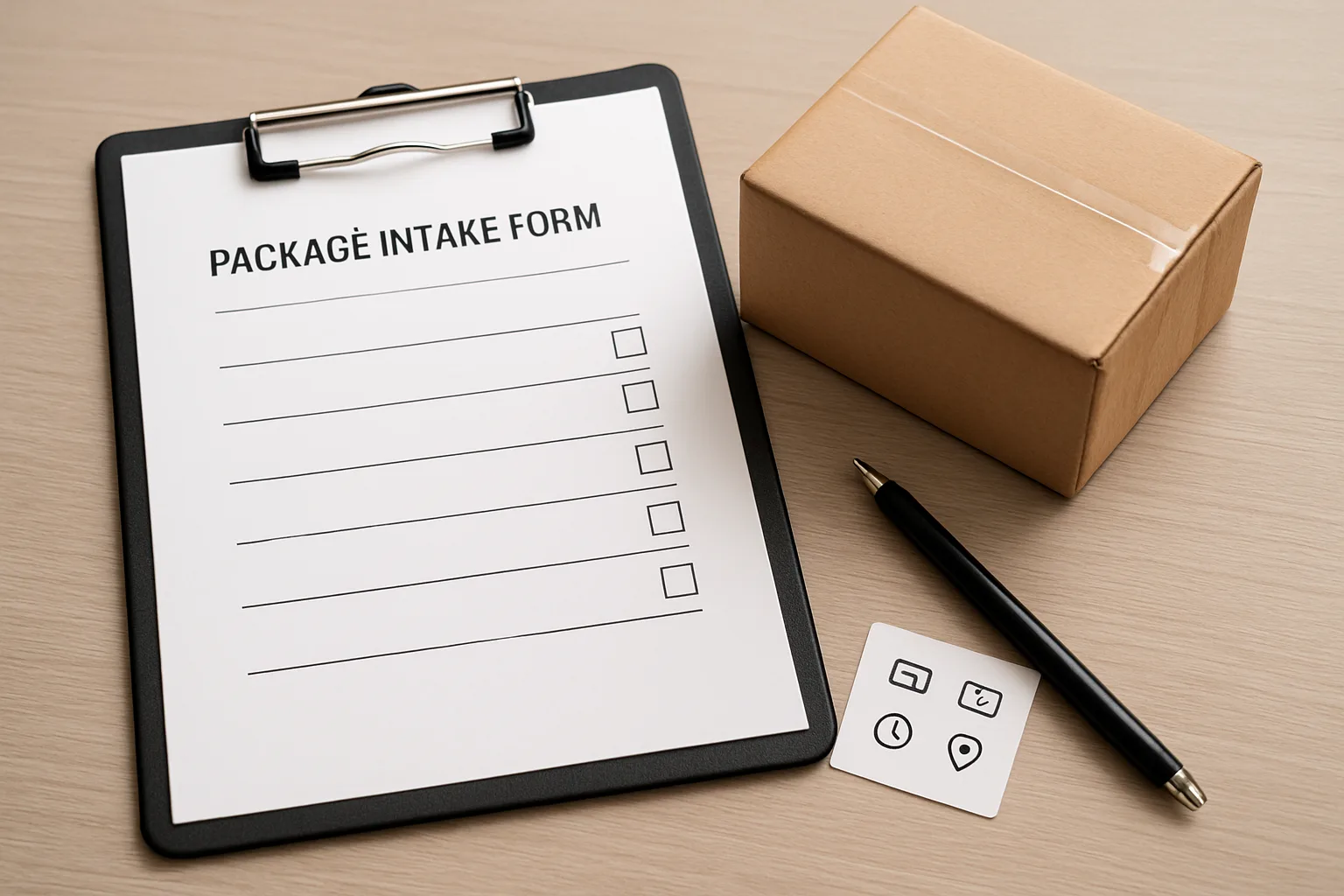
Decision Tree: Accept, Quarantine, or Refuse (With Clear Thresholds)
No-scan items need a consistent, low-drama decision path. The goal is not to solve every mystery at the desk; it is to make the same call every time, preserve chain-of-custody, and reduce the chance that staff create one-off notes that do not hold up later.
Use this decision tree for unscannable packages workflow decisions. If your property policy differs, keep the structure but swap in your local thresholds (for example, alcohol acceptance rules or food holding times).
- Decision rule to keep everyone aligned: If you cannot confidently answer “who is it for?” and “is it safe/allowed to store here?” then you do not “accept” it into general package storage. You quarantine it or refuse it.
- Treat “accept” as taking custody on behalf of the resident; treat “quarantine” as temporary controlled holding pending confirmation; treat “refuse” as keeping custody with the courier/sender (or directing them to redeliver properly).
Step 1: Identify whether it is truly no-scan or just hard-to-scan
Before you classify it as no-scan, do a quick, consistent check so you do not create a manual record for something that is actually trackable.
Quick check (30–60 seconds, then decide):
1) Look for any scannable code: carrier label barcode, QR code, or a tiny code on a corner of a polybag. Rotate the package and check under handles/tape folds.
2) Check for a label that is present but damaged: torn, smeared thermal print, wet label, label under clear tape glare.
3) If your intake tool allows, try manual entry of the tracking number if partially readable (do not guess missing digits).
4) If the package is part of a bulk drop (common with Amazon/Flex deliveries package room scenarios), check if any other item in the same drop has a readable label that helps identify the batch. Do not assume they all belong to the same unit or resident.
5) If you still cannot scan or reliably identify a tracking ID, it is a no-scan item and must follow the no tracking number package intake path.
Accept criteria: sufficient identity + safe handling + allowed by policy
Accept into normal package storage only when all three conditions are met. This is the “green path.”
A) Sufficient identity (you can reasonably match it to a resident):
– A unit number is clearly visible, OR
– A resident name (even partial) is clearly visible and unambiguous within your resident roster, AND
– There is no obvious mismatch (for example, unit 312 on the label but the name is a known resident of 512). If there is any mismatch, do not accept into general storage; quarantine instead.
B) Safe handling (it can be stored without creating risk):
– Not leaking, not emitting odor, not damaged/open in a way that could indicate tampering.
– Not requiring special temperature control your site cannot provide.
– Not hazardous or suspicious (see refuse criteria).
C) Allowed by policy (you are permitted to hold it):
– Your building allows that item category in the package room (common policy limits: alcohol, cannabis, controlled medications, cash equivalents, weapons/parts, live animals).
– The item is within your size/weight limits and can be stored without blocking egress or creating trip hazards.
Operational note for common delivery types:
– Amazon/Flex: If unit or name fragment is legible and packaging is intact, accept and proceed with your manual package logging SOP.
– Food: Only accept if the resident is identifiable and your building has a clear food holding rule (time window and refrigeration policy). Otherwise quarantine or refuse (see below).
Quarantine criteria: ambiguous recipient, mismatch unit/name, damaged/open, time-sensitive unknowns
Quarantine is the “yellow path”: you hold the item in a controlled area with limited access while you seek clarification. Quarantine prevents an item with weak identity from being mixed into general storage and later claimed incorrectly.
Quarantine when any of the following is true:
1) Ambiguous recipient:
– No unit, and the name fragment matches multiple residents (for example, “J. Smith”).
– The label shows only a first name or nickname with no unit and multiple possible matches.
– The item descriptor suggests a common purchase (for example, “Amazon bag”) with no other distinguishing detail.
2) Mismatch indicators:
– Unit and name do not align with your roster.
– Handwritten unit number looks altered or unclear (3/8/0 confusion).
– The package has multiple labels or crossed-out information.
3) Condition concerns:
– Open, resealed, ripped, or crushed in a way that raises tampering concerns.
– Leaking liquid, strong odor, powder residue, or anything that would contaminate other packages.
4) Time-sensitive unknowns:
– Food deliveries where the recipient is not immediately confirmable.
– Items that appear refrigerated/frozen (cool packs, “perishable,” “keep cold”) and you do not know the resident.
– Medical-looking packaging (pharmacy mailers, temperature indicators) when the recipient is unclear or policy restricts holding.
How to quarantine (keep it consistent):
– Place in a designated “No-Scan Quarantine” shelf/cage/bin, not with general packages.
– Limit handling. Do not open packages to identify the resident.
– Record it immediately using your no tracking number package intake fields, and flag it as QUARANTINE.
– Apply a short, property-defined time box (example: food 30–60 minutes; general items end of shift or 24 hours) before escalation/refusal/disposal per policy.
Special handling guidance:
– Food: If identity is unclear, quarantine with a short timer and attempt rapid confirmation; after the time limit, refuse future drops from that courier if they will not label, and follow your property’s disposal/return procedure.
– Alcohol: If your policy requires ID verification at delivery, do not accept into custody. Quarantine only if your policy explicitly allows temporary holding pending resident pickup with ID check; otherwise refuse.
– Medicine: When identifiable and policy allows, accept and store securely (often a locked area). When not clearly identifiable, quarantine and escalate immediately (do not leave in public storage).
Refuse criteria: no recipient info, prohibited items, unsafe/suspicious, carrier must retain custody
Refuse is the “red path”: you do not take custody. You direct the courier to correct the label, complete delivery to the unit (if permitted), or return the item to their depot/sender.
Refuse when any of the following is true:
1) No recipient info:
– No unit and no name fragment.
– Only a building address with no apartment/unit and no resident identifier.
– Handwritten note like “front desk” with no resident details.
2) Prohibited or policy-restricted items:
– Alcohol where your policy requires face-to-face ID verification at delivery (common requirement).
– Controlled substances or items your team is not permitted to store.
– Weapons/parts or other restricted categories per property rules.
3) Unsafe or suspicious packages:
– Unattended item with no identifying info left in lobby/near entrance and staff did not witness the drop.
– Excessive tape, unusual odors, stains, powders, ticking sounds, protruding wires, or threatening messages.
– Leaking unknown substance.
In these cases, follow your building’s safety protocol (which may include isolating the area and contacting security or local authorities). Do not move more than necessary.
4) Carrier must retain custody:
– Couriers attempting to offload bulk no-label bags/boxes and leave without any recipient identifiers.
– Deliveries that require signature but are being left without completion.
Refusal script (keep it short and consistent):
– “We can’t accept items without at least a unit number or resident name. Please label it and redeliver, or complete the delivery to the resident if your policy allows.”
If the courier refuses to comply, document the attempt and escalate (see thresholds below).
Escalation thresholds: when to involve a supervisor/property manager and when to contact the courier
Escalation prevents frontline staff from having to negotiate policy in the moment. Set clear triggers so the decision does not vary by shift.
Escalate to supervisor/property manager immediately when:
– Any suspicious/unsafe indicator is present.
– The item appears to be medication, a high-value item (electronics-style packaging), or anything that could create significant liability if misreleased.
– Alcohol is involved and your policy requires special handling.
– The item is oversized/heavy enough to create safety or fire-egress issues.
– A resident is present and disputes ownership at the counter (“That is mine”) but the identifier is ambiguous or mismatched.
– There are repeated no-scan drops from the same source in a short period (example: multiple Amazon/Flex deliveries package room drops with missing unit info in the same day).
Contact the courier or delivery source (when feasible) when:
– The courier is still on-site and can relabel or provide recipient info.
– There is a consistent pattern from a specific service (food marketplace, white-label courier, Amazon/Flex route) that can be corrected with a site note: “Unit number required for package room acceptance; unlabeled items will be refused.”
– A quarantined item is time-sensitive (food/perishable) and you need immediate confirmation or retrieval.
Suggested practical thresholds (adjust to your property):
– Food without clear recipient: quarantine up to X minutes; then dispose per policy or refuse future no-label drops.
– Unknown medicine-looking item: quarantine in a secure area and escalate same shift.
– Repeated no-label bulk drops: after X incidents/week, property manager contacts the delivery provider or updates building signage and delivery instructions.
Most important: Whatever your thresholds are, write them down and train to them. Consistency is what makes your manual intake defensible later.
Manual Package Logging SOP: Intake-to-Handoff Workflow That Preserves Chain-of-Custody
A no tracking number package intake process only works if it stays fast at the desk and consistent across shifts. This SOP turns “no-scan” items into a controlled, auditable flow: capture a minimal record, assign an internal ID, store in a dedicated area, notify (when appropriate), and verify at handoff using the same data you captured at intake.
Use this as a standalone unscannable packages workflow for Amazon Flex deliveries package room drops, food orders with incomplete labels, and white-label couriers who leave items without a trackable ID. The goal is simple: every no-scan item either (1) has a consistent log entry tied to an internal ID, or (2) is refused/quarantined per policy—never “floating” with vague notes.
- SOP outcome you are aiming for: any staff member can answer “What is it, where is it, when did it arrive, who logged it, and how was it released?” in under 60 seconds.
- Golden rule for manual package logging SOP: if you cannot describe it well enough to identify it at pickup, you cannot accept it into general storage—use quarantine or refusal instead.
- Consistency rule: staff should only use the standardized fields and controlled descriptors; free-form stories (“left by door,” “random bag”) create disputes later.
Intake station setup: clipboard/tablet, pre-printed internal IDs, camera/photo rules
Set up one physical “no-scan intake” spot that is always stocked, so staff do not improvise. The station should sit where the handoff happens (front desk counter, package room entry table), not in a back office. If the item is being accepted, it is logged before it leaves the staff member’s control.
Recommended intake station contents (keep it minimal and repeatable):
1) A clipboard or tablet with the no-scan intake form (paper or digital). Include only the minimal schema fields your team has agreed to use.
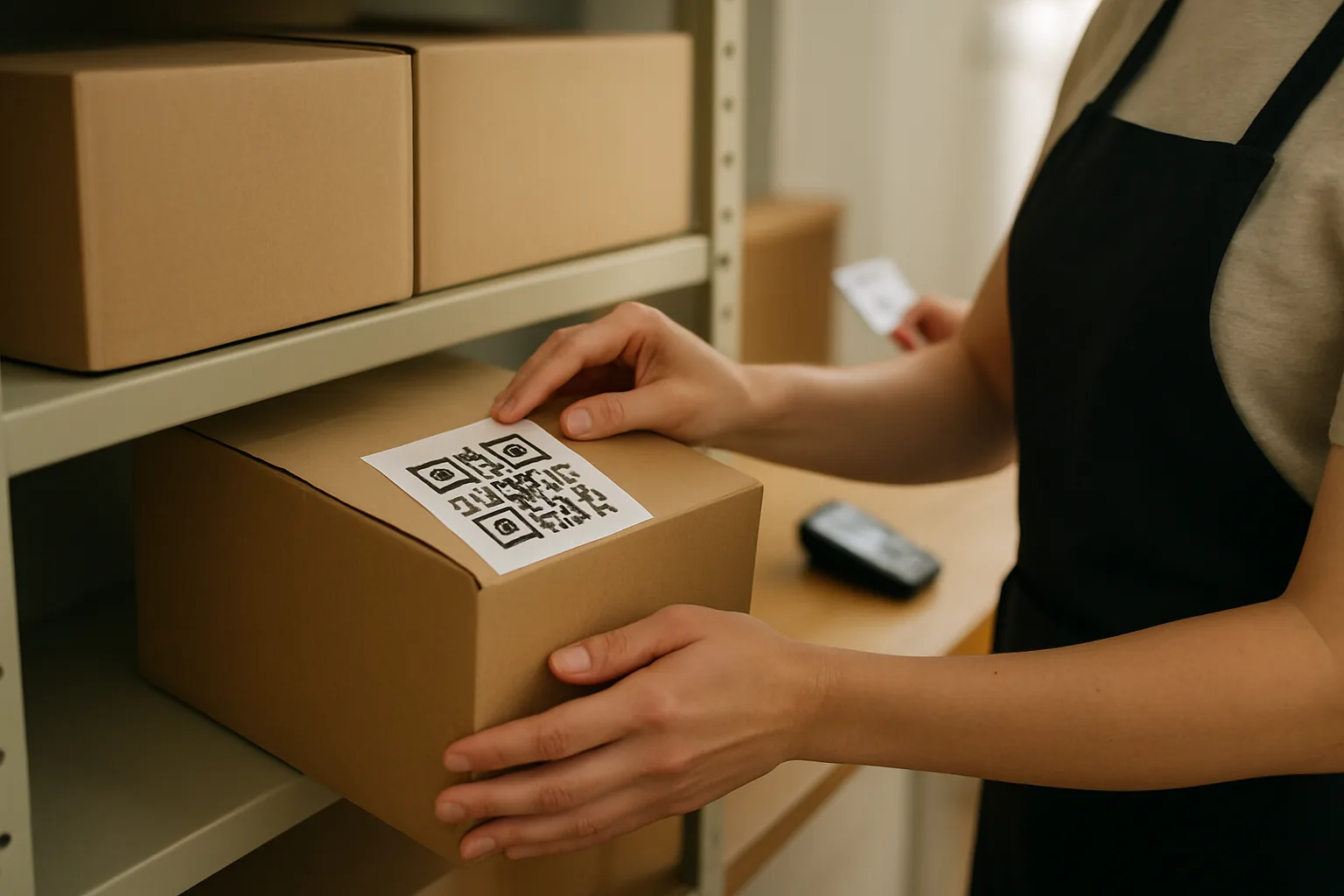
2) Pre-printed internal ID labels (sequential numbers, or an internal QR label system if your building uses it). Keep extras for peak delivery windows.
3) A black marker for writing the internal ID on packaging if the surface will not accept a sticker.
4) A designated photo method and rule set (for example: building device camera only, or a fixed intake camera aimed at the intake table). If photos are allowed, staff should capture the item descriptor and any visible recipient fragment without photographing personal contents.
5) A dedicated “quarantine bin” and a dedicated “accepted no-scan shelf/cage” nearby so items do not get set down “temporarily” and lost in the flow.
Create an internal ID and attach a temporary label (no carrier barcode needed)
The internal ID is the backbone of chain-of-custody for package room intake without barcode. It replaces the carrier tracking number for your internal process. Once assigned, the internal ID is what staff reference for storage location, notifications, and pickup release.
Procedure (do this in the same order every time):
1) Quick scan for an existing workable identifier. If there is a carrier barcode that is merely wrinkled or partially obscured, try to make it scannable first (flatten the label, wipe the surface, adjust lighting). If it’s still not reliably trackable, treat it as no-scan.
2) Record the minimal fields (unit, recipient name fragment, item descriptor, timestamp, intake source). Keep it short and controlled.
3) Assign the next internal ID (example format: NS-2026-0902-014). Do not reuse IDs.
4) Place the internal ID label on the item in a consistent location (top-right corner of the largest face, whenever possible). If it’s a bag or soft package, attach the label to a tag or tape it to a flat area.
5) If your policy allows photos, take one photo that clearly shows the internal ID label and the item descriptor (and any visible recipient fragment). The photo is not a substitute for writing a usable descriptor—treat it as backup documentation.
6) Move the item directly to its storage area and record the storage location (if you use that optional field). Do not stage items in hallways or behind the desk without logging—staging is where no-scan items disappear and disputes start.
Controlled examples (fast, dispute-ready entries):
– Unit: 1208; Name fragment: “MAR”; Descriptor: medium brown box, “Zappos” tape; Timestamp: 14:12; Intake source: Amazon Flex.
– Unit: 407; Name fragment: “LEE”; Descriptor: small white insulated bag, tied handles; Timestamp: 18:46; Intake source: Food courier.
Avoid entries that cannot be verified at pickup:
– “Left by door” (no physical descriptor)
– “Random package” (no distinguishing traits)
– “Amazon” (too broad; describe the object, not your guess)
Storage rules: segregated no-scan shelf/cage, time-boxing, refrigeration policy for food
No-scan items should be stored as a distinct class. Mixing them into standard shelves makes later identification harder because there is no carrier scan event to reconcile. A segregated area also signals to staff: “this requires verification at handoff.”
Storage rules that work in busy Amazon/Flex deliveries package room windows:
1) Dedicated zone: Create a clearly labeled “No-Scan” shelf/cage/bin. If you have lockers, do not place no-scan items in lockers unless your process can link the locker door/slot to the internal ID and the resident has been notified.
2) Single-touch storage: Intake staff should place the item once. Re-handling increases misplacement risk and breaks chain-of-custody.
3) Visibility: Store with the internal ID label facing outward. This is what lets any team member find NS-IDs quickly.
4) Time-boxing: Define how long you hold no-scan items before escalation or return/disposal per building policy (for example: 48–72 hours for ambiguous items, longer for clearly identified items). The key is having a rule and applying it consistently.
5) Perishables and food: If you accept food at all, define a refrigeration policy and a maximum hold time. If refrigeration is not available, quarantine immediately (or refuse per policy) rather than leaving food on a shelf that creates odor/pest issues and resident disputes.
6) High-risk separation: Keep damaged/open items, alcohol, medicines, or anything requiring special handling out of general “No-Scan Accepted” storage. Use quarantine or a locked cabinet with supervisor escalation.
Operational tip: Put a small “No-Scan quick reference” card on the shelf that reminds staff what must match at pickup: unit + name fragment + descriptor + internal ID (if resident has it).
Pickup handoff: what to verify (unit + name fragment + item descriptor) and how to record
Handoff is where no-scan items most often go wrong: a resident confidently claims an item, staff want to be helpful, and there is no tracking scan to confirm. The fix is a consistent verification script tied directly to the intake fields—no extra storytelling required.
Pickup verification steps (keep it uniform across staff):
1) Ask for unit number first. Then ask for a name fragment that matches what was logged (last name start, first name start, or the exact fragment on the label).
2) Present the descriptor you logged and ask the resident to confirm at least one detail before you retrieve it (for example: “medium brown box with Zappos tape” or “white insulated bag with tied handles”). If they cannot confirm a descriptor, treat it as an exception.
3) Retrieve the item by internal ID when possible. If residents don’t know the internal ID, locate by unit + name fragment + descriptor. Do not “bring out three similar bags” to let someone choose—this increases mis-release risk.
4) Record the release: timestamp, staff initials, and the internal ID released. If you capture signatures in your operation, do it consistently for no-scan items (or consistently do not). The worst practice is signing only “when it feels risky.”
5) If the resident is picking up multiple items, verify each item against its own descriptor and internal ID. Do not bulk-release “everything for 1208” unless your policy explicitly allows it and you have clear identity on each item.
Simple release note examples that hold up later:
– “NS-2026-0902-014 released 17:05; verified Unit 1208 + ‘MAR’ + brown box w/ Zappos tape; initials JD.”
– “NS-2026-0902-019 released 19:12; verified Unit 407 + ‘LEE’ + white insulated bag; initials KP.”
If your building uses QR-labels internally: the resident does not need a carrier barcode. Your process should treat the internal QR/internal ID as the pickup reference while still verifying unit + name fragment to prevent accidental sharing of codes.
Exception handling: “resident says it’s mine,” misdeliveries, and reclassification when a tracking number appears later
Exception scenarios are predictable. The SOP should tell staff exactly what to do so they do not invent different solutions each shift. This is where many manual package logging SOPs break down—so it is worth writing these rules into your desk binder or training guide.
A) “Resident says it’s mine” (but they cannot match the log)
– Do not release based on confidence alone.
– Ask for the unit, a matching name fragment, and at least one descriptor detail.
– If they still cannot match, move the item to quarantine (if it is not already) and escalate to a supervisor/property manager per your threshold. Log the interaction as a pickup attempt (timestamp + staff initials + reason not released: “could not confirm descriptor/name fragment”).
B) Misdelivery claims (resident says an item they received is not theirs)
– Accept the returned item only if it can be tied to an internal ID or you can create a new no-scan intake record immediately.
– Create (or reference) an internal ID, label the item, and store it in quarantine until the intended recipient is confirmed.
– Do not “re-shelf it wherever” without a new log entry; that recreates the original ambiguity.
C) Multiple similar items (common with food deliveries and Amazon/Flex bulk drops)
– Tighten descriptors: “small white insulated bag with red logo tag” vs. “white bag.”
– Add an optional differentiator only if it is visible and non-sensitive (for example: “receipt shows initials J.K.”). Avoid recording full order details.
– Consider a policy that food orders without a unit number are refused or quarantined immediately, because similarity and perishability make them high-dispute.
D) A tracking number appears later (reclassification)
– Sometimes a resident forwards a confirmation email with a tracking number, or a courier returns with a corrected label.
– Do not delete the no-scan record. Instead, update it with an “updated identifier” note: add the tracking number as an additional reference and keep the original internal ID for chain-of-custody continuity.
– If your normal process relies on carrier scans, you can reclassify the item as “now trackable,” but keep the intake timestamp and internal ID history intact so you can show the full timeline if there is a dispute.
E) Staff-to-staff handoff and shift change
– At shift change, the outgoing staff member should quickly reconcile: count of accepted no-scan items in the shelf/cage should match the count of “open” internal IDs not released.
– Any mismatches go to immediate supervisor review, not “we’ll find it later.” No-scan problems get harder with time.
A practical rule to post: “If it’s not logged with an internal ID, it’s not stored. If it’s not verifiable at pickup, it’s quarantined.” This keeps package room intake without barcode consistent even on the busiest days.
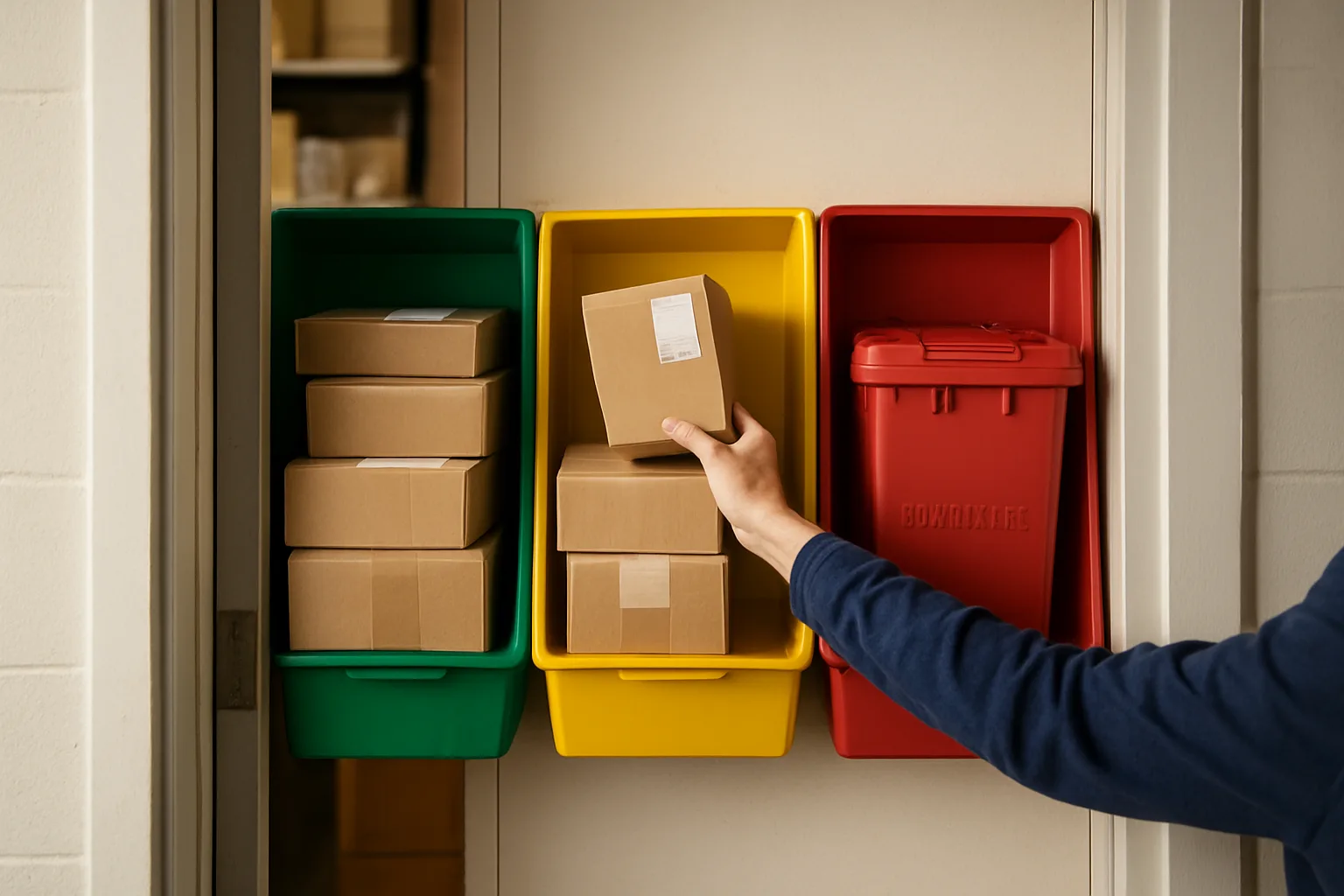
Resident Communication Templates and Dispute-Ready Documentation
When you are doing no tracking number package intake, your words matter as much as your process. The goal is to be helpful without overpromising, and to use consistent language so your notes and messages hold up if a resident later disputes delivery or pickup.
Use the same short phrases every time: “no-scan item,” “internal ID,” “pending confirmation,” and “quarantine.” Avoid casual wording like “random package” or “left by door,” which reads poorly later and invites arguments about custody.
- House rule for staff: If it has no trackable ID, do not describe it in free-form. Use the minimal fields (unit, name fragment, descriptor, timestamp, intake source) plus internal ID.
- House rule for residents: You can claim no-scan items only by matching at least two identifiers (example: unit + name fragment, or unit + item descriptor) and presenting ID when required by property policy.
- House rule for documentation: Write what you observed and what you did, not what you assume (no guessing the carrier, value, or contents).
Front desk script when a courier drops an unlabelled item
Use this verbatim-style script to keep the interaction short, consistent, and non-confrontational—especially with Amazon/Flex bulk drops, food couriers, and white-label drivers who are in a hurry.
Script (30 seconds):
1) “Hi—this item does not have a unit or trackable label. For our package room, we can only accept it if you can identify the unit or recipient name.”
2) If they can identify it: “Thanks. Please confirm the unit number and recipient name as shown in your app. I will log it as a no-scan item and store it under an internal ID.”
3) If they cannot identify it: “I’m not able to accept unlabelled items with no unit/recipient. Please keep it with you and contact dispatch/customer in the app.”
4) If they insist on leaving it: “If you leave it without identification, it may be refused or quarantined as unknown property per building policy.”
Add-on for food deliveries (time-sensitive):
– “If it’s food, it needs a unit/recipient to be accepted immediately. Without that, it will not be delivered to a resident and may be discarded after our hold time.”
Resident notification template for no-scan arrivals (what you’ll ask to confirm)
Send this message when you have enough to reasonably match the item to a resident (example: unit + a partial name, or a distinctive descriptor). Keep it factual and include what you need from them to claim it.
Template: No-scan item received (confirmation needed)
Hello [Resident Name/Unit],
We received a delivery that did not include a scannable tracking number. We logged it as a “no-scan item” under internal ID [NS-####] on [Date] at [Time].
What we can see on the item: [Unit if present / Name fragment / Item descriptor].
Intake source: [Amazon/Flex / food courier / white-label / unknown drop-off].
To release it, please reply with one of the following:
– The recipient name on the order (as shown in your app), and the unit number, or
– A brief description of the packaging and contents (for example: “small brown bag from [restaurant]” or “medium box with blue tape”) plus your unit.
If this is not yours, please reply “Not mine.” We will quarantine it while we confirm the owner.
Thank you,
[Building/Front Desk Name]
bullets=[
Quarantine notice template (what to bring to claim, time limits, next steps)
Use this when the item is ambiguous (multiple possible residents, mismatch, missing unit, damaged/open, or time-sensitive unknown). “Quarantine” should sound like a standard control, not a punishment.
Template: Item placed in quarantine (action required)
Hello [Resident/Unit],
An item was delivered to the building without a scannable tracking number and with incomplete or conflicting recipient information. We have placed it in our no-scan quarantine area under internal ID [NS-####] (received [Date] at [Time]).
Visible details: [Name fragment / partial unit / descriptor].
Condition: [sealed / damaged / open].
To claim it, please come to the front desk during [Hours] with:
– Government-issued ID, and
– Confirmation from your order/app showing the recipient name and delivery details (screenshot is OK), or
– A matching description that clearly identifies the item.
Hold time: We will hold this quarantined item until [Date/Time] per building policy. After that, we will [return to courier if possible / dispose of perishables / follow lost-property process].
If you believe this was misdelivered, reply with your order details and we will document the report.
Thank you,
[Building/Front Desk Name]
Dispute documentation checklist: what to record, what not to say, and how to stay consistent
When a dispute happens, the quality of your documentation determines whether the building can confidently explain what happened. The objective is a clean chain-of-custody narrative: intake, storage, notification, handoff, and exceptions—without speculation.
Use this checklist any time a resident says “I never got it,” “You released it to someone else,” or “That’s not my package.” It aligns to a no tracking number package intake workflow and keeps staff from improvising notes that contradict each other.
bullets to record (write exactly what you observed):
– Internal ID (NS-####) and who created it (staff initials)
– Timestamp of intake and intake source (Amazon/Flex, food courier, white-label, unknown)
– Required fields captured: unit (or “none”), recipient name fragment (or “none”), item descriptor, timestamp, intake source
– Condition at intake: sealed/damaged/open; if damaged, note “damage visible” not “contents missing” unless you can see it
– Storage location: no-scan shelf/bin/cage, refrigerated holding if applicable
– Notifications sent: time, channel (text/email/app), and exact template used
– Pickup details: date/time, staff initials, what the claimant matched (unit + name fragment, etc.), ID checked (yes/no per policy)
– Any reclassification: if later a tracking number appears or courier confirms details, note the source and time
What NOT to say (avoid these phrases):
– “We guarantee delivery” (you can only confirm intake and release)
– “Courier said it was yours” unless you recorded their name and exact statement
– “Probably Amazon” / “Looks expensive” / “Must be stolen” (speculation creates liability)
– “Left in package room” without an internal ID and location
Consistency rules (so your team doesn’t drift):
– Always use the same intake source labels (example: “Amazon/Flex” vs. “Amazon driver” vs. “Flex guy”)
– Always describe items using controlled descriptors (size + color + packaging type + visible vendor hint)
– If information is missing, write “none” or “unknown,” not a guess
– If resident disputes, create a single incident note tied to the internal ID, not separate conflicting notes
Common scenarios: multiple similar bags/boxes, food deliveries, Amazon/Flex bulk drops
These are the moments where residents get frustrated and staff feel pressured to “just hand it over.” Use the same calm language, apply the same threshold, and document the same way every time.
Scenario 1: Multiple similar bags/boxes (five brown bags, three plain boxes)
– Staff language at pickup: “Because these are no-scan items and several look identical, I need you to match two identifiers before I can release one.”
– What you ask for: unit + recipient name as shown in the order; or unit + specific restaurant/store + time window.
– How you log the handoff: “Claimant matched Unit 1208 + name fragment ‘MAR’ and identified ‘small brown bag stapled, receipt says [vendor]’.”
Scenario 2: Food deliveries (perishable, fast disputes)
– Resident message add-on: “Food deliveries are time-sensitive. Please confirm within [X minutes/hours] so we can store appropriately.”
– Hold rule reminder (policy-dependent): “Unclaimed food may be discarded after the hold time.”
– Documentation tip: Always record whether the item was refrigerated, room temp, or not stored due to lack of identification.
Scenario 3: Amazon/Flex bulk drops (mixed labels, partial names)
– Desk script to driver: “I can accept items only when each item has a unit or recipient name. If multiple items are for the same unit, please confirm the unit now.”
– Resident message add-on: “Amazon/Flex sometimes delivers without a scannable label. We can only release what we can reasonably match to a unit/recipient.”
– Documentation tip: If a driver provides details verbally, record exactly what was provided (unit and name fragment) and list the intake source as “Amazon/Flex (verbal confirmation).”
Scenario 4: Resident insists: “That’s mine, I recognize the box”
– Response: “I can help, but I still need a match to our log. Please confirm your unit and the name on the order, or provide a distinguishing detail that matches the descriptor.”
– If they cannot: place in quarantine and send the quarantine notice template.
Scenario 5: Item is clearly misdelivered (wrong building/unit)
– Response to resident: “This appears to be addressed to someone else. We will quarantine it and attempt to route it back through the courier process or contact the sender if possible.”
– Documentation tip: Record the exact address/name visible and the action taken (quarantine, attempted contact, refused).
Frequently Asked Questions
How long should we keep no-scan items before returning or disposing of them?
Set a written hold-time by class and storage capability, then apply it consistently. Example policy: food and other perishable items 2 to 4 hours (refrigerate only if your building policy and equipment allow); general no-scan parcels 3 to 7 days; high-value or sensitive items (phones, laptops, medications) quarantine immediately and hold 24 to 48 hours while attempting resident contact, then escalate to management for next steps. Whatever timeline you choose, post it at the intake area and include it in resident notices so staff are not improvising under pressure.
What if a resident claims a no-scan package but cannot prove it is theirs?
Use a simple verification ladder that protects both the resident and the property: (1) confirm unit and a matching name fragment; (2) ask for a specific item detail the resident should know (vendor/contents description, packaging color, approximate size); (3) if still ambiguous, require government ID plus a secondary corroborator (order confirmation screen, delivery photo, or last-4 of phone on the order). If two residents could plausibly claim the same item, keep it in quarantine and escalate rather than guessing.
Should staff take photos of no-scan items, and what should the photo include?
If your property policy permits photos, a single quick image can reduce disputes. Photograph the outside only (no opening), capturing any visible name fragment, unit info, and distinctive packaging features. Avoid photographing personal documents, prescription labels, or anything that reveals sensitive information; if such details are exposed, mark the item as quarantine and note photo not taken due to privacy. Keep photo use consistent and policy-based so it is not perceived as selective enforcement.
How do we handle bulk Amazon/Flex drops where the driver leaves multiple items with little or messy labeling?
Treat it as one event with multiple line entries. Record the intake source as Amazon/Flex bulk drop, then log each item using the minimal fields and apply a temporary internal ID label to each piece immediately. If the driver cannot or will not confirm recipient details, move uncertain pieces to quarantine rather than mixing them into the general shelves. Use a designated no-scan rack to prevent commingling with fully trackable deliveries.
What is the safest way to deal with items that look damaged, open, or potentially unsafe?
Do not open, repackage, or attempt to inspect contents. Mark the condition as damaged/open and route to quarantine. If there is leakage, odor, exposed powders, or any reason to believe the item is unsafe, refuse intake and follow your building safety protocol (isolate area, notify a supervisor, and contact the courier if present). Staff consistency matters here: the rule should be about observable condition and safety, not guesses about what might be inside.
Can we later convert a no-scan entry into a normal tracked delivery record?
Yes, and you should when reliable tracking information becomes available. If the resident provides a tracking number or the courier returns with corrected labeling, update the record by adding the tracking number and reclassifying the intake type, but keep the original no-scan internal ID as a cross-reference. Do not delete the original entry; preserving the timeline and custody notes makes disputes easier to resolve.
CTA
If you want, share your building type (garden-style vs. high-rise), staffing coverage (24/7 vs. business hours), and the most common no-scan sources you see (Amazon/Flex, food, white-label). I can help you turn the workflow into a one-page desk checklist plus a resident message pack your team can use immediately.
Consistency Is the Win: Minimal Fields + Clear Decisions
No-scan deliveries are not rare edge cases anymore—they are a recurring operational category. The difference between a calm, accountable package room and a constant stream of “I never got it” conversations is not effort; it is consistency. When staff use the same minimal fields every time (unit, recipient name fragment, item descriptor, timestamp, intake source) and follow the same accept/quarantine/refuse decision tree, you reduce ambiguity on day one and create dispute-ready documentation later.
The practical next step is to implement this tomorrow: define “no-scan” in your SOP, set up a dedicated No-Scan Hold area, print or prepare internal temporary labels, train staff on controlled item descriptors, and standardize your resident messages. Most importantly, set escalation thresholds (when to involve a supervisor or refuse custody) so individual team members are not forced to make policy on the fly at a busy desk.