

Move-in week isn’t a “busy few days.” It’s a controlled surge event: a predictable spike in inbound parcels, a brand-new resident directory, a rotating crew of temps, and constant exceptions (wrong building, missing unit, duplicate names, forwarded mail). The difference between a smooth week and a crisis is rarely the number of package lockers—it’s whether Mail Services, Housing, IT, and Facilities have clean handoffs for address standards, directory accuracy, and exception resolution.
This student housing mailroom move-in surge plan is tool-agnostic by design. It’s compatible with lockers, counters, and temporary pickup sites—and it works even better when you have TrackNest-style scanning, fast search, QR labels, and auditable handoff records.
The failure points that cause move-in meltdowns (and who owns them)
Higher-ed move-in readiness guidance consistently emphasizes preparation: confirm workflows, align stakeholders, and anticipate volume swings. The practical gap is ownership—who decides standards, who maintains the directory, and who closes the loop on exceptions.
1) Address standards (Mail Services + Housing + IT)
- Owner: Mail Services (standard), Housing (resident communications), IT (system fields/validation).
- Definition: A single format for building, unit, bed, and name, including what to do with “nicknames,” international address quirks, and carriers that truncate lines.
- Deliverable: One-page address standard + carrier-facing examples (Amazon, UPS, USPS, FedEx).
2) Recipient directory accuracy (Housing + IT; Mail Services validates)
- Owner: Housing for the roster source of truth; IT for integrations/import timing; Mail Services for operational validation.
- Common break: roster goes “final” before late assignments, swaps, or early arrivals; the mailroom system never catches up.
- Deliverable: A cutover schedule (freeze windows + refresh times) and a nightly “delta” report of changes.
3) Exception resolution (Mail Services leads; Housing triage; Facilities supports)
- Owner: Mail Services runs the exception desk; Housing resolves identity/unit; Facilities provides space, signage, and queue control.
- Common break: “Not my job” loops when a package has a partial name, missing unit, or wrong building.
- Deliverable: A single escalation path with response-time expectations (e.g., 15-minute on-call during open hours).
Operational truth: Most student mailroom long lines start as data problems (bad roster, inconsistent addresses) and become people problems (no clear exception owner).
30/14/7/1-day countdown: the campus mailroom move in checklist you can run
Use this countdown to force decisions early and prevent last-minute improvisation. Assign a single “surge lead” who runs brief standups and tracks red/yellow/green status across departments.
30 days out (foundation + standards)
- Confirm address standard: building codes, unit format, preferred recipient name, required fields; publish to Housing comms and mailroom SOP.
- Define directory cutover: roster freeze windows, daily refresh time, and who approves last-minute adds.
- Map the physical flow: intake door → staging → scan/label → storage zones → pickup → exception desk → outbound returns.
- Set exception categories: missing unit, duplicate name, wrong building, damaged, oversized, restricted item, returned to sender.
- Facilities plan: queue rails/tape, signage, tables, fans, weather plan, ADA access, and secure temporary storage.
- IT readiness: device inventory, Wi‑Fi coverage at overflow sites, printer/label capability, barcode scanner testing.
14 days out (stress test + staffing)
- Run a tabletop surge drill: “500 packages arrive by noon” + “roster misses 30 residents” + “system outage for 20 minutes.”
- Finalize staffing: shift blocks, backup call list, and a dedicated exception lead per shift.
- Confirm temporary pickup locations: rooms reserved, key access, security coverage, camera visibility, and cashless/ID-check process.
- Prepare supplies: carts, gaylords/totes, shelving, label stock, wristbands/queue tickets, “return to carrier” bins.
- Communications draft: resident email/SMS templates for address format, pickup rules, ID requirements, and peak-hour guidance.
7 days out (build + train)
- Zone the storage: by building, then alpha split (A–F, G–L, etc.) or by unit range; mark aisles and shelf numbers.
- Pre-stage overflow: tables, scanners, printers, and signage at temporary sites; test logins and workflows end-to-end.
- Micro-train temps: 10-minute huddle routine + exception cheat sheet (provided below).
- Publish “what to do if…” guide: lost ID, roommate pickup, package shows delivered but not found, wrong name.
1 day out (final checks)
- Directory spot-check: sample 50 residents across buildings; verify name, unit, and pickup eligibility.
- Print quick labels: shelf/zone maps, exception tags, and “hold” tags for Housing verification.
- Walk the queue: entrance/exit, ADA route, shade/rain cover, and where exceptions peel off without blocking retrieval.
- Go/no-go meeting: confirm extended hours triggers and who authorizes switching to overflow sites.
Staffing model by hour: intake vs retrieval vs exception desk
Move-in staffing fails when everyone does everything. Build three lanes—intake, retrieval, and exceptions—and scale each differently by time of day.
Role definitions (simple and enforceable)
- Intake team: unload, sort, scan/label, assign storage zone/shelf, stage for put-away.
- Retrieval team: run pick tickets or search, pull from zone/shelf, verify recipient ID, record handoff.
- Exception desk: resolves mismatches, missing units, duplicates, holds; coordinates with Housing/IT; authorizes returns.
Hourly ramp template (adjust to your open hours)
Morning (open → 11:00): prioritize intake to prevent backlogs.
Midday (11:00 → 15:00): peak pickups; prioritize retrieval and a second ID-check station.
Late afternoon/evening (15:00 → close): steady pickups + cleanup; keep exceptions strong to close tickets before next day.
A starting ratio you can schedule
- Morning: 50% intake / 35% retrieval / 15% exceptions
- Midday peak: 25% intake / 60% retrieval / 15% exceptions
- Late: 30% intake / 50% retrieval / 20% exceptions
How TrackNest-style workflows help during surge: scanning at intake, QR labels, fast search, and timestamped handoffs reduce “where did it go?” investigations and let retrieval staff pull accurately even with new temps.
Warning: Don’t assign your best problem-solver to retrieval all day. Put them on exceptions—one clean resolution can prevent dozens of repeat visits.
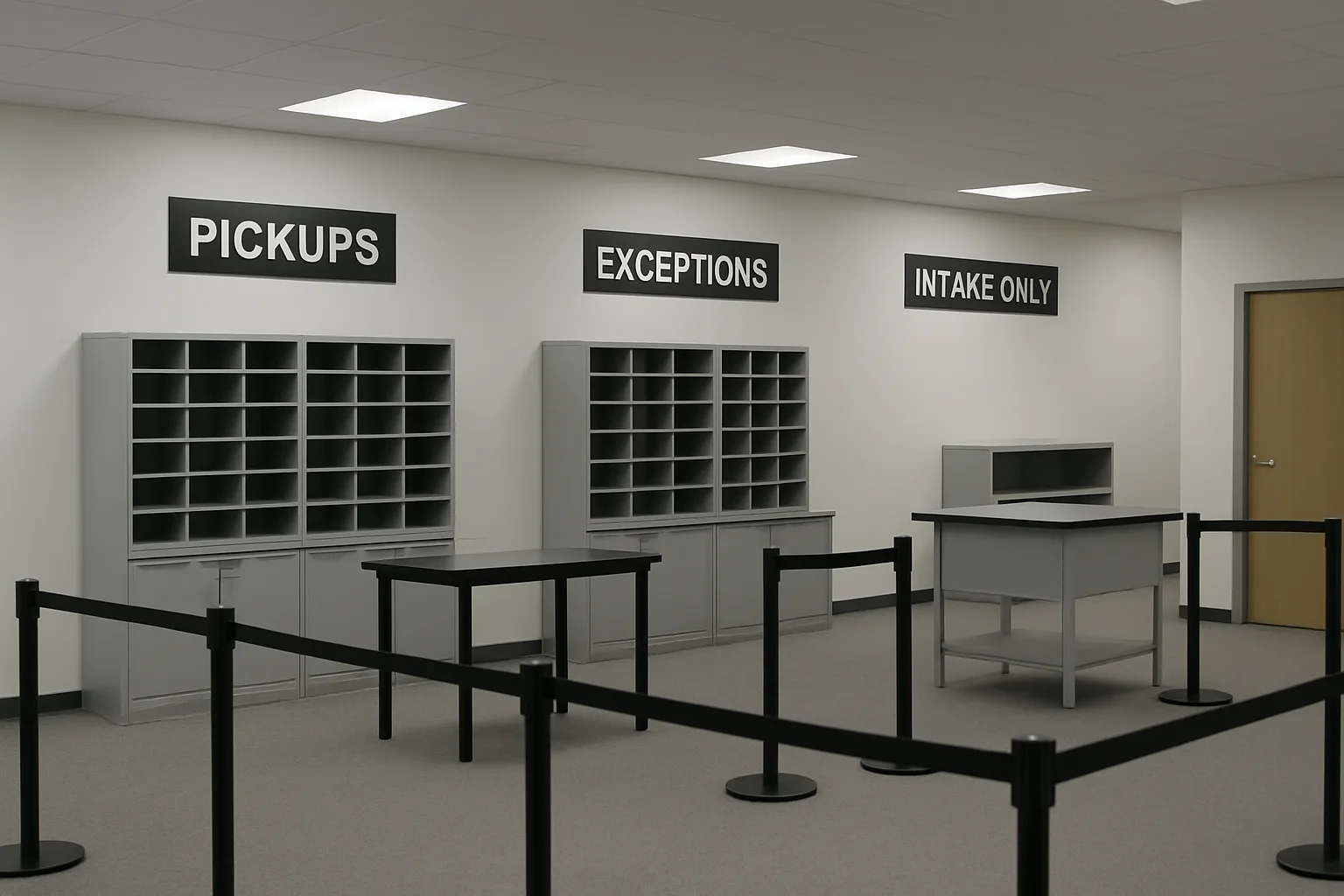
Overflow design: temporary package pickup locations + extended hours
When the mailroom is the bottleneck, the fix is often space and time. Overflow doesn’t need to be fancy—it needs chain-of-custody, identity verification, and a clear list of what can be picked up there.
Choosing a temporary package pickup location (practical criteria)
- Proximity: within a 5–8 minute walk of the highest-density halls (reduces repeat foot traffic).
- Security: lockable room, controlled entry, camera coverage, and staff line-of-sight to storage.
- Connectivity: reliable Wi‑Fi/cellular for scanning and lookups; backup hotspot plan.
- Flow: space for a queue and a separate exception desk corner.
- Furniture: tables for staging + shelves/totes; avoid piles on the floor (slows retrieval and increases loss risk).
What to route to overflow (rule-of-thumb policies)
- Good candidates: small/medium parcels with clean recipient/unit data; pre-sorted by building.
- Keep in main mailroom: oversized items, hazmat/restricted categories, signature-required, and anything already flagged as an exception.
Extended hours: triggers + communication
- Trigger ideas: queue exceeds X minutes, intake backlog exceeds Y carts, or exception tickets exceed Z open items.
- Communicate simply: “Best pickup windows” + “What you must bring” + “Where to go for exceptions.”
- Make it enforceable: publish cutoffs for same-day processing (e.g., packages arriving after 4pm processed next morning).
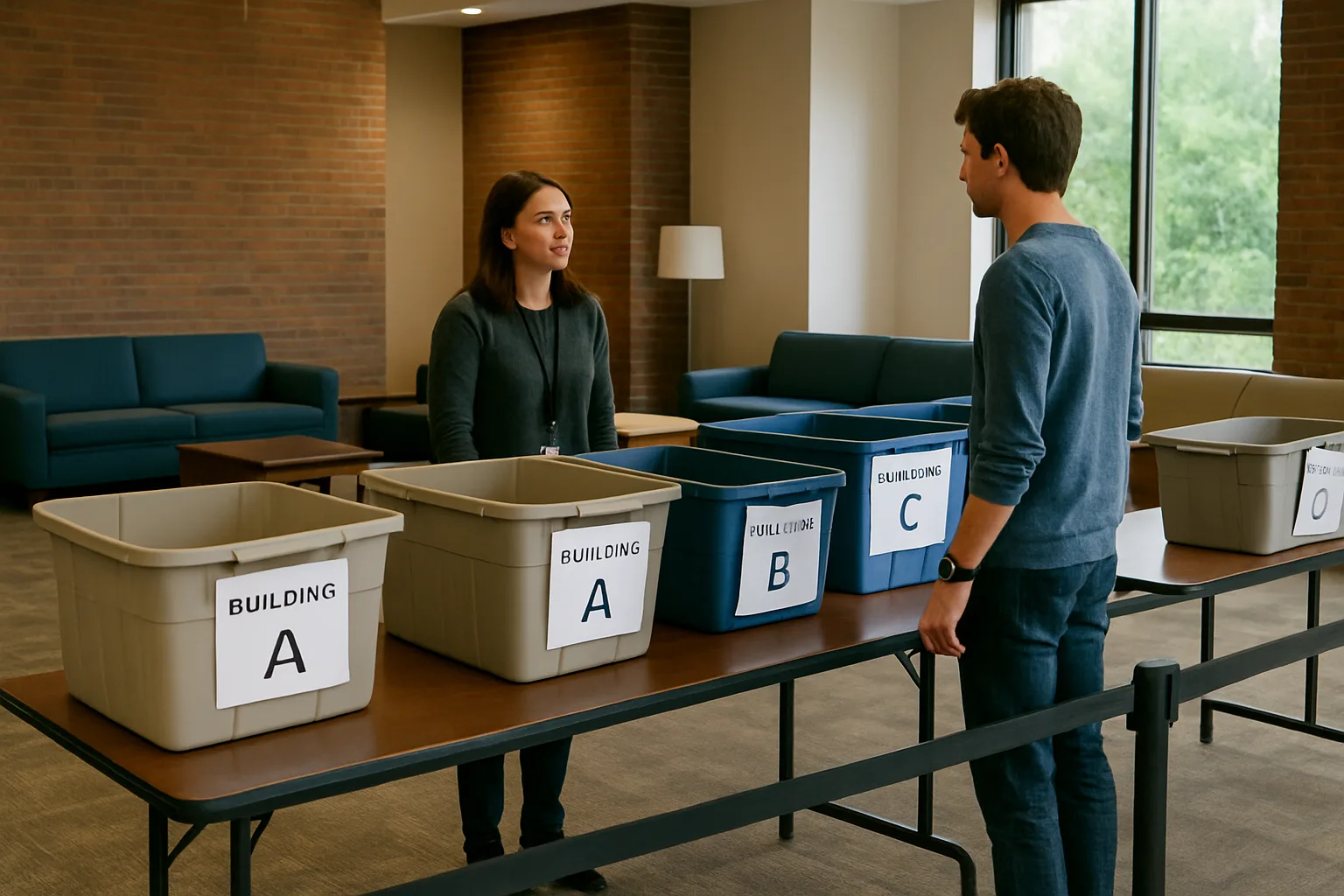
Micro-training kit: 10-minute daily huddle + 1-page exception cheat sheet
Temps don’t need a 60-minute orientation. They need repeatable habits: what “done” looks like, how to label, where to send exceptions, and how to keep the line moving without losing accountability.
10-minute daily huddle script (use at shift start)
- (Minute 0–1) Today’s goal: “Fast pickups, clean handoffs, exceptions routed—not argued.”
- (Minute 1–3) Safety + security: no unattended doors; keep aisles clear; packages never leave the counter without a recorded handoff.
- (Minute 3–5) The 3-lane reminder: intake stays intake; retrieval stays retrieval; exceptions go to exception desk.
- (Minute 5–7) Top 3 exceptions today: (a) missing unit, (b) duplicate name, (c) “delivered” but not found—explain the exact routing for each.
- (Minute 7–9) Quality check: demonstrate one correct scan/label + shelf placement; demonstrate one correct pickup + ID verification.
- (Minute 9–10) Escalation: point to the shift lead and Housing on-call contact; repeat: “If unsure, stop and escalate—don’t guess.”
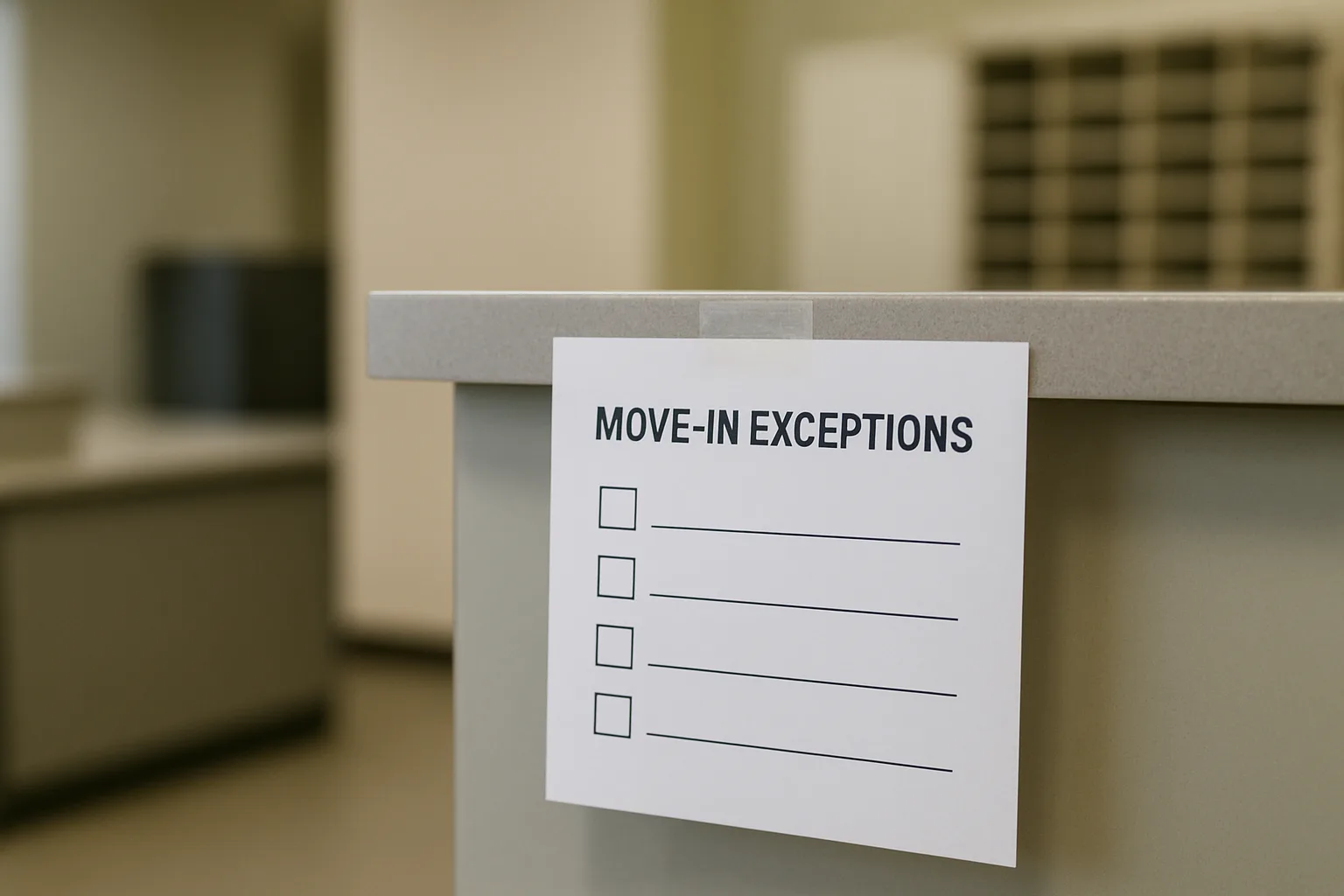
1-page exception cheat sheet (for temps at the counter)
- If unit/building is missing: tag as “HOLD—MISSING UNIT,” route to exception desk, do not place in general shelves.
- If name doesn’t match roster: verify spelling + student ID; route to exception desk for directory check.
- If duplicate names: require student ID and confirm unit; note distinguishing detail (unit/building) in record.
- If carrier says delivered but it’s not found: create “NOT FOUND” ticket, check wrong-zone shelf and intake staging, then escalate—don’t re-check the same spot repeatedly.
- If damaged/open: photograph per policy, route to supervisor, do not hand off until documented.
- If oversized: move to oversized zone with a large visible tag; pickup requires staff escort.
- If roommate/friend pickup: follow policy—if not explicitly allowed, route to exception desk; do not negotiate at the counter.
Make it stick: print the cheat sheet, tape it at each station, and have leads “coach in the moment.” TrackNest-style notes on a package record (who flagged it, why, and next step) reduce repeat confusion across shifts.
FAQ: Move-in surge operations
- How do we prevent long lines without sacrificing accountability?
-
Split the flow: standard pickups in one line, exceptions in another, and intake isolated from the public. Then enforce a “recorded handoff only” rule—scan/search, verify ID, and close the pickup in the system before the package leaves the counter.
- What should we do when the housing roster changes daily during move-in?
-
Set a refresh cadence (at least daily), publish freeze windows, and establish a single on-call Housing resolver during open hours. Mail Services should validate changes with quick spot checks so errors don’t hit the front line first.
- How do we decide what goes to a temporary package pickup location?
-
Route only “clean” parcels: correct recipient + unit/building, non-restricted, manageable sizes. Keep exceptions and oversized items in the main mailroom where supervisors and full tooling are available.
- What’s the most common exception we should train temps for?
-
Missing unit/building information. Give temps a simple rule: if a package can’t be confidently mapped to a resident location, it goes to HOLD/EXCEPTION—never to general shelving.
- How can IT help without being in the mailroom all day?
-
Provide a tested import/refresh job, field validation (required unit/building), device readiness (logins, Wi‑Fi), and a rapid-response channel during peak days for access or directory issues.
- Does software matter during move-in, or is this mostly process?
-
Process is primary, but software supports it: scanning at intake, fast search at retrieval, and clear handoff records reduce “package lost” time sinks. TrackNest is one workable approach; the key is that your system makes ownership and status visible across shifts and sites.
Call to action: run this surge plan with clearer handoffs
If you’re preparing for August move-in or holiday peaks, use this checklist to lock ownership across Mail Services, Housing, IT, and Facilities. Then make your handoffs auditable: scan at intake, label consistently, track exceptions with notes, and require a closed pickup record at the counter.
Want a workflow that supports the plan? TrackNest can help teams run surge operations with fast scanning, QR labels, search, and clear package handoff records across mailrooms, front desks, and temporary pickup sites.
Conclusion: smooth move-in is a coordination problem you can solve
Move-in surges are inevitable; chaos is optional. When address standards are owned, the directory is current, exceptions have a single desk, and overflow sites follow the same accountability rules, you can scale volume without creating confusion. Use the 30/14/7/1-day countdown, staff by lane (not by vibes), and train temps with daily repetition—and you’ll turn peak week into a predictable operation.