
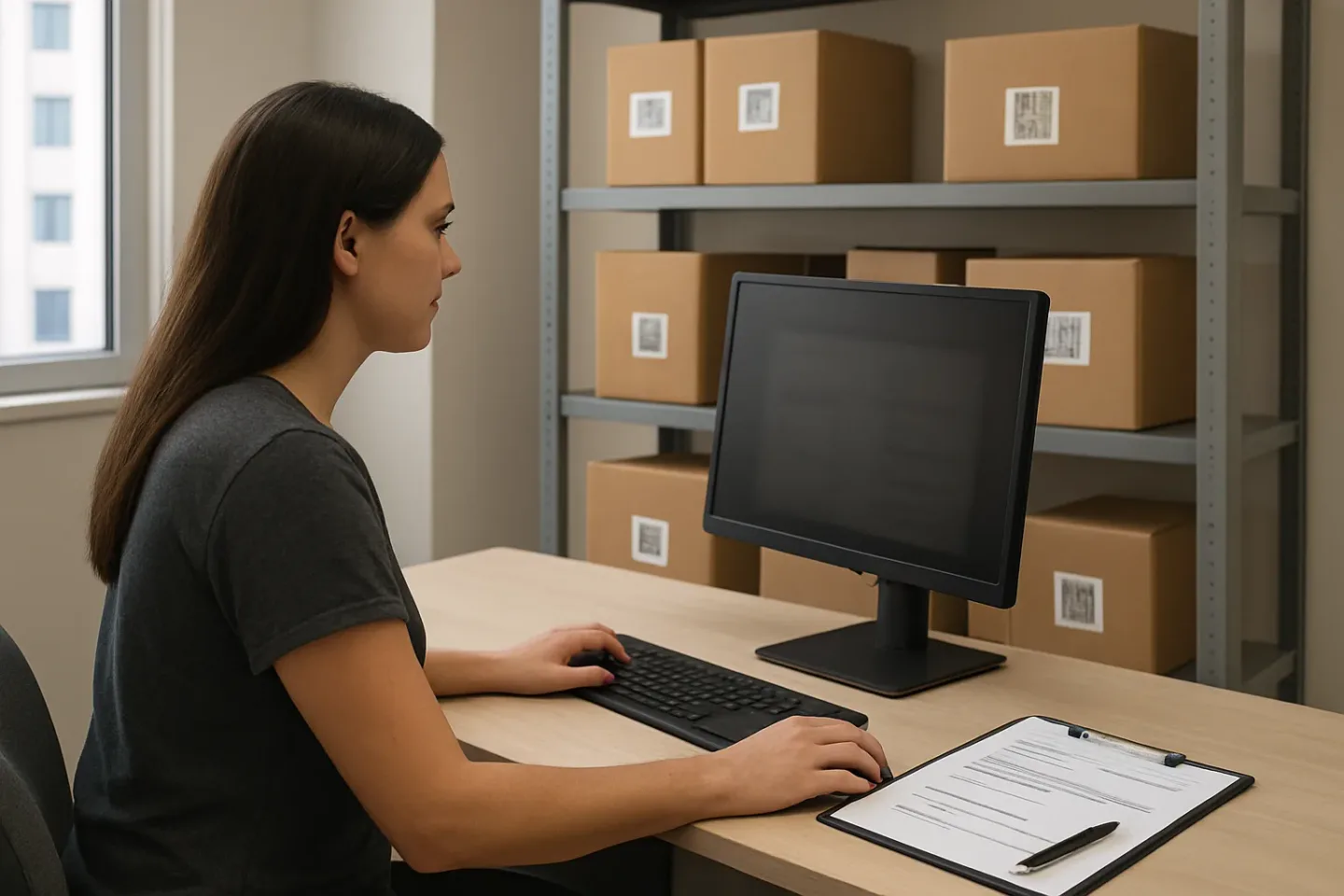
Privacy-First Package Operations: A Practical Package Room Privacy Policy to Prevent PII Leaks
A package room can be one of the most data-exposed places in a building—not because anyone is trying to be careless, but because the workflow is fast, public, and repetitive. Names and unit numbers get read out loud. Screens face the lobby. A printed pickup roster sits on the counter. A shared inbox auto-forwards delivery notices. A quick “proof photo” accidentally captures a label, a face, a unit door, or a monitor in the background. None of this is legal theory; it is operational reality.
A strong package room privacy policy is an operating model: it redesigns intake, pickup verification, and notifications so resident data is harder to see, easier to limit, and simpler to delete when it is no longer needed. The goal is not to add friction or slow down line speed. The goal is to prevent the common “public list” mistake—where personal information becomes visible to the wrong people just because the desk is busy.
This article focuses on practical controls you can implement with checklists, desk setup changes, staff scripts, and system defaults: resident privacy package pickup practices that avoid calling out names or units, PII minimization at the counter and in labels, a photo capture policy that limits what the camera collects, log retention tied to dispute windows, and staff access controls that keep casual browsing from becoming normal. If you can reduce what is displayed, spoken, photographed, and retained, you reduce the odds of a leak without changing the core service residents expect: timely pickup with clear accountability.
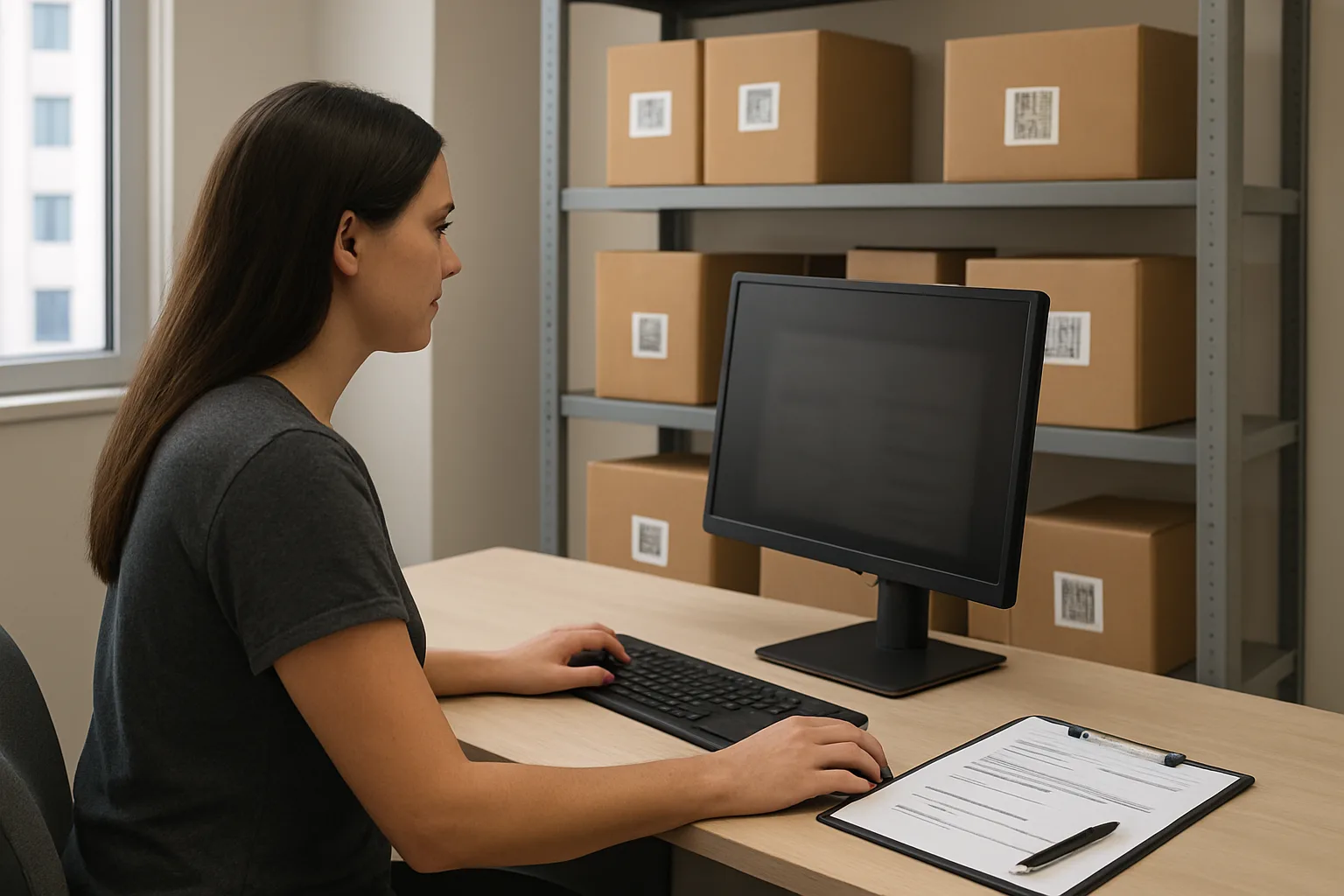
Map the PII Leak Points in Package Operations (Where Privacy Breaks in Real Life)
A workable package room privacy policy starts with a plain, operational threat model: what resident data shows up during intake and pickup, where it gets displayed, and who can see it while simply walking through the lobby or glancing at a screen. Most leaks are not “hackers” or complex attacks—they are ordinary workflow artifacts: a clipboard on the counter, a screen turned toward the waiting line, a printed list taped to a cabinet, or a notification that previews a full name and unit on a locked phone.
paragraphs
Treat this as a mapping exercise, not a blame exercise. Your goal is to identify the specific moments where names, unit numbers, photos, or logs become visible to people who do not need them (other residents, guests, vendors, student staff not on duty, contractors, or even other internal teams). Once you can point to the leak point, you can redesign the step (masking, role-based views, relocation of materials, or shorter retention) without slowing package flow.
Start by documenting the “data surfaces” your team uses in the package lifecycle: the desk, the package room/shelves/lockers, the handheld device (if any), the email inbox, the notification channel, and any vendor portal. For each surface, list: what PII appears, who can access it, and how long it persists (minutes on a screen vs. months in a folder). That becomes the core of your operational privacy checklist.
- Threat-model question to use during mapping: “If I were standing in line, walking past the desk, or covering this shift for 10 minutes, what resident details could I learn without trying?”
- Define “need to know” roles before you map (example roles): front desk staff on duty, package room runner, supervisor, security, after-hours on-call, IT/admin.
- Track both intentional displays (a roster view) and accidental displays (a label photo that captures a name/unit). Accidental displays are often the biggest driver of leakage.
PII inventory: names, unit numbers, phone/email, delivery photos, signatures, access logs
Before you can minimize data exposure, you need to know what qualifies as resident-identifying information in your package operation. For package rooms, the risk is usually a combination of “direct identifiers” (name, phone/email) plus “location identifiers” (unit, bed space, building/wing) plus “evidence artifacts” (photos and signatures) that can be copied or forwarded.
A practical package room privacy policy should define these as controlled data elements, even if they feel routine. The policy should also name the common places each element appears so staff can recognize leaks quickly.
Physical exposure: counter screens, lobby sightlines, printed “hold” lists, mis-sorted shelves
Physical layout creates “privacy by default” or “exposure by default.” If the package desk is visible from a lobby couch, a queue line, or a tour route, assume shoulder-surfing will happen. The same is true for package rooms where shelves face an open doorway, or where residents can browse while staff are retrieving items.
Common physical leak points are deceptively simple: monitors angled toward the public, badge rosters left open, sticky notes with unit numbers, and printed lists posted for convenience. Another frequent issue is shelf labeling that includes resident names/units, which turns the package room into a searchable directory whenever someone gets access for pickup.
Even “back-of-house” spaces can leak when vendors or maintenance pass through, when doors are propped open during deliveries, or when the package room doubles as storage. A privacy-first map should include sightlines, door habits, and what’s visible during peak hours.
Workflow exposure: clipboards, shift handoffs, radios, whiteboards, shared inboxes
Workflow artifacts are where privacy breaks under pressure. When the desk is busy, staff reach for whatever speeds up handoff: a clipboard sign-out sheet, a whiteboard of “unclaimed packages,” or a group chat message that includes a resident’s full name and unit. These tools feel temporary, but they often persist for days, get photographed, or get left out during shift change.
Shift handoffs are a top risk moment. Notes like “Hold for Alex in 12B” may be well-intentioned, but they create a parallel system outside your official controls (no access restrictions, no retention schedule, no audit trail). Shared inboxes create similar exposure when multiple people can see all resident correspondence, or when emails get forwarded to personal accounts to “handle later.”
Radios and public call-outs are another workflow leak: speaking names and unit numbers across a lobby is functionally the same as posting them. Your mapping should include what staff say out loud, not just what they store digitally.
Notification exposure: lock-screen previews, email forwards, group texts, vendor portals
Notifications are often the highest-volume PII leak because they leave your controlled environment and land on devices and inboxes you do not manage. A message that includes “First Last, Unit 304: package delivered” can appear on a lock screen in a classroom, get auto-forwarded to a parent, or sit indefinitely in an inbox that multiple roommates can access.
Email is especially prone to forwarding and long retention. SMS is prone to lock-screen previews and wrong-number errors. Push notifications can be safer if they are masked, but only if the preview text is generic and the resident must authenticate to view details. Vendor portals and carrier tools can also leak data when multiple staff share a login or when access is broader than necessary (for example, student workers can view a full resident directory as part of “package lookup”).
When mapping notification risk, document: what’s in the subject line/preview, what’s in the message body, who can send messages, and whether templates default to including names/units/photos. Defaults are the silent privacy policy most teams actually follow.
Failure modes to look for during a 15-minute walk-through
A short walk-through is enough to find most operational privacy problems. Do it during normal business hours, and do it like a visitor: stand where residents stand, follow the delivery path, and watch what information becomes visible without special access. Your goal is to find “public list” conditions—any situation where someone can learn who lives where or who is receiving packages by casually observing routine work.
Capture findings as concrete statements you can fix (example: “Pickup screen shows full name + unit to anyone in line” rather than “Privacy is weak”). Then tie each failure mode to a control type: masking, moving materials out of public view, replacing paper logs, tightening access, or shortening retention.
Redesign Intake to Minimize PII at the Desk (Labels, Screens, and Sorting)
Intake is where privacy leaks most often because it happens fast, in public sightlines, and under pressure. A practical package room privacy policy should make “doing intake quickly” compatible with “not exposing names and unit numbers” by default. The goal is operational: reduce what staff must display, say out loud, print, or leave on the counter—without breaking accountability or slowing sorting.
The simplest way to achieve PII minimization is to redesign intake around an internal package identifier and location-based sorting, so the desk workflow relies on codes and placement—not rosters of residents, unit lists, or visible address details.
- Policy objective for intake: complete check-in and route the package to a controlled storage location with the least resident-identifying data visible in public spaces.
- Default rule: if a step can be completed using an internal ID and storage location, do not use (or display) name + unit at the desk.
- Design assumption: the lobby is a semi-public environment; treat screens, labels, and spoken confirmations as public-facing unless proven otherwise.
Package room privacy policy principle: collect the minimum needed to complete intake
At intake, teams often collect more than they need because it feels safer: full names typed into notes, unit numbers written on sticky notes, photos taken of the shipping label, or a printed hold list kept for convenience. Each of these creates a new PII surface area: something that can be shoulder-surfed, photographed by a bystander, misplaced during shift change, or forwarded in error.
A privacy-first intake design asks one question for every data field: Do we need this to (1) locate the package later, (2) verify the right resident at pickup, or (3) resolve a delivery dispute? If not, do not capture it—or keep it visible.
Operationally, you can still meet accountability needs by relying on an internal package ID, a timestamp, staff initials or user ID, and a storage location. Names and unit numbers can exist in the system record, but the front-desk workflow should not require them to be displayed or spoken.
QR-label and internal ID approach: separating public-facing labels from internal records
A common leak is re-labeling a package with “Resident Name + Unit” in large marker or on an extra sticker. It helps staff sort quickly, but it also turns every shelf into a public list. Instead, treat the desk label as an internal routing tag, not a resident identifier.
Use an internal package ID as the primary handle for intake and storage. A simple, operationally realistic convention looks like: TN-248193 (system-generated), paired with a QR code that references the internal record. Staff can scan the QR code later to pull up the resident and verification details without writing or showing them on the package.
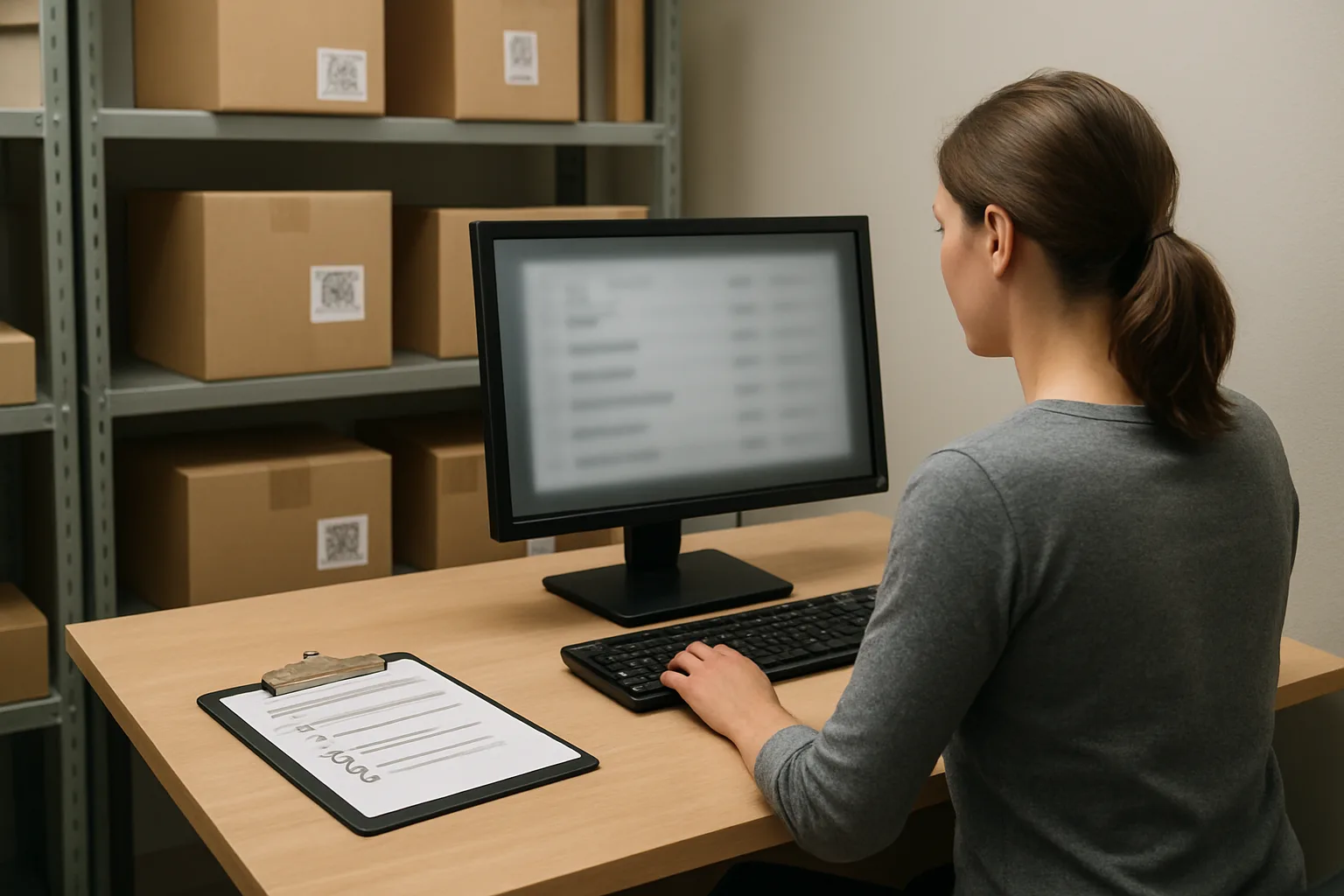
How this works in practice: during intake, staff scan or enter the carrier tracking number, the system generates an internal ID, and the desk prints (or applies) a small QR/internal-ID label. The storage location (for example, Zone B, Shelf 3, Bin 2) is recorded in the system. From that moment on, the desk and package room can function on internal IDs and locations—names and unit numbers stay in the record, not on the shelf or counter.
Counter-privacy: screen positioning, queue management, and “no open roster” rule
Even if your labels are clean, the desk screen can leak PII continuously. Intake screens often show resident names, units, and contact details in large tables that are easy to read from the lobby. Your package room privacy policy should define “counter-privacy” requirements the same way you define cash-handling controls: a standard layout and habits that reduce incidental exposure.
Practical counter-privacy controls include: screen angle and placement away from the lobby line of sight, privacy filters where needed, and a fast “quick lock” habit whenever staff steps away. Just as important is workflow discipline: avoid leaving an open resident roster on-screen while moving packages, printing labels, or talking with a resident.
Adopt a clear “no open roster” rule: staff should not leave searchable resident lists or package queues visible when non-staff are present at the counter. If staff must search a resident record (for an exception), do it one-at-a-time and return to an intake screen that shows internal IDs and locations rather than names/units. Queue management matters too: one resident at a time at the verification point, and a marked waiting position that keeps the next person from reading the screen over someone’s shoulder.
Sorting without names: zone codes, locker numbers, and bin locations as operational identifiers
Sorting is where teams often revert to “big-name labels” because it feels like the only way to stay organized. You can keep speed by sorting on locations and operational identifiers instead of resident identifiers.
Set up your storage model as a map of locations that make sense for your room: zones (A/B/C), shelves, and bins; or locker banks; or cages for oversized items. Staff then record “where it went” instead of “who it’s for” on the physical package surface. The package itself retains the carrier label, but you avoid adding a second, larger resident-facing label.
Examples of low-exposure sorting conventions: Zone A = small parcels, Zone B = medium, Zone C = oversized; each zone uses numbered shelves and bins. A QR/internal-ID sticker is placed on the top corner for fast scans. Staff move packages by scanning the internal ID and assigning a location. If a resident is waiting, staff can retrieve by scanning a pickup code or searching in-system—but the room itself doesn’t become a directory of names and units.
Exception handling: perishables, oversized items, and misaddressed packages without broadcasting unit info
Exceptions are where privacy policies often fail, because staff improvise: a note taped to a box, a unit number shouted to a colleague, or an email forwarded to “the team” with a photo of the label. Your package room privacy policy should predefine exception paths that preserve resident privacy package pickup principles while keeping operations moving.
Perishables: mark with a standardized, non-PII tag such as “Perishable: Refrigeration” plus the internal package ID/QR. Store in a controlled fridge area with restricted access, and rely on system notifications rather than writing name/unit on the item.
Oversized items: use an oversized zone with numbered floor spots (OS-1, OS-2, etc.). Tag the item with the internal ID/QR and record the spot. If an item is too large for a label, attach a small hang-tag with only the internal ID/QR—no name/unit on a visible face of the box or furniture carton.
Exception handling (continued): misaddressed, incomplete, or ambiguous recipient details
Misaddressed packages (wrong building, missing unit, nickname-only) create pressure to expose more PII to “solve it.” Instead, use a controlled triage process.
Create a “Needs Research” area that is staff-only. Items placed there receive an internal ID/QR and a brief internal status like “Recipient unclear.” Staff research using the carrier tracking number or the system record, but do not write guesses (names/units) on the package exterior.
If you must contact the resident to resolve ambiguity, do it through a channel that avoids broad exposure (for example, a direct message or ticketing workflow) and avoid sending photos of the full shipping label unless absolutely necessary. If a label photo is required for carrier resolution, capture only what’s needed (tracking number and address block) and avoid including other identifying fields in frame. The key is consistency: exceptions should trigger a more controlled workflow, not a more public one.
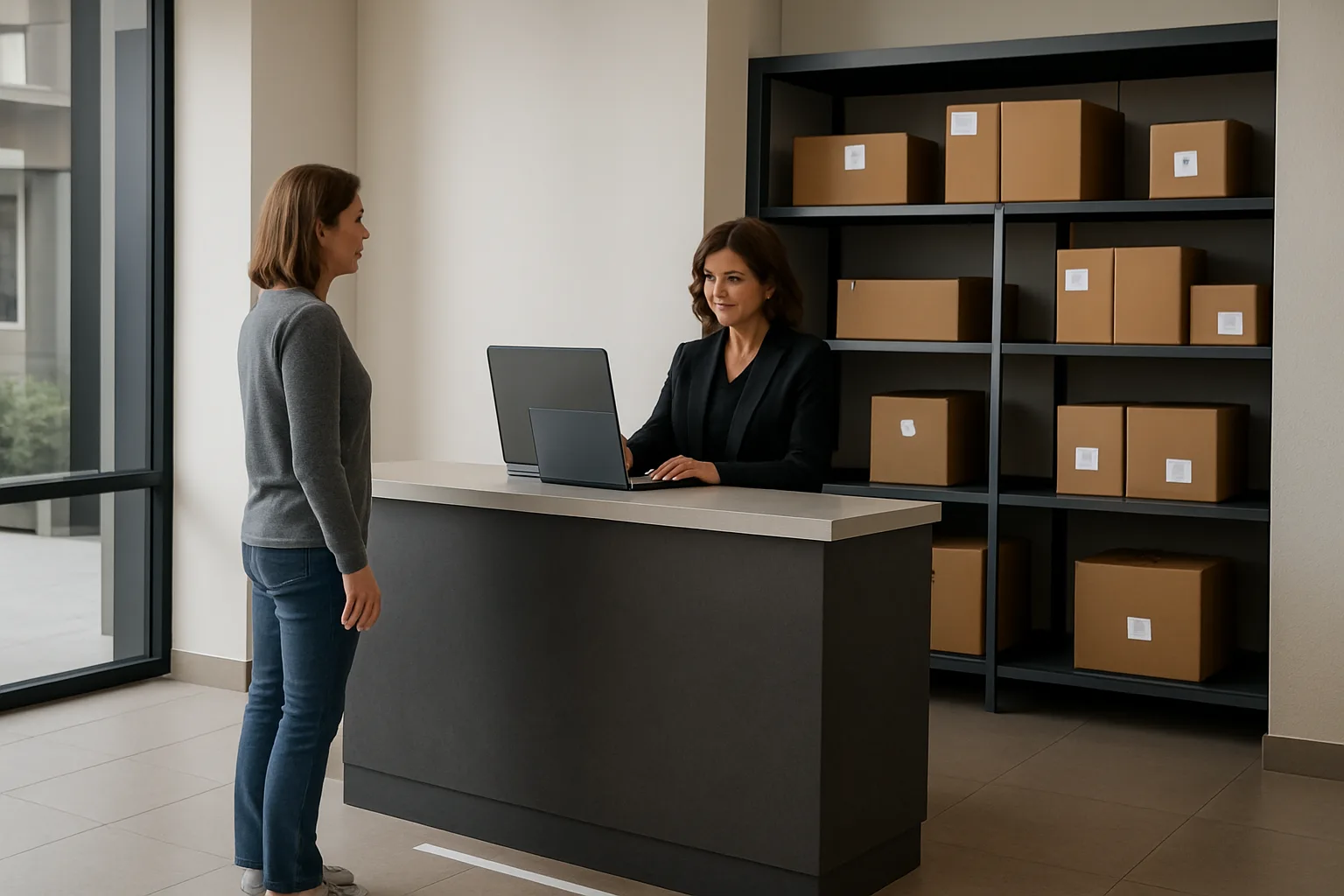
Pickup Verification Without Broadcasting Names or Units (Resident Privacy Package Pickup)
Pickup is where good intentions turn into a public list: a resident steps up, staff scans a screen full of names and unit numbers, and the verification process becomes audible and visible to everyone in line. A strong package room privacy policy treats the pickup counter like a privacy boundary: confirm identity and release the right item with PII minimization, not with louder callouts or more exposed screens.
The goal is two-fold: prevent unauthorized releases and prevent unnecessary exposure of resident identity details. The best workflows do this by verifying the person first, then pulling packages by an internal identifier (code, bin, or shelf location), and only revealing names/units when it is truly required to resolve an exception.
- Policy baseline for resident privacy package pickup: verify identity first, then locate items; do not search or read from an open roster in public view.
- Default to PII minimization: no spoken unit numbers, no screen-facing queues, no printed pickup lists at the counter.
- Use consistent, auditable steps so staff are not improvising under pressure (and leaking data).
Verification options: QR pickup code, resident ID scan/visual check, last-4 phone, signed acknowledgement
Choose verification methods that are quick, familiar to staff, and low-exposure. Your package room privacy policy should define a primary method and two fallbacks so staff do not revert to scanning names out loud.
Recommended options to include, from lowest exposure to highest exposure:
1) QR pickup code: Resident presents a QR code from their notification or portal. Staff scans it; the system returns the internal package IDs and location cues. This keeps names/units off the counter conversation and reduces mis-pulls because the code points to the correct record(s). If a resident lost access to their phone, use a fallback rather than asking them to say their unit number aloud.
2) Resident ID scan or visual check: Staff verifies a building-issued ID (or other allowed ID type) and confirms it matches the record. If you cannot scan, do a visual check and confirm one additional attribute privately (for example, date of birth or a pre-set pickup PIN), but avoid collecting new data just to make verification easier.
3) Last-4 phone (or a pickup PIN): A short secret is often less revealing than a unit number spoken in a lobby. If you use last-4, treat it as a verifier, not as a search key displayed to others.
4) Signed acknowledgement: Use only when needed (bulk releases, exceptions, or high-risk items). Keep signatures tied to an internal transaction ID rather than a sheet with names and units. Avoid clipboard sign-out forms visible to the queue.
Designing a low-exposure pickup moment: one-at-a-time verification and private confirmation language
Small counter design choices reduce shoulder-surfing and overheard details without slowing the line.
Operational design steps:
– One-at-a-time verification: Use a simple floor marker or stanchion so the next person stands back while the current pickup is verified. Even in a small lobby, a two-step line (service spot + waiting spot) cuts accidental exposure.
– Screen discipline: Staff screens should be angled away from the queue and set to auto-lock quickly. The workflow should open directly to a scan/search box, not to a resident list.
– Private confirmation language: Train staff to confirm with neutral prompts that do not repeat identifying details. Example: instead of reading a name and unit, staff says, 'I found your pickup. Please confirm the pickup code or show your ID.'
– Package staging: Pull packages from shelves using internal location cues (bin number, zone code, locker number) rather than by scanning a visible list of residents. This reduces the temptation to call out, 'Unit 1207, you have three boxes.'
Avoiding the “call out unit numbers” trap: scripts staff can use at the counter
The fastest way to create a PII leak is to turn pickup into a roll call. Replace callouts with scripts that keep the interaction efficient and consistent.
Use short, repeatable phrases that do not expose names, units, or package contents:
Script set (examples staff can memorize):
– 'Hi—please show your pickup QR code, or your ID.'
– 'Thanks. I’m going to confirm your pickup and grab your items.'
– If the resident asks 'How many do I have?': 'I have items ready for you today. I’ll bring them up now.'
– If there is a mismatch: 'I’m not able to confirm that pickup with the information provided. Let’s step to the side and resolve it.'
– If the line is long: 'We’ll help the next person as soon as this verification is complete.'
Operational rule to add to the package room privacy policy: no staff member should speak unit numbers or read resident names from a screen in a public queue. If confirmation requires discussion of a unit number (for example, duplicate names), move to a side position or use a written prompt the resident can point to rather than say aloud.
Third-party pickups: roommates, parents, couriers—documented authorization without over-collection
Third-party pickup is a common pressure point: staff want to be helpful, but ad-hoc approvals often lead to over-collection (saving texts, taking photos of IDs, forwarding emails) and inconsistent releases.
Build a clear, minimal-data authorization process:
– Define who can pick up: roommate, named proxy, parent/guardian (if applicable), or building staff for official moves. Do not default to 'anyone with the unit number.'
– Use pre-authorized proxies when possible: Residents add a proxy name in advance. At pickup, staff verifies the proxy’s ID and records the transaction under an internal ID. Avoid keeping a copy of the proxy’s ID unless your operations truly require it; verification can be a visual check.
– One-time authorization option: If you allow one-time pickups, require a short resident-generated code (pickup PIN) or a confirmation through a resident-controlled channel. Avoid accepting a forwarded email thread as proof; forwards are easy to spoof and often contain extra PII.
– Record only what you need: date/time, internal package ID(s), releasing staff member, receiving person’s name (if needed), and the authorization method used (for example, 'proxy list' or 'one-time code'). This supports accountability while supporting PII minimization.
– Edge case handling: If a parent insists and the resident cannot be reached, have a documented 'no release without authorization' rule and an escalation path (supervisor review). Consistency protects residents and staff.
Chain-of-custody for high-risk deliveries (pharmacy, electronics): dual control and sealed handoff
Some packages carry higher harm if mis-released (pharmacy shipments, laptops, high-value items). A privacy-first workflow can still be strict without becoming invasive.
Add a tiered chain-of-custody approach:
– Flag high-risk categories by package attributes, not by resident identity. The handling rule should attach to the item type or declared value, not the person.
– Dual control for release: Require two staff actions for high-risk releases (for example, one verifies identity, one retrieves from a restricted shelf/locker). This reduces single-point errors and discourages casual browsing.
– Restricted storage: Keep high-risk items in a separate locked cage, cabinet, or locker bank where access is limited by staff access controls. Retrieval should rely on internal IDs and locations, not names.
– Sealed handoff: Use a simple tamper-evident bag or a seal sticker with an internal transaction ID. Staff confirms the seal at release without photographing the resident or their ID.
– Minimal but complete documentation: Record the internal package ID, time/date, verification method used, and any override reason. Do not add extra notes about the resident beyond what is necessary to resolve disputes.
This tiered approach strengthens security and accountability while keeping pickup interactions quiet and low-exposure—core to resident privacy package pickup and a practical package room privacy policy.
Notifications That Don’t Leak PII (Masked Content, Channels, and Defaults)
Notifications are one of the fastest ways package operations accidentally publish resident information. A single lock-screen preview, a forwarded email, or a shared inbox rule can turn “helpful updates” into a public list of who received what, when, and where. A strong package room privacy policy treats notifications as operational outputs that must be designed for low exposure by default, with narrow, documented exceptions.
The goal is not fewer notifications. The goal is safer notifications: enough information for a resident to take action (pick up, schedule, or respond), without including names, units, photos, or other details that can be seen by roommates, bystanders, coworkers, or anyone with access to a shared device or inbox.
- Policy default: masked notifications, with the resident authenticating inside a secure channel (portal/app/front desk) to view full details
- Minimize fields: include only what a resident needs to know immediately; omit anything that is “nice to have” but increases exposure
- Assume previews will be seen: lock screens, notification banners, email subject lines, and smartwatch previews are treated as public
- No “public list” behavior: no group texts, no CC’d distribution lists, no pasted rosters into shared tickets
- Exception rule: unmasked details only when necessary to resolve a specific issue, and the reason is recorded
Masked notifications by default: what to include vs. omit (names, units, photos)
Start by defining two layers of content: (1) a masked preview that can safely appear on a lock screen or in an email subject line, and (2) full details that are available only after the resident signs in, presents a pickup code, or speaks with staff using a verification step. This supports PII minimization while keeping pickup fast.
A practical rule: if the message could be read aloud in the lobby without harm, it is safe for masked delivery. If it would embarrass, identify, or locate a resident, it belongs behind verification.
Channel-by-channel guidance: SMS, email, app push, shared inbox tickets
SMS: Treat as the highest preview risk and highest forwarding risk. Use short, action-oriented masked texts (e.g., “Package ready for pickup”) and push residents to verify details in a secure channel. Avoid including unit numbers, full names, carrier tracking numbers, or item descriptions.
Email: Email tends to be forwarded, auto-sorted, and accessed on shared devices. Keep subject lines generic and avoid embedding labels or photos in the email body. If you must include details, place them behind a login link or require a pickup code rather than listing unit/name in the message itself.
App push (or portal notifications): This is typically the safest place to show more detail because it can require authentication. Even then, keep the push preview masked and show sensitive fields only after the resident opens the app/portal. Make “tap to view details” the standard pattern rather than “everything in the banner.”
Shared inbox tickets (front desk/helpdesk): Shared inboxes are a common leak point because many staff can see them, they can be auto-forwarded, and they often include pasted screenshots. Configure workflows so resident-specific details are stored in the package system record, not pasted into the ticket body. In the ticket, reference an internal package ID (not name/unit) and keep attachments limited. If a screenshot is necessary, redact first.
Preview risk: lock-screen settings guidance and “generic subject lines” conventions
Write your policy assuming previews are visible. Many residents use lock-screen previews; many staff use shared workstations; many emails are read on tablets at home. Your notification content should remain safe even if displayed on a phone on a cafeteria table.
Operationally, define conventions staff can follow without thinking:
Generic subject lines: Use subjects like “Package pickup notice” or “Package room update” rather than “Package for Unit 412” or “Delivery for [Name].”
No item-specific language: Avoid “medication,” “electronics,” “legal documents,” or other content that reveals sensitive context.
No embedded photos by default: Photos can accidentally include shipping labels (names/addresses), unit doors, or other residents. If photos are used at all, keep them inside an authenticated view, not in previews.
Resident guidance (optional handout or FAQ): Provide a simple note to residents that they can adjust their phone notification settings to hide previews. This is not a substitute for masking, but it reduces residual risk.
Message templates: secure phrasing for pickup-ready, reminder, and overdue/return-to-sender
Use templates so staff are not improvising under pressure. Templates should be written to work across channels without inserting PII into the message body.
Pickup-ready (masked):
– “Package room update: an item is ready for pickup. Bring your pickup code or ID. Hours: [hours].”
Reminder (masked):
– “Reminder: you have an item awaiting pickup. Please collect it by [date]. Reply if you need an alternate pickup arrangement.”
Overdue / return-to-sender warning (masked):
– “Action needed: an item is still awaiting pickup. If not collected by [date], it may be returned to sender per package room policy. Contact the desk if you need help.”
Problem / mismatch (masked):
– “Package room issue: we need verification to complete your pickup. Please visit the desk with ID or contact us through the resident portal.”
Each template avoids names, units, photos, and tracking numbers in the message itself. If the workflow requires a reference, use a short pickup code or internal package ID that is meaningless to bystanders.
Escalations and exceptions: when staff can send unmasked details and how to document the reason
Some situations legitimately require more detail (for example, resolving a misdelivery claim, coordinating a third-party pickup after verification, or locating a time-sensitive perishable item). Your package room privacy policy should permit narrow exceptions while preventing “convenience escalation,” where staff share extra PII because it feels faster.
Define an exception checklist staff must satisfy before sending unmasked details:
1) Purpose: What problem are we solving that cannot be solved with masked content?
2) Verification: Has the resident been verified (pickup code, ID check in person, authenticated portal message)?
3) Minimum disclosure: What is the smallest additional detail needed (e.g., last-4 of a phone number on file rather than full unit + full name)?
4) Channel choice: Use the most controlled channel available (authenticated portal message or in-person conversation). Avoid group texts and shared inbox replies with full details.
5) Documentation: Record “reason for unmasking” in an internal note (e.g., “Misdelivery dispute; resident verified via pickup code; shared tracking number to confirm carrier status”).
If a staff member feels they need to include a unit number, full name, tracking number, or a photo, the policy should require a quick pause: confirm verification, confirm necessity, then document. This keeps resident privacy package pickup workflows efficient while reducing accidental PII leaks in notifications.
Photos, Logs, and Retention: Write a Photo Capture Policy and Log Retention Schedule That Matches Dispute Windows
Photos and logs can quietly become your biggest privacy risk because they tend to accumulate, get reused for unrelated purposes, and spread to more people than intended. A practical package room privacy policy treats images and logs as controlled operational tools: capture only what you need to confirm receipt/condition and resolve disputes, restrict who can view them, and delete them on a schedule that matches realistic dispute windows.
This section gives you a working photo capture policy and log retention approach you can adopt as checklists, default settings, and supervisor spot-checks—without slowing intake or pickup.
Photo capture policy: purpose limitation (proof of condition/receipt), not surveillance
Define, in plain language, why photos exist in your workflow. If staff believe photos are for general monitoring (or "just in case"), they will over-capture and over-share. Tie photos to specific events and outcomes: confirming a delivery arrived, documenting condition, and resolving a reported misdelivery.
In your package room privacy policy, state that photos are not used to track resident behavior, enforce non-package rules, or create a visual record of who comes and goes. That clarity makes training simpler and reduces temptation to browse photos for unrelated issues.
Operational rule of thumb: if a photo does not help you answer a predictable dispute question (What arrived? When? In what condition? Where was it placed? Who released it and under what verification?), do not take it.
How to take safer photos: avoid faces, unit doors, screens, or mail labels in frame
Most PII leaks from photos are accidental: a label with a full name and unit, a resident standing in the background, a desk monitor showing a roster, or a shelf tag that maps names to locations. Safer photo practices are about framing and staging, not fancy tools.
Standardize a "safe photo" method so staff do not improvise under pressure. For example: photograph the package on a neutral intake surface or inside the package room (not in the lobby), with the camera pointed down and cropped tight to the box. If you need an identifier, capture only the internal package ID/QR label (or a small portion of a carrier label that does not show the full name/unit).
Build in a quick visual check before saving: look for faces, unit numbers, door placards, whiteboards, clipboard pages, and computer screens. If any appear, retake the photo rather than trying to justify it later.
When photos are optional vs. required (damaged, high-value, misdelivery)
Not every package needs an image. Requiring photos for everything increases exposure and retention burden. Instead, define clear triggers so staff know when a photo is optional, required, or prohibited.
A workable policy is: optional for standard deliveries in good condition; required for exceptions that commonly generate disputes; and prohibited when a photo would predictably capture sensitive information you do not need (for example, a medication label with patient name and prescription details).
Make the triggers operationally specific so two different staff members make the same decision on different shifts. This also helps supervisors audit compliance without debating edge cases.
Log retention: tie retention to realistic dispute windows and operational needs
Logs are necessary for accountability (intake time, handler, pickup verification method, exceptions), but they should not become permanent resident history. Your package room privacy policy should tie retention to the time you actually need to answer disputes and manage operations, then delete or de-identify after that window closes.
Start by listing the disputes you regularly see and how long they typically take to surface: "I never got the notification," "My package was released to the wrong person," "It was damaged when I picked it up," "It was returned to sender incorrectly." Set retention to cover those scenarios plus a small buffer, rather than defaulting to "keep everything forever."
Separate retention by data type. You may need to keep a minimal transaction record longer (package ID, timestamps, outcome) while deleting high-risk content sooner (photos, free-text notes, uploaded IDs). If you can meet operational needs with de-identified summaries (counts, time-to-pickup), keep those instead of detailed per-resident logs.
Deletion routines and audits: ensuring old photos/logs are actually purged
A retention schedule only works if deletion is automatic or reliably routine. Relying on someone to remember a manual cleanup step during a busy week will fail. Build deletion into the workflow as a recurring task with an owner and a verification step.
Use a simple control loop: define the retention period; define who is responsible for confirming purges; and define what evidence of deletion looks like (for example, a weekly supervisor checklist item: "verified photos older than X days are no longer accessible" and "spot-checked three records beyond retention—confirmed removed").
Also address the common backdoors where data lingers: exported spreadsheets saved to desktops, emailed photos in a shared inbox, printouts filed in drawers, and screenshots saved on shared devices. Your policy should prohibit exporting package rosters with names/units unless approved for a specific incident and require secure deletion afterward.
Incident response playbook: what to do when a photo/log contains excess PII
Even with good training, a bad photo or note will happen: a full label is visible, a resident’s face appears, or a staff member types a unit number into a free-text field that is widely visible. Your response should be calm, consistent, and focused on containment and prevention—not blame.
Write a short playbook staff can follow immediately: (1) stop further sharing (do not forward or screenshot); (2) restrict access to the record (supervisor-only) while you assess; (3) replace the image or redact by retaking a compliant photo if needed for operations; (4) delete the noncompliant asset per procedure; (5) document what happened in a minimal incident note (what, when, who had access, what corrective steps were taken); and (6) update training with the exact failure mode (for example, "photo taken in lobby captured screen behind counter").
Include a decision point for when escalation is required (for example, if sensitive information such as medical details or government ID images were captured or widely shared). The goal is to make the right response obvious for front-desk staff in the moment and to ensure you learn from the incident without expanding exposure.
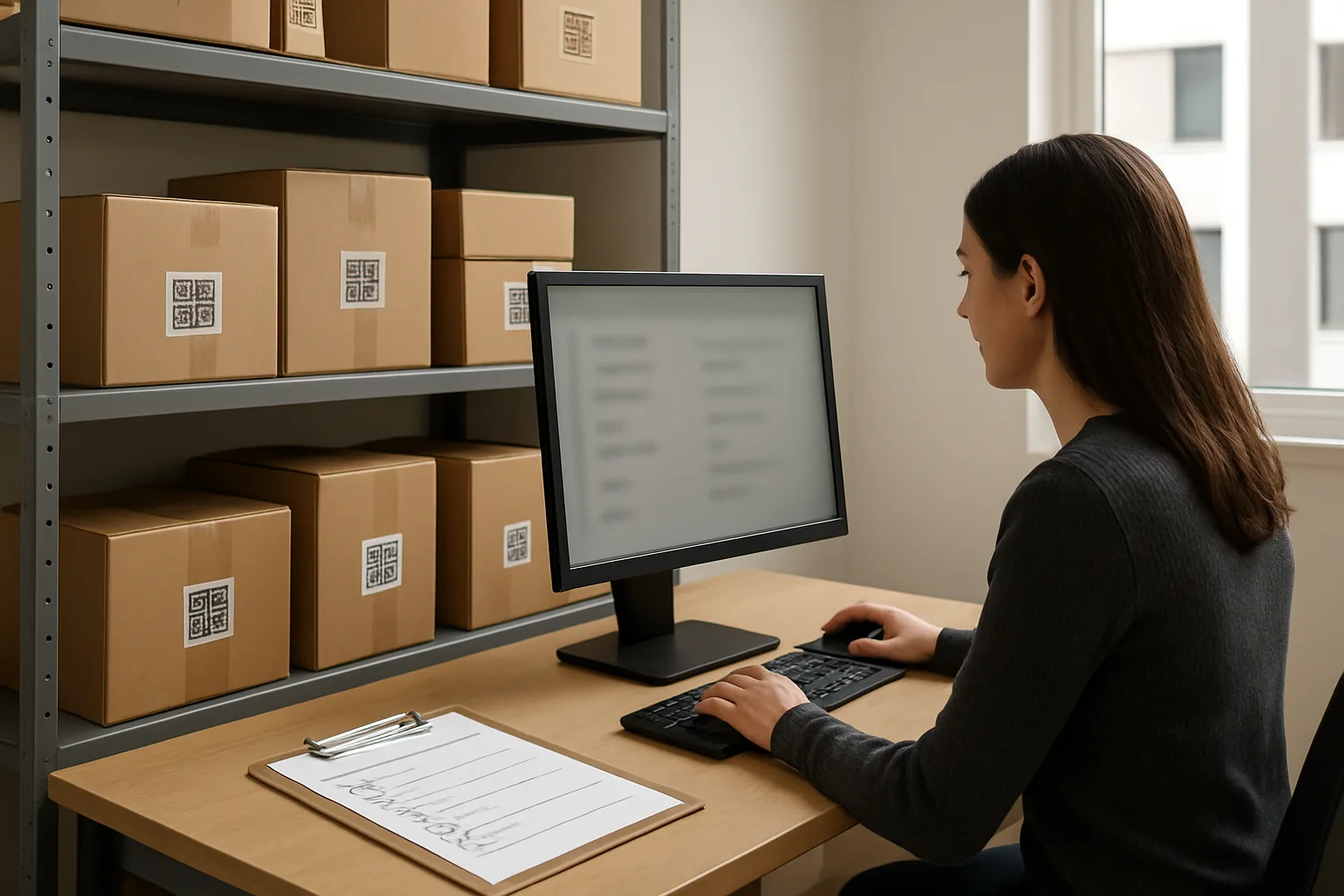
Staff Access Controls and Accountability (Make the Right Thing the Easy Thing)
A package room privacy policy succeeds or fails on one daily reality: lots of people touch the workflow (including temps, student staff, and rotating security), and most PII leaks come from convenience—clicking into records out of curiosity, leaving a screen open, or using a shared login because it is faster. The fix is not to slow the desk down; it is to set staff access controls so the default view is privacy-minimized, and the system only reveals names, units, and photos when a task truly requires it.
The goal is twofold: prevent casual exposure (resident privacy package pickup without a “public list” effect), and maintain accountability when something goes wrong (missing package disputes, mis-sorts, or unauthorized releases). This section lays out a practical model you can apply regardless of the specific software or locker setup you use.
- Policy decision to document: define which roles may view resident names/units, which may view photos, and which may override verification steps—and require a reason for any override.
- Operational rule of thumb: if a staff member can complete their step using an internal package ID, bin/locker location, and status (received/ready/picked up), then names and units should stay masked by default.
- Front-desk reality check: design for high turnover—assume you will have new staff monthly, and build controls that are simple enough to follow under a line of waiting residents.
Role-based access: desk staff vs. supervisors vs. security vs. after-hours teams
Start by separating “do the task” access from “manage the system” access. Many properties accidentally grant everyone supervisor-level visibility because it reduces training time, but it expands exposure: anyone can browse resident records, search by unit, or view delivery photos. Instead, define roles around your actual package workflow and disputes process.
A workable baseline is four roles: (1) desk/package intake staff, (2) supervisors/managers, (3) security/after-hours responders, and (4) auditors/admins (often the same as supervisors in smaller operations). Then explicitly map what each role can see and do.
Least privilege for views: masking names/units unless required for the task
Least privilege is not only about limiting actions; it is also about limiting what appears on-screen in a shared space. Many PII leaks happen because the default “package list” shows full resident name and unit, visible to anyone standing nearby. Your package room privacy policy should require privacy-minimized list views by default and only reveal identifying fields when staff take a deliberate step.
Design the workflow so staff can move packages and complete pickups using an internal identifier (for example, a QR label or short package ID) plus a location (bin/locker) and status. Names, unit numbers, phone/email, and photos should be behind a reveal action or secondary screen used only when needed (for example, resolving a mismatch, verifying authorization, or handling exceptions like misaddressed packages).
Put in writing what “needed” means. If staff have discretion without guidelines, they will default to opening records for convenience. Define a short list of permitted reasons to unmask: verification failure, duplicate names, third-party pickup authorization check, dispute investigation, or damaged/high-risk delivery handling.
Shared accounts prohibition: shift logins, quick lock, and handoff checklist
Shared accounts erase accountability and make it impossible to investigate a leak or a disputed pickup without turning the situation into guesswork. They also encourage bad habits: leaving the station logged in “for the next person.” A no-shared-accounts rule is one of the highest impact changes you can make without altering the resident experience.
To keep the desk fast, pair the prohibition with practical mechanics: short session timeouts, a quick lock procedure staff can execute in one motion, and a shift handoff checklist that is as routine as counting keys. The goal is to remove the incentive to share logins by making individual access easy and interruptions low-friction.
Audit logs that matter: what to record (views, edits, overrides) without over-logging
Accountability requires auditability, but excessive logging can create its own privacy burden. Your objective is to log the actions that explain outcomes (who released a package, who changed a status, who accessed sensitive details) without turning your operation into a surveillance archive.
In your package room privacy policy, specify a small set of auditable events and keep them consistent. Prioritize: package status changes (received, moved, picked up, returned), identity/verification overrides (for example, release without normal verification), and access to sensitive attachments (photos, signature images, authorization documents). For investigations, logging “who viewed a record” is useful, but focus it on sensitive record views (unmask actions, photo opens) rather than every list scroll. Keep timestamps and staff identifiers; avoid adding free-form notes that tempt staff to paste PII.
Training and spot-checks: monthly privacy walk-through and “red flag” scenarios to test
Controls do not hold if staff do not understand the intent. Train on specific behaviors that prevent leaks at the counter: how to keep screens angled, how to avoid reading names/units aloud, when to unmask and when not to, and how to respond when a resident asks to “just tell me what’s here for unit 314.” Keep the guidance operational and scenario-based, not theoretical.
Add a lightweight monthly privacy walk-through: a 10–15 minute check for the most common failure modes—stations left unlocked, screens showing full resident rosters, printed lists with names/units, photos that include door numbers or faces, and staff using each other’s logins. Pair that with a few “red flag” drills: a third party claiming to pick up for someone else without authorization, a resident requesting a list of packages by unit, or a staff member needing to override verification during a rush. The point is not to catch people; it is to prove your controls work under pressure and to update the checklist when reality changes.
Frequently Asked Questions
What should a package room privacy policy include in one page (so staff actually follow it)?
Keep the policy operational and checklisted. A one-page package room privacy policy should include:
1) Purpose and scope: package intake, storage, pickup verification, notifications, photo capture, and logs.
2) PII minimization rules: “Do not display or announce full names, unit numbers, phone numbers, or email addresses in public areas.”
3) Approved identifiers: internal package ID, QR pickup code, bin/locker location code, and limited resident confirmation fields (for example: last-4 phone or ID check).
4) Notification defaults: masked content by default; unmasked details only for documented exceptions.
5) Photo capture policy: when photos are allowed/required, what must be avoided in-frame, and who can access images.
6) Log retention: what’s kept, for how long, and the deletion routine tied to dispute windows.
7) Staff access controls: role-based access, no shared logins, screen-lock rules, and a shift handoff checklist.
8) Incident steps: how to report and correct a PII exposure (mis-sent notification, exposed printed list, overly revealing photo).
Operational tip: write it as “Do / Don’t / If-Then” bullets that map to desk actions, not as paragraphs.
How do we stop the “public list” problem without slowing down intake during peak delivery times?
Replace human-readable rosters with internal identifiers and location-based sorting.
Practical changes that reduce exposure and keep speed:
– Intake label: put only an internal package ID and a QR code on the staff-facing sticker; keep names/units inside the system.
– Shelf logic: sort by zone/bin/locker number (for example: A-12, B-03) rather than by unit number or last name.
– Screen practice: use a “search then confirm” workflow instead of leaving an open roster on-screen. Staff should only pull up one resident record at a time.
– Counter control: keep the intake screen angled away from lobby sightlines; use a simple physical marker line so residents queue back from the desk.
– Peak-time rule: if staff need a temporary tally, use package IDs only (never names/units) and destroy the tally at end of shift.
This keeps throughput high while preventing a clipboard or screen from becoming an accidental directory.
What’s the simplest resident privacy package pickup method that still prevents unauthorized releases?
Use a two-step verification that’s low-exposure at the counter:
Option A (lowest exposure): resident presents a QR pickup code; staff scans; staff confirms a minimal detail quietly (for example: “Please confirm your last name” or “Please confirm last-4 of phone”).
Option B (no phone on file): visual ID check plus a resident-provided attribute (for example: date of birth month/day, or a pre-established pickup PIN).
Counter script that avoids broadcasting PII:
– Instead of: “Package for Jordan Smith in 12B?”
– Use: “I can help with pickup. Please show your pickup code or ID.”
For third-party pickups, require documented authorization that is minimal: the resident can pre-authorize a named person in the system (or provide a one-time pickup code). Don’t collect extra data like the third party’s address or full DOB unless you have a defined operational need and a retention plan.
What should masked notifications look like so they’re still useful but don’t leak names, units, or photos on lock screens?
Masked notifications should answer “something arrived” and “what to do next” without including identity or location details that become sensitive when forwarded or shown on lock screens.
Include:
– A generic subject line (email) or short opener (SMS/push): “Package ready for pickup.”
– A pickup action: “Bring your pickup code or ID.”
– Operating hours and pickup location.
– An internal package reference (optional): “Ref: P-104392.”
Omit by default:
– Resident full name and unit number.
– Photos.
– Carrier tracking numbers (often linkable to personal info).
Example templates:
– Pickup-ready: “Package ready for pickup. Bring your pickup code or ID to the desk during posted hours. Ref: P-104392.”
– Reminder: “Reminder: you have an item awaiting pickup. Please pick up within 3 days. Ref: P-104392.”
– Overdue/return-to-sender warning: “Final reminder: unclaimed items may be returned after the holding period. Ref: P-104392.”
Exception rule: allow unmasked details only when staff document why (for example: accessibility accommodation, repeated failed pickups, misdelivery resolution) and only through the least risky channel.
How do we write a photo capture policy that helps with disputes without turning into surveillance or collecting extra PII?
A practical photo capture policy should define purpose, framing rules, access, and retention.
Policy elements that work at the desk:
– Purpose limitation: photos are for proof of receipt/condition and misdelivery resolution, not for monitoring residents.
– Safer framing rules: photograph the package only; avoid faces, unit doors, computer screens, and shipping labels in-frame when possible.
– When required: damaged packages, high-value items, mismatch between label and recipient, or when a resident disputes condition.
– When optional (or discouraged): routine deliveries where condition is intact and chain-of-custody risk is low.
– Access: limit photos to staff roles that handle disputes; prevent casual browsing.
Operational guardrail: if the shipping label must be visible to resolve a dispute, capture the minimum needed and rely on retention limits so the image does not live indefinitely.
How do we choose a log retention schedule (and actually enforce deletion) for package logs and photos?
Set retention based on operational dispute windows and the minimum time needed to investigate common issues, then enforce deletion as a routine.
Practical approach:
– Define your “dispute window” categories: pickup disputes, damage claims, misdelivery investigations, and security incidents.
– Assign retention to each category (shortest viable by default). Keep longer only where there’s a clear, documented need.
– Separate “active” from “archived”: once a package is picked up and no dispute is open, move records to a short-retention bucket.
– Automate deletion where possible; if not, schedule a recurring task with a named owner (for example: monthly purge plus a supervisor sign-off).
Audit method that catches failures:
– Pick 10 random records older than the retention period each month and verify photos and detailed logs are gone.
– Track exceptions: any record kept longer should have a reason code (for example: “open incident,” “law enforcement request,” “resident dispute filed”).
If you discover a photo or note that contains excess PII, treat it as an incident: restrict access immediately, correct the workflow that created it, and remove or redact the data according to your policy.
CTA
If you want, share your current intake and pickup steps (even a rough checklist), and I can help you translate them into a privacy-first package room privacy policy with: masked-notification templates, a one-page photo capture policy, a log retention schedule tied to your dispute window, and a role-based access checklist for desk staff and supervisors.
A Privacy-First Package Room Runs on Minimization, Defaults, and Simple Proof
A practical package room privacy policy is less about writing rules and more about designing moments: what staff see on screens, what gets printed, what gets said out loud, what gets sent to a lock screen, what a camera captures, and what is kept “just in case.” Most PII leaks happen in those moments—during intake rushes, shift handoffs, and pickup lines—when the easiest option is to expose names, units, or full delivery details.
The privacy-first approach is consistent across the workflow: practice PII minimization (collect and display only what completes the task), make masked notifications the default, and use resident privacy package pickup methods that verify without broadcasting. Then back it with governance that is operationally realistic: a photo capture policy that avoids faces and labels unless needed, log retention that matches your dispute windows instead of “keep forever,” and staff access controls that align views and privileges to roles. When these controls are implemented as defaults and checklists—not heroic staff judgment—you reduce exposure, improve consistency across shifts, and keep accountability strong without turning the package room into a surveillance archive.