
Package volume is manageable when labels are accurate and residents are current. Disputes happen in the gray areas: a unit number that doesn’t exist, a name that moved out last week, a carrier scan that says “Delivered” but nothing is on the shelf, or a box labeled “Apt 214” when your property has no 214.
This SOP is built for those messy moments. It’s an exceptions-first workflow designed for busy leasing offices and concierge desks—short steps, clear decision trees, and documentation checkpoints that reduce “he said / she said” and keep handoffs accountable. (Primary keyword: misdelivered package apartment front desk process.)
What this SOP optimizes for (real desks, not ideal conditions)
- Speed with consistency: the same steps regardless of who’s on shift.
- Defensible documentation: timestamps, photos, and notes that prevent disputes.
- Clear resident communication: scripts that de-escalate and set expectations.
- Fewer “lost package” escalations: early triage before items disappear into limbo.
Warning: Never “guess” a unit or resident when the label is incomplete. Guessing is faster in the moment and expensive later.
Set your foundation: the “Exception Shelf” and minimum logging standard
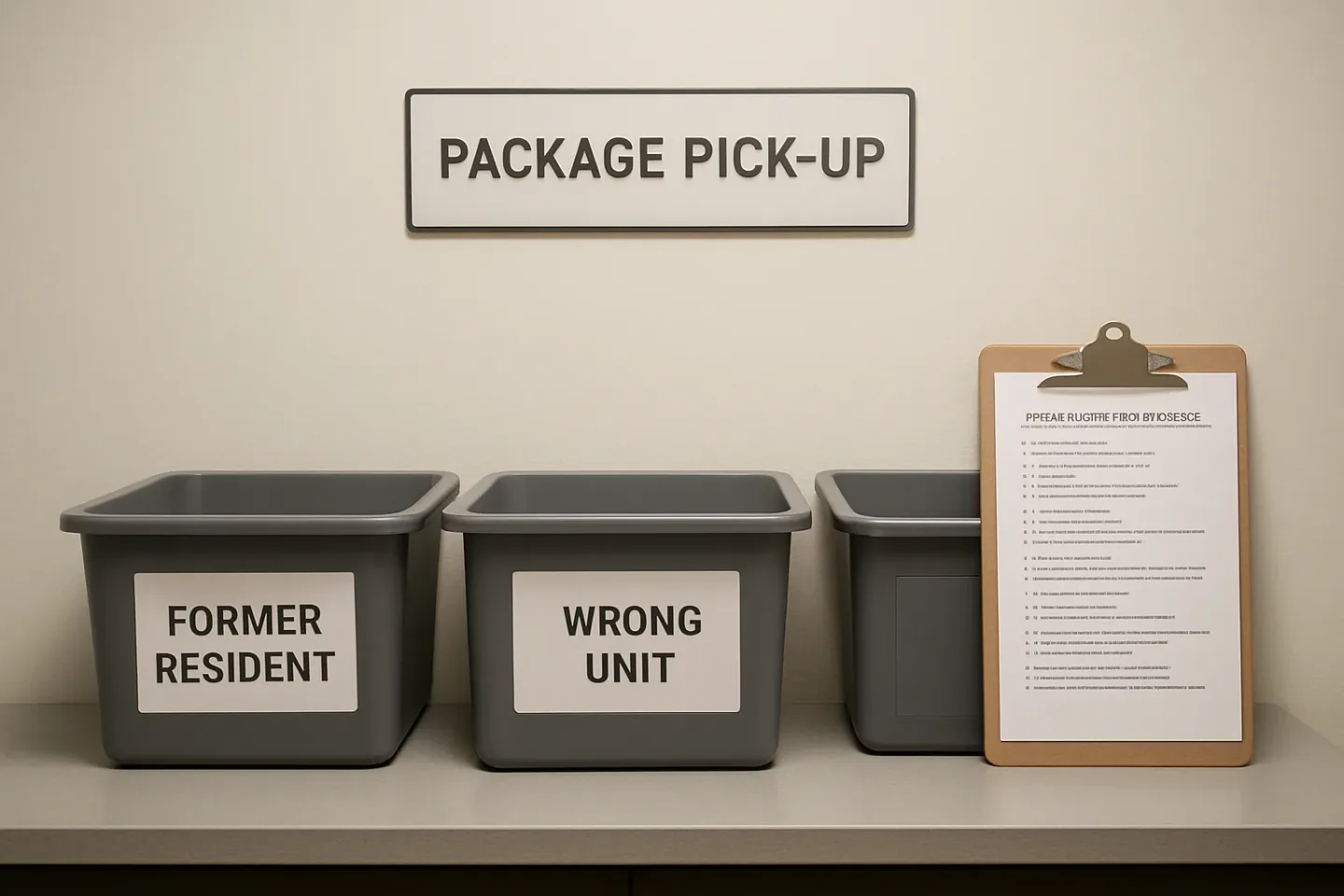
Before you can handle exceptions well, you need a dedicated place and a minimum record. Create an Exception Shelf/Bin separate from normal pickup packages, with three physical zones:
- Former Resident / Move-Out
- Wrong Unit / Incomplete Label
- Carrier Issue (scan mismatch / damaged / refused)
Minimum logging standard (60 seconds or less)
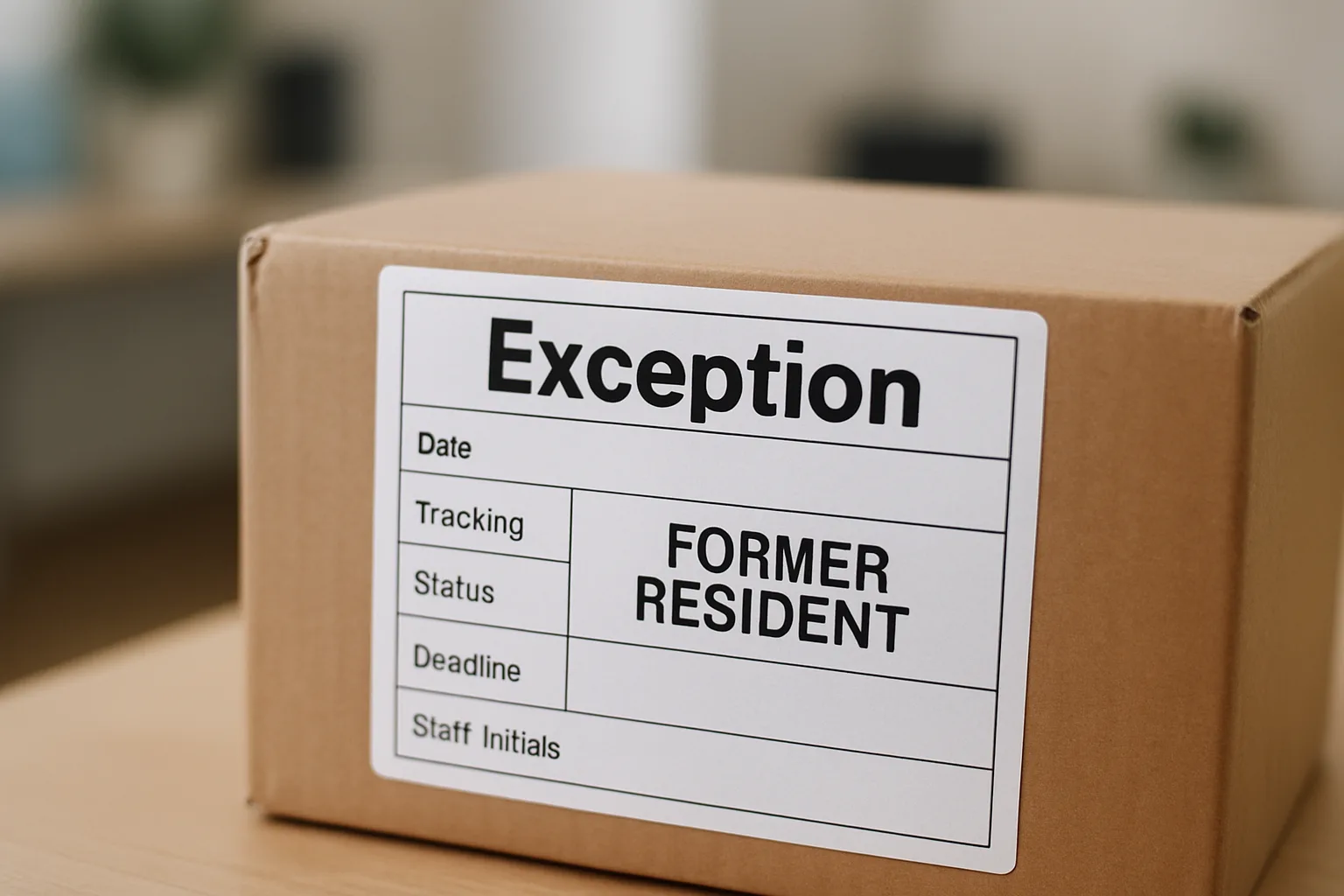
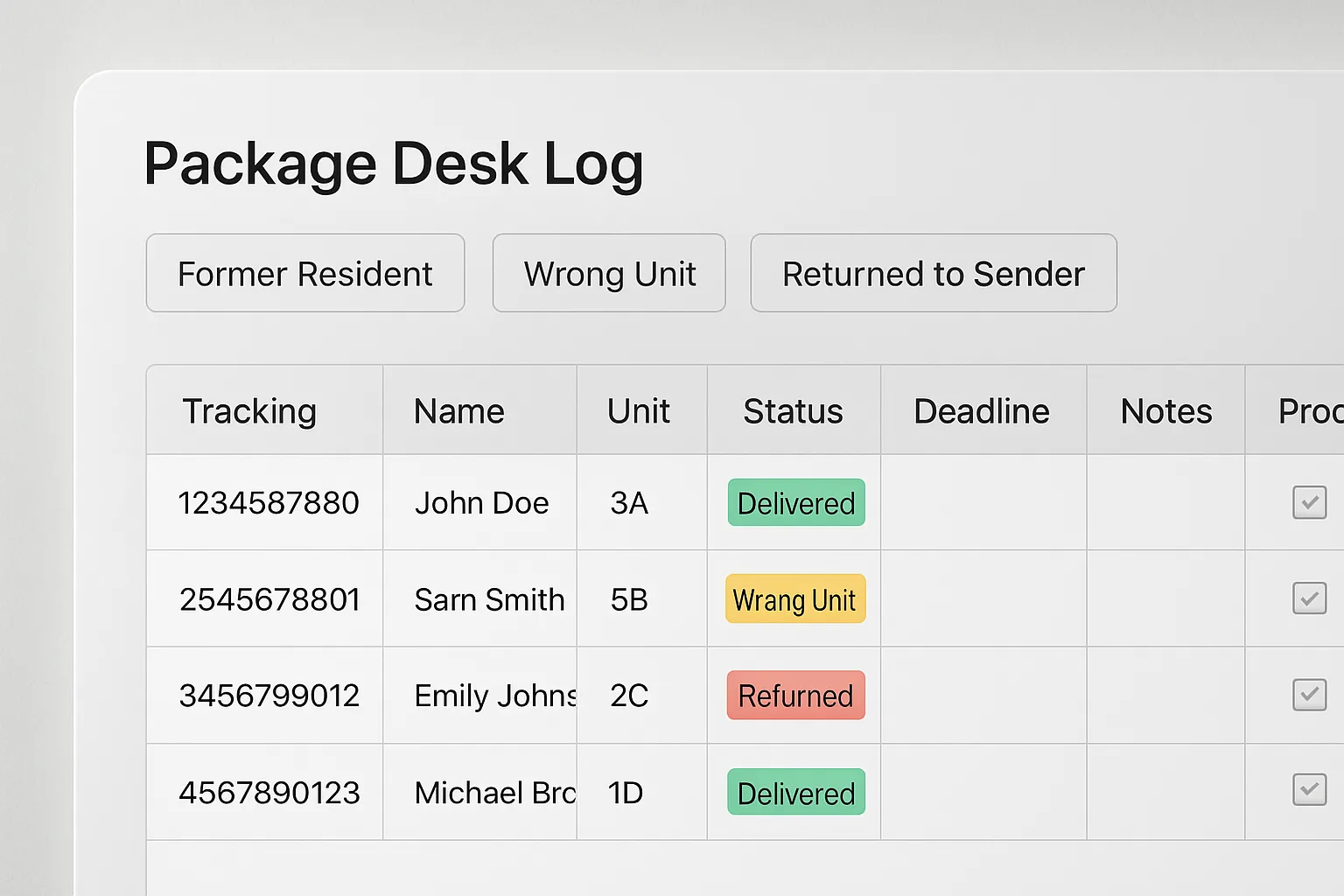
For any exception item, record these fields in your package log (or software like TrackNest):
- Date/time found or received
- Carrier + tracking # (photo of barcode if needed)
- Label photo (full label, not cropped)
- Status tag: Former Resident / Wrong Unit / Carrier Issue
- Next action + deadline (e.g., “Contact resident by 2pm,” “Return to sender on Friday”)
- Initials of staff member who triaged
The exceptions-first decision trees (desk-ready)
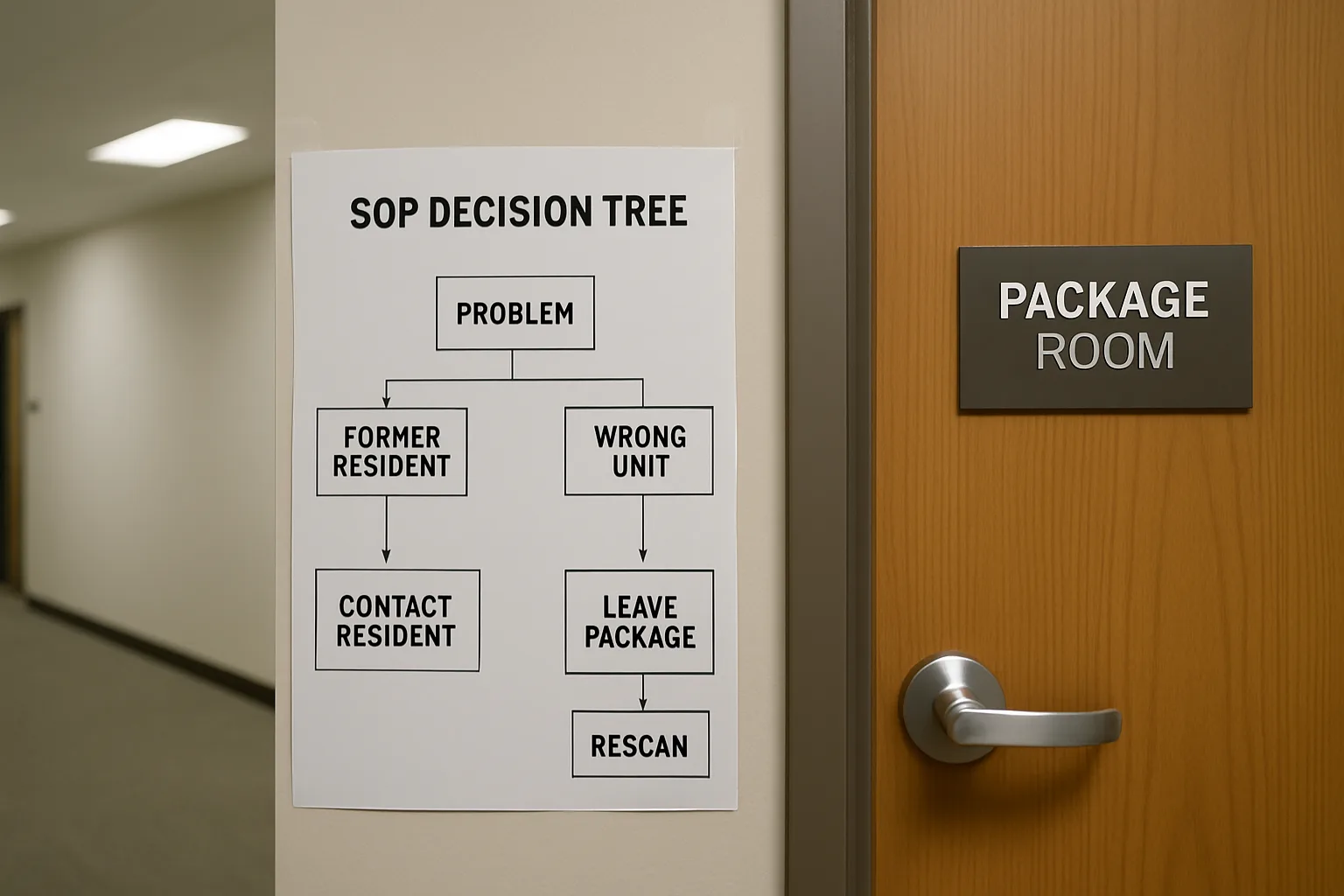
Decision Tree A: Label shows a name that’s not in your current roster
- Check move-out/transfer list (today’s and last 60 days).
- If the name matches a former resident:
- Log as Former Resident.
- Check file for forwarding address and any signed move-out package policy.
- Proceed to the Former Resident Package Procedure below.
- If the name matches no record:
- Log as Wrong Unit / Unknown Addressee.
- Do not search social media or guess based on similar names.
- Proceed to Wrong Unit / Incomplete Label below.
Decision Tree B: Unit exists, but resident says “That’s not mine”
- Ask for photo ID and confirm they are the current leaseholder/occupant for that unit.
- Compare the label name to the household roster:
- If it’s a household member/authorized occupant: treat as normal pickup.
- If it’s a different name: treat as misdelivered and move to the Exception Shelf.
- Log the resident’s statement in one sentence: “Unit 305 (Jane D.) states package addressed to ‘A. Patel’ is not theirs; refused pickup.”
- Proceed to Return to Sender / Carrier Hold steps.
Decision Tree C: Carrier scan says “Delivered,” but nothing is there
- Check your log for that tracking number and any photos.
- Check Exception Shelf and common mis-sorts (oversize area, refrigerated items, back office).
- Document: time you searched, areas checked, and who checked.
- Initiate a carrier trace (same day) and provide resident with the trace reference number if available.
Former resident package procedure (move-out package policy in action)
This is where properties get burned: staff want to be helpful, but the building isn’t a forwarding service. Use a defined former resident package procedure aligned with your lease and local requirements.
Step-by-step
- Confirm status: Verify move-out date and whether the resident is fully vacated or in notice period.
- Check for forwarding address in the resident file.
- If present: you may send a single courtesy notice (template below) and set a short pickup/redirect window.
- If absent: do not attempt to locate one.
- Log with a deadline: “Hold until Friday 4pm, then Return to Sender.”
- Notify once (optional courtesy): email/text using the script below.
- Hold in Exception Shelf with a visible date tag (e.g., a colored sticker that matches the week).
- Disposition at deadline:
- If carrier accepts return: Return to sender apartment package workflow (below).
- If carrier requires pickup request: create the request and log confirmation.
Insight: The goal isn’t to “solve” the former resident’s shipping problem—it’s to create a consistent, documented chain of custody that protects your team and your property.
Script: Courtesy message to a former resident
Subject: Package received after move-out (Action needed)
Message: “Hi [Name]—a package addressed to you arrived at [Property Name] today. Because you’ve moved out, we can hold it until [date/time]. After that, we will return it to sender per our move-out package policy. If you need to update delivery details, please contact the shipper/carrier directly with your tracking number: [tracking #].”
Wrong unit / incomplete label workflow (package room exceptions workflow)
Wrong-unit labels aren’t rare: carriers mis-key units, residents use old addresses, and some shippers print truncated labels. Your job is to avoid “creative matching” and instead run a quick, consistent verification loop.
Step-by-step (10-minute maximum effort)
- Photograph the label (full label + barcode).
- Validate the unit:
- If unit number does not exist (e.g., “214” but building has 2xx only in another stack): log as Wrong Unit.
- If unit exists: compare label name to roster.
- One controlled lookup: Search your property system for the exact last name and first initial.
- If you find a strong match (e.g., “Patel, A” lives in 412 and the label says 412? Great.)
- If you find multiple matches or none: stop and treat as Unknown Addressee.
- Do not re-label the shipping label. If you add anything, use a removable exception tag (doesn’t alter original).
- Hold with deadline (e.g., 3 business days), then move to Return to Sender.
Script: When a resident insists it’s “probably mine”
“I can’t release packages based on guesses. If the label doesn’t match your name/unit, we’ll treat it as a misdelivery and work through the carrier/shipper process. If you believe the shipper used the wrong unit, please update the address with them and we’ll watch for a corrected delivery.”
Return-to-sender apartment package steps (clean chain of custody)
- Confirm eligibility: Some carriers require unopened packaging and visible original label.
- Mark return without defacing: Use a carrier-accepted method (e.g., “RTS” sticker) only if your carrier confirms it’s acceptable.
- Get proof: pickup scan, receipt, or acceptance scan—photograph it.
- Update the log: “Returned to sender,” date/time, staff initials, proof attached.
- Notify (if applicable): A final message to the resident/former resident: “Returned to sender on [date]. Please contact the shipper.”
FAQ: Move-outs, wrong-unit labels, and misdeliveries
1) How long should we hold a former resident’s package?
Set a clear, short window in your move-out package policy (often a few business days) and apply it consistently. Whatever you choose, log the deadline at intake and follow it—consistency matters more than generosity.
2) Can we forward a former resident’s package to their new address?
Generally, avoid acting as a forwarding service. It creates chain-of-custody risk and staff time drain. If you do anything, keep it limited to a courtesy notice and a defined hold period, then use a documented return to sender apartment package process.
3) A resident says the package is theirs but the label has a different name. Can we release it?
Don’t release based on verbal claims. Require the label to match the resident/authorized occupant and unit, or follow your exceptions workflow. If they believe the shipper printed the wrong name, they should correct it with the shipper/carrier.
4) What if the carrier scan says “Delivered” but we never received it?
Run a same-day internal search (normal shelves + exception areas), document where you checked, and initiate a carrier trace. A logged timeline—especially with photos and timestamps—keeps the conversation factual and prevents blame shifting.
5) What do we do with a package addressed to a unit number that doesn’t exist?
Log it as Wrong Unit / Unknown Addressee, hold briefly per policy, and then return to sender or request carrier pickup. Do not “best-guess” a similar unit number—those are the disputes that escalate fastest.
CTA: Make exceptions easier to execute (and easier to prove)
If your current package notes live in sticky notes, inbox threads, or a spreadsheet no one can search mid-rush, exceptions will keep turning into disputes. TrackNest is built to support accountable package handoffs with structured statuses, quick logging, and a searchable history—so your team can follow the SOP above without slowing the desk down.
Next step: Convert this article into a one-page desk SOP and add three log fields you don’t have today: Status, Deadline, and Proof.
Conclusion
A clean package room isn’t the same as a dispute-proof package operation. The moments that cause escalations—move-outs, former residents, wrong-unit labels, and scan mismatches—need a workflow that assumes imperfect information. Build an Exception Shelf, log the minimum fields every time, and run the decision trees consistently. When the next “That’s not my box” conversation happens, you’ll have a calm script, a clear deadline, and a record that speaks for itself.